
Participant
July 28, 2023
Question

I need help duplicating Clipping mask

  • July 28, 2023
  • 5 replies
  • 229 views

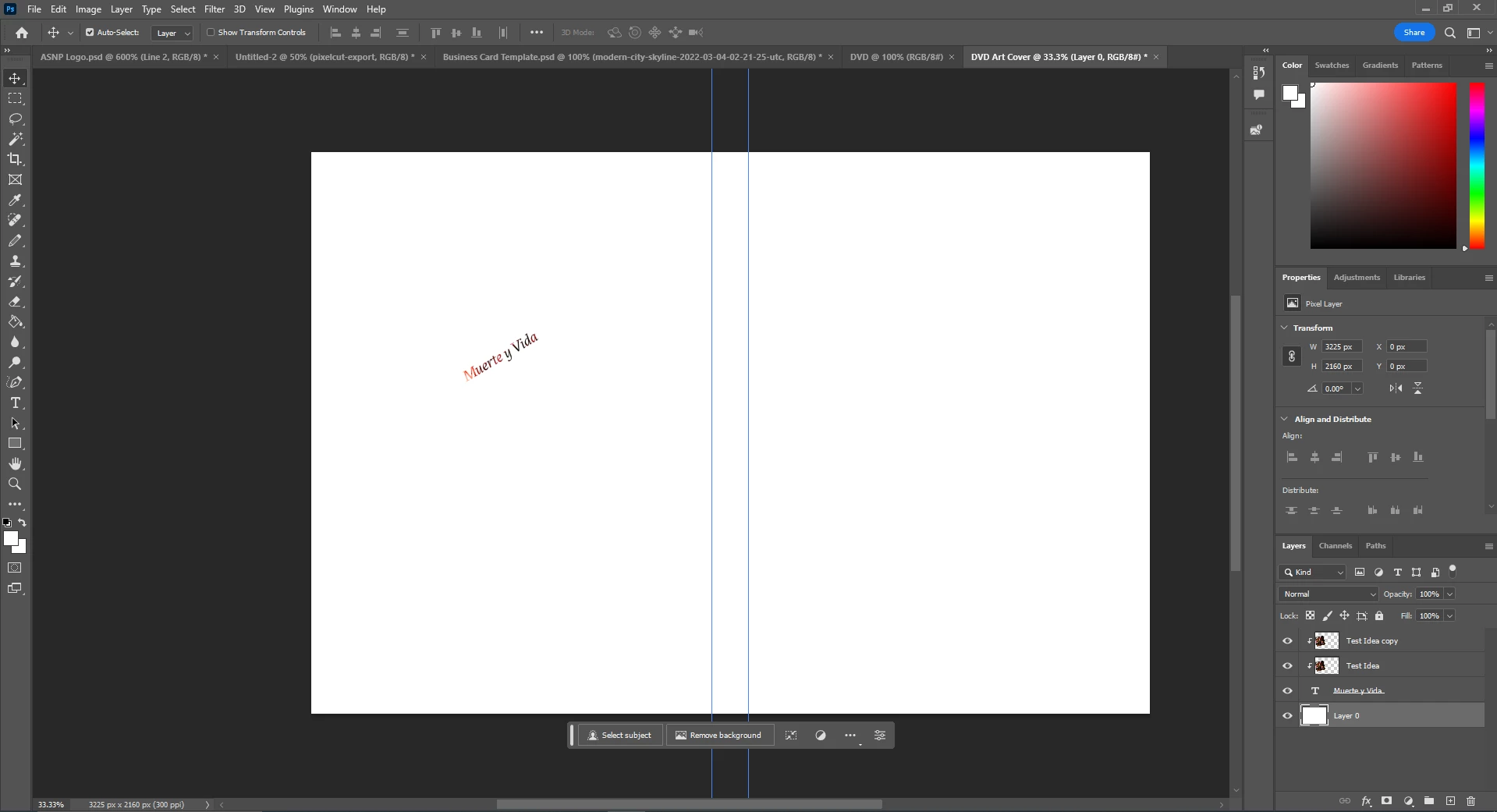
I need help duplicating a clipping mask, I finally have a design concept for a DVD cover I am working on for my a volunteer gig I picked up. I want to make an array of this txt that I made from Clipping a picture layer. When I try to duplicate the text layer the image that is being clipped gets duplicated. Am I missing something? 
    This topic has been closed for replies.

    5 replies

    davescm
    Community Expert
    Community Expert
    July 28, 2023

    It is not clear exactly what you want.


    If it is a static image clipped to several duplicates of the text layer, put the text layers in a group and clip the image to the group.


    If however, you want the image clipped to the text duplicated, then select both text and image and use Ctrl+J (putting the image in a smart object before duplicating will mean if you change its contents all copies will change)


    Dave

    Stephen Marsh
    Community Expert
    Community Expert
    July 28, 2023

    Array = Step & Repeat...


    You would likely need to make a pattern of the text when it is horizontal. Then you would use a pattern fill and set the angle there. You may need to read up on how to create a seamless repeating text pattern.

    Bojan Živković11378569
    Community Expert
    Community Expert
    July 28, 2023

    Not sure that I understand what exactly you want to accomplish. If you put everything in Layer group, duplicating group will duplicate everything so you can change text and move entire "composition" or clipping mask.

    Trevor.Dennis
    Community Expert
    Community Expert
    July 28, 2023

    There's nothing wrong with the way you have things layed out, depending on what you are trying to do.  You don't need that copy of the Test Idea layer though.


    I am not sure what you mean by 'Make an array of this text'.  The way I would probably proceed would be to select the Text and one of texture layers, right click and make then a Smart Object.


    If you can give more detail of your intended end product, then we might give you better advise.  Try the Smart Object approach though, and see if that works for you.

    kglad
    Community Expert
    Community Expert
    July 28, 2023

    in the future, to find the best place to post your message, use the list here, https://community.adobe.com/

    p.s. i don't think the adobe website, and forums in particular, are easy to navigate, so don't spend a lot of time searching that forum list. do your best and we'll move the post if it helps you get responses.


    <"moved from using the community">