Rick Jhalli
Participant
October 12, 2021
Question

I need help with an edit!

  • October 12, 2021
  • 2 replies
  • 449 views
n need of help!
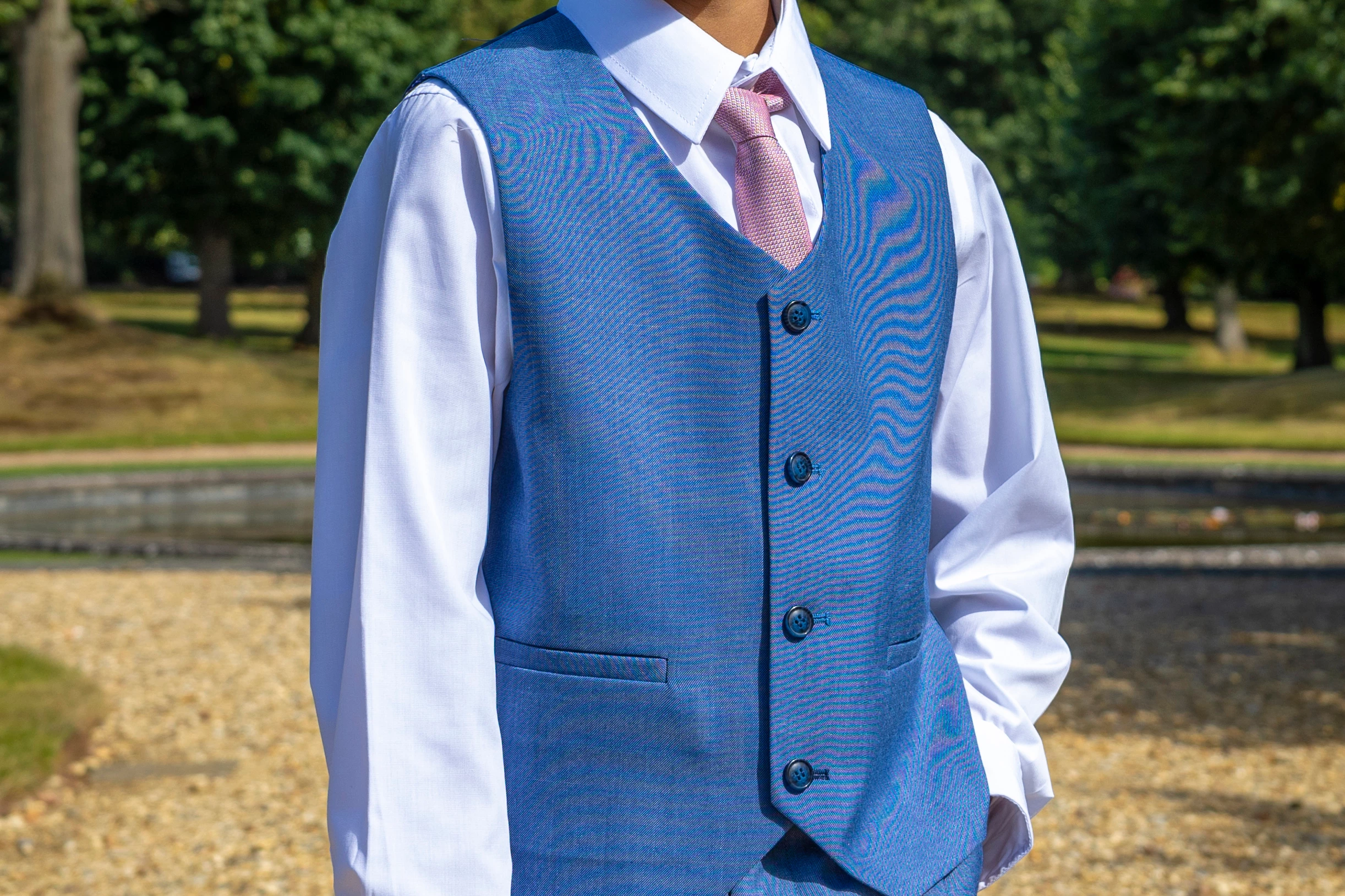
Took a few images of a wedding event and many suits ended up with this strange swirly pattern on it. Any ideas on how this can be fixed?

This topic has been closed for replies.

2 replies

Stephen Marsh
Community Expert
Community Expert
October 12, 2021

Ensure that you are viewing at 100% or 1:1 view so that you are not introducing further moiré on the monitor view, over and above what may or may not be present in the image. If resampling, the same rule applies.


There is a good tutorial here:


https://web.archive.org/web/20121014051721/http://www.dbphoto.net/moire/indexpage.html


Back in 2003 I created an action based on this tutorial. It was based around Photoshop 5.0, but I don't think that anything has greatly changed that would make the action invalid today.


Edit: Here is a quick, rough-n-ready example, I didn't make much effort at clean masking or painstaking effort at removing the major bands.


Click on the image below, then right click the reduced size preview and open the image in a new window or tab, depending on your browser, you may need to click again to show the image at full 1:1 scale (4888x1629px) rather than at a reduced view. You could also download from this view to inspect in Photoshop at 100% view.


Stephen Marsh
Community Expert
Community Expert
October 14, 2021

For what it is worth, here's a link to the action


https://www.dropbox.com/s/az3rrj17dxdnrab/Banding_Blender_APS5.atn?dl=0


The action was created for personal use, so it may or may not be obvious what to do, despite the action having stop messages with instructions etc.


It may be good to follow the tutorial step by step manually, then the action may make more sense.