taylorb13703422
Participant
August 9, 2018
Answered

I Need Photoshop GIF Help!

  • August 9, 2018
  • 1 reply
  • 348 views

I'm trying to make a gif in photoshop. I've created all my layers, dropped them into the timeline, and turned them into a gif. My issue is that for some reason my artwork is full bleed on the artboard but not in my timeline. When I play the gif in photoshop the artboard plays it full bleed but when I save it saves the artwork in a corner like it's seen in the timeline. I've tried updating my CC software and that didn't help either. I know this isn't very descriptive so I've attached an image of my issue as well. I tried chatting with support and it was a waste of an hour and a half, I hope you guys can help!
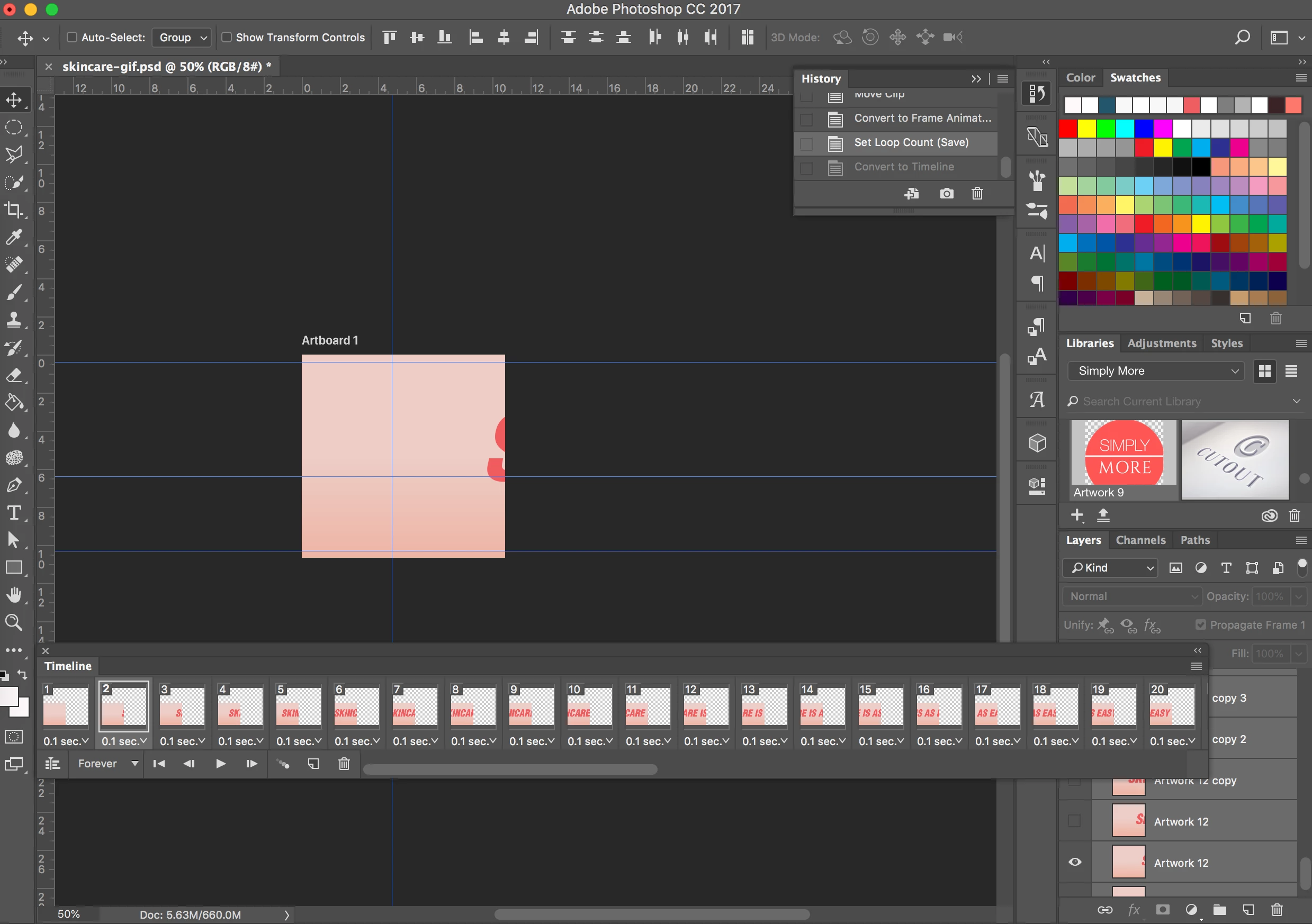

This topic has been closed for replies.
Correct answer JJMack

I have never used artboards I just use normal Photoshop documents.  I do not develop for the web and need different size assets for an image.   Try using menu Image>Trim see if you can trim off the transparent boarders.  I do not know how Photoshop handle Artboards canvas sizes for the different mobile devices the artboardes are for.

1 reply

JJMack
Community Expert
Community Expert
August 9, 2018

When I open the GIF you posted it is a Gif  not an Animated gif.  How did you save it?  If you use Expert>Save for Web.  Please capture the Save For Web Dialog with the setting you user in it.

JJMack
taylorb13703422
Participant
August 9, 2018

I posted one of the regular gifs that I saved to show that it doesn't take up the whole artboard area. I've tried to save it many different ways and I've had movement but none of them fixed the artboard issue. Here's my save for web settings. I chose dithered since I have a gradient and I want to avoid banding.

JJMack
Community Expert
JJMackCommunity ExpertCorrect answer
Community Expert
August 9, 2018

I have never used artboards I just use normal Photoshop documents.  I do not develop for the web and need different size assets for an image.   Try using menu Image>Trim see if you can trim off the transparent boarders.  I do not know how Photoshop handle Artboards canvas sizes for the different mobile devices the artboardes are for.

JJMack