Participant
November 6, 2024
Answered

I need to install photoshop 24, after I've uninstalled it

  • November 6, 2024
  • 1 reply
  • 602 views

Hey community! I downloaded PSD 2025 and uninstalled 2024, not knowing that my 2017 imac doesn't fully support the newest version of 2025. I need to install 2024 again, but of course, I can't find it. There has to be a way. Please help.


Thanks in advance.
This topic has been closed for replies.
Correct answer Ged_Traynor

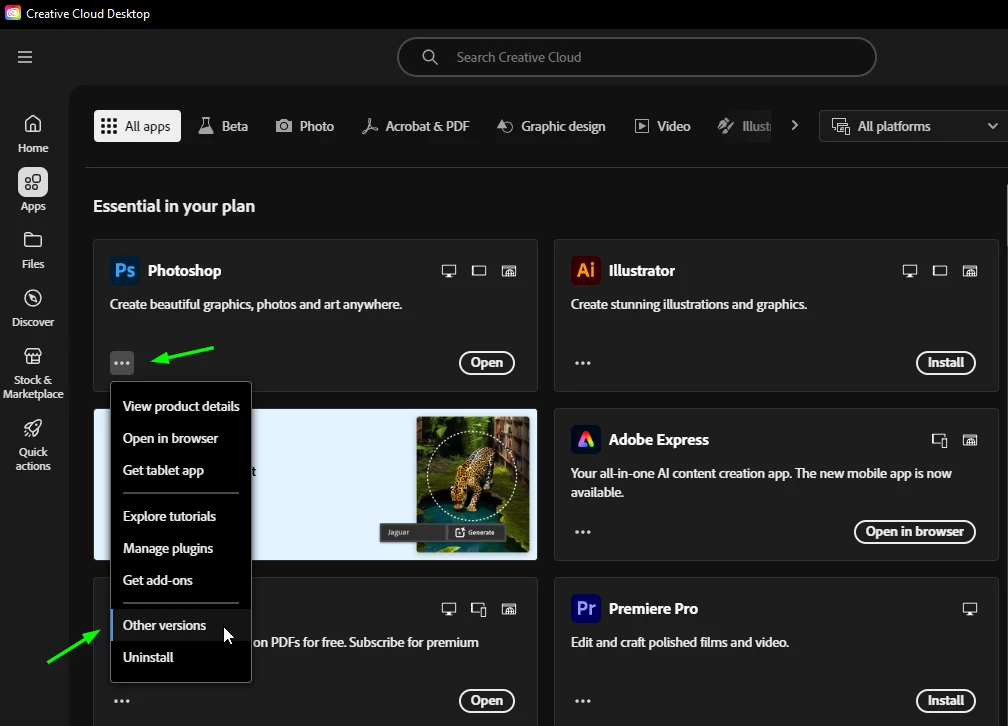
@TNem you can install it from the Creative Cloud app

1 reply

Ged_Traynor
Community Expert
Ged_TraynorCommunity ExpertCorrect answer
Community Expert
November 6, 2024

@TNem you can install it from the Creative Cloud app

TNemAuthor
Participant
November 11, 2024

Thank you, Ged. I looked and there is a huge gap in versions to reinstall. It's either in the 25.x or 22. Nothing inbetween and I had 24 before I uninstalled it. Can you help further? Thank you!!

Rob_Cullen
Community Expert
Community Expert
November 12, 2024

You will need to contact Adobe Customer Support in a chat and ask specifically for v24.

I also see 24 is not listed in the 'Other Versions' list.  Usually Adobe only show the current and one previous version of an App in the 'Other Versions' list.


Regards. My System: Windows-11, Lightroom-Classic 15.1.1, Photoshop 27.3.1, ACR 18.1.1, Lightroom 9.0, Lr-iOS 10.4.0, Bridge 16.0.2 .