Answered
I need to lighten the background colour but have been unable to find how to do it in Photoshop
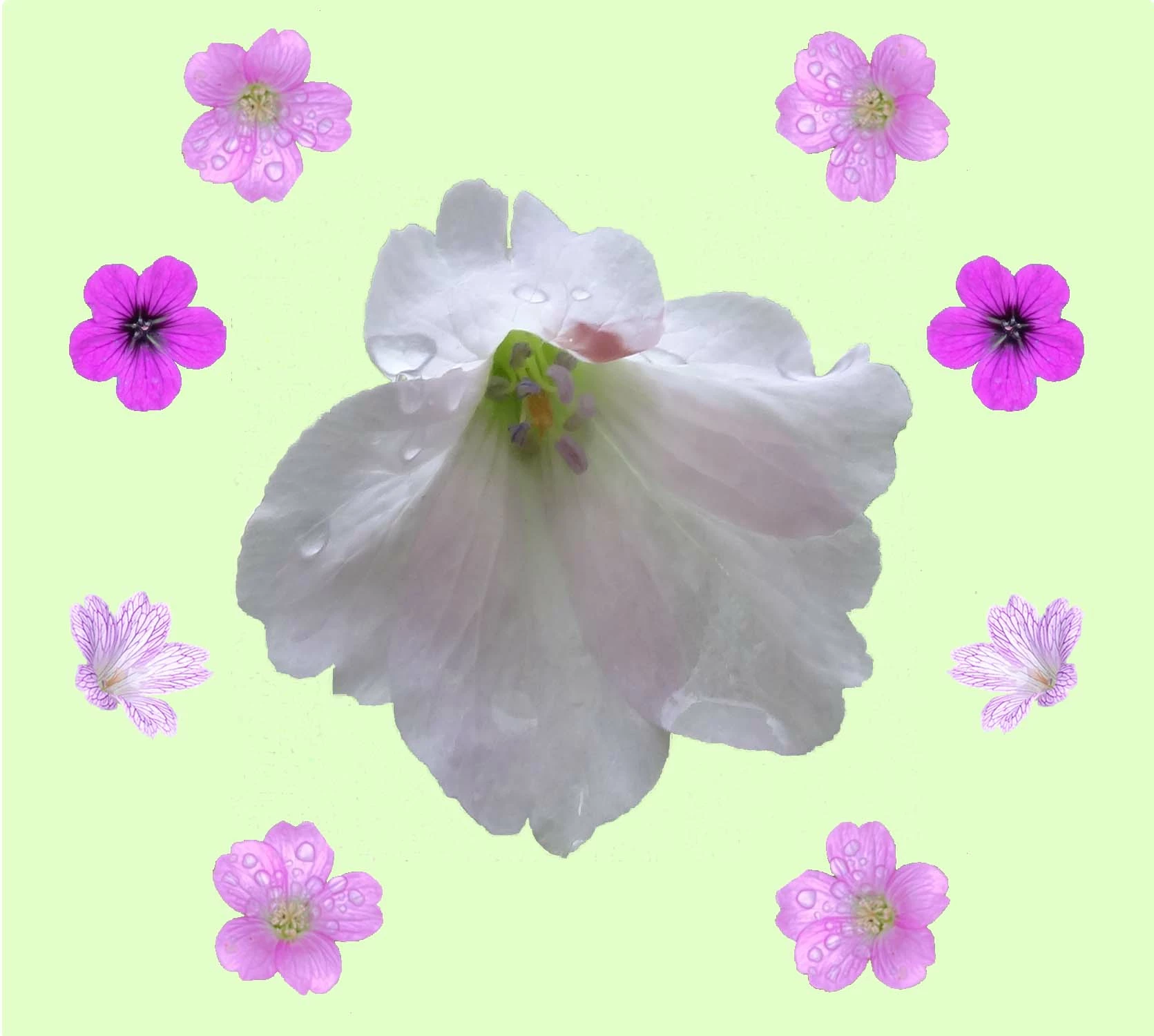

With a plain background like that you hhave multiple options, but they all revolve — albeit in different ways — to selecting the background colour.
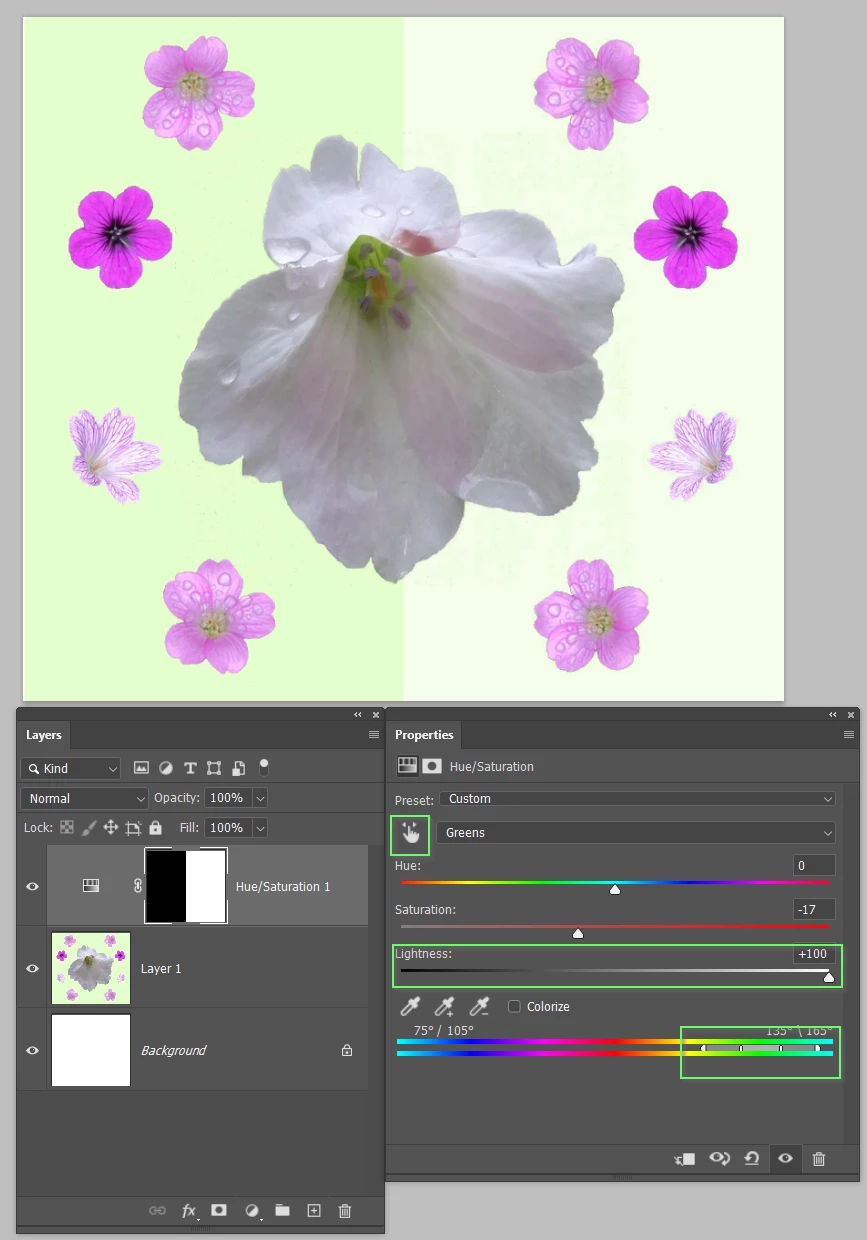
This uses a Hue/Saturation adjustment layer.
If you click on the little hand icon top left of the Properties panel, and then on the backgound colour. it selects just that colour. You can see thhe stops on the colour bar at the bottom of the Properties panel, and you can drag those stops to extend the colour range. You can see I have moved the lightness slider all the way to thew right to brighten the selected colour range. I have also slightly reduced saturation.
Note: I have filled half the layer mask with black so you can see the before and after.
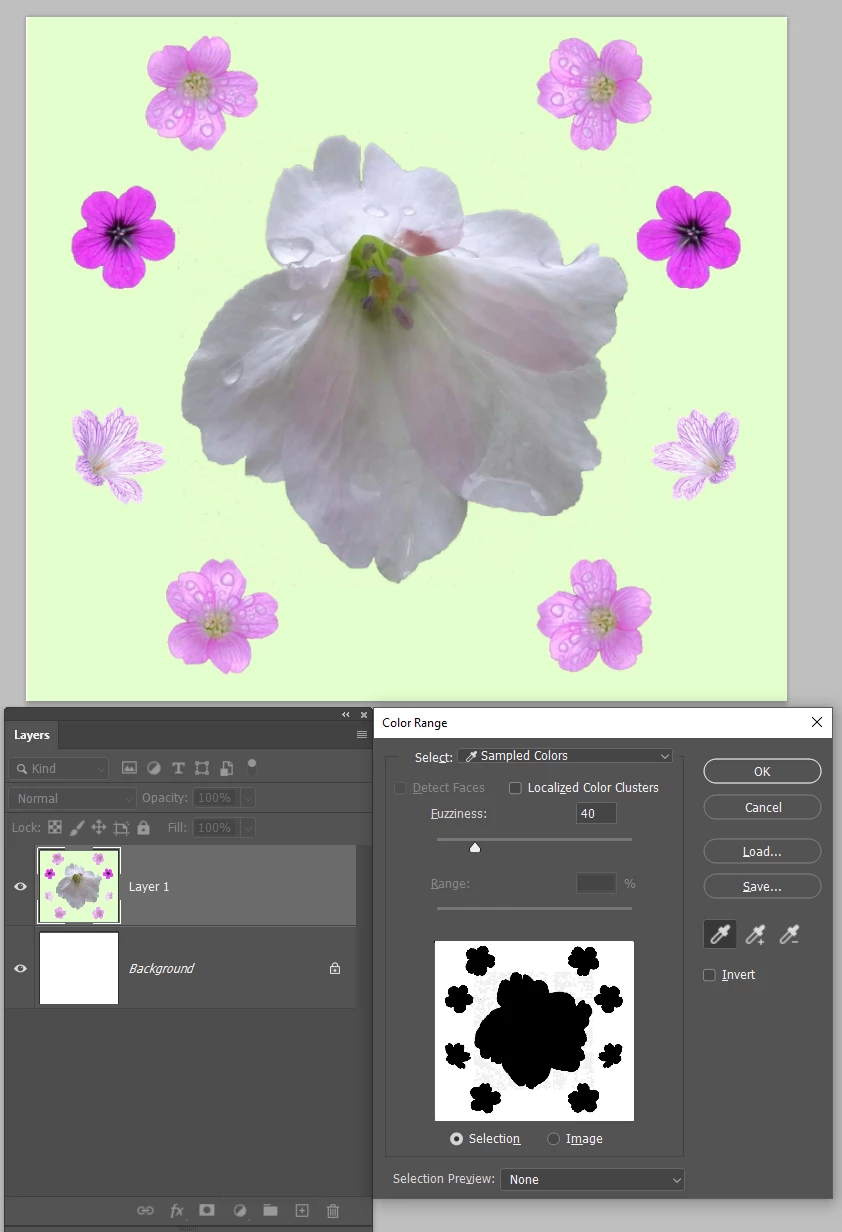
Another approach would be to use Select > Colour Range. When the Color Range window opens, click on the background which will produce a mask as below. You can extend the selection by clicking on the + icon and then on the addional pixels you wish to include. OK when done which will leave the marching ants.
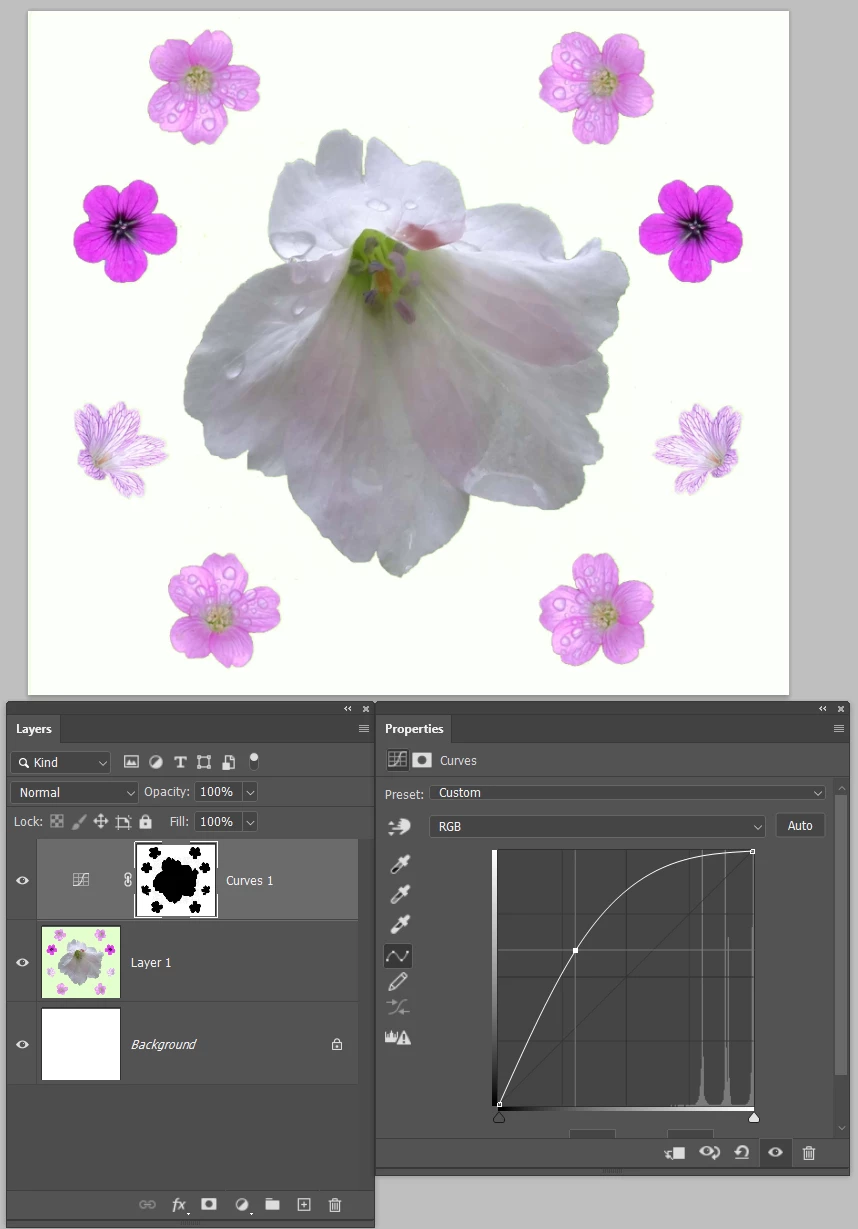
With the selection in place, add a Curves or Levels Adjustment layer, and its mask will automatically mask out the rest of the image. Adjust the curve to suite and you are done.
Already have an account? Login
Enter your E-mail address. We'll send you an e-mail with instructions to reset your password.
 AdChoices