Answered
I rasterized my text and now I can't edit it
I rasterized a layer and now I can't edit text. How do I handle this?

I rasterized a layer and now I can't edit text. How do I handle this?
Hi Julianne,
When you rasterize text you are converting the text layer to a regular layer. This means that you can now apply certain filters and effects to the layer. Unless your document is still open and you can undo the rasterization, I'm afraid you will have to re-create the text layer.
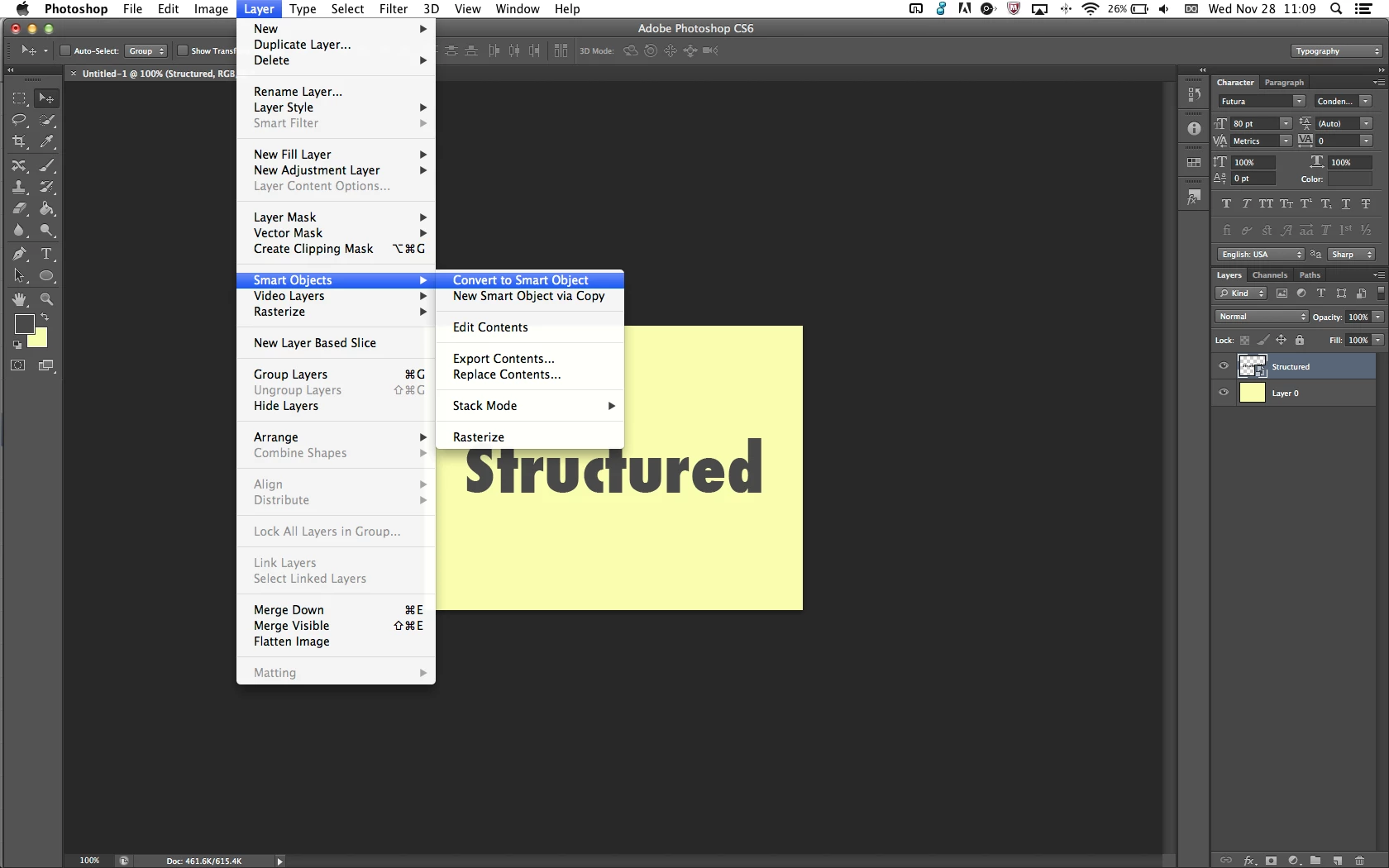
In the future, instead of rasterizing your text, you should instead try converting the layer to a smart object. This can be done by selecting the layer on the Layers panel, and going to Layer > Smart Objects > Convert to Smart Object:
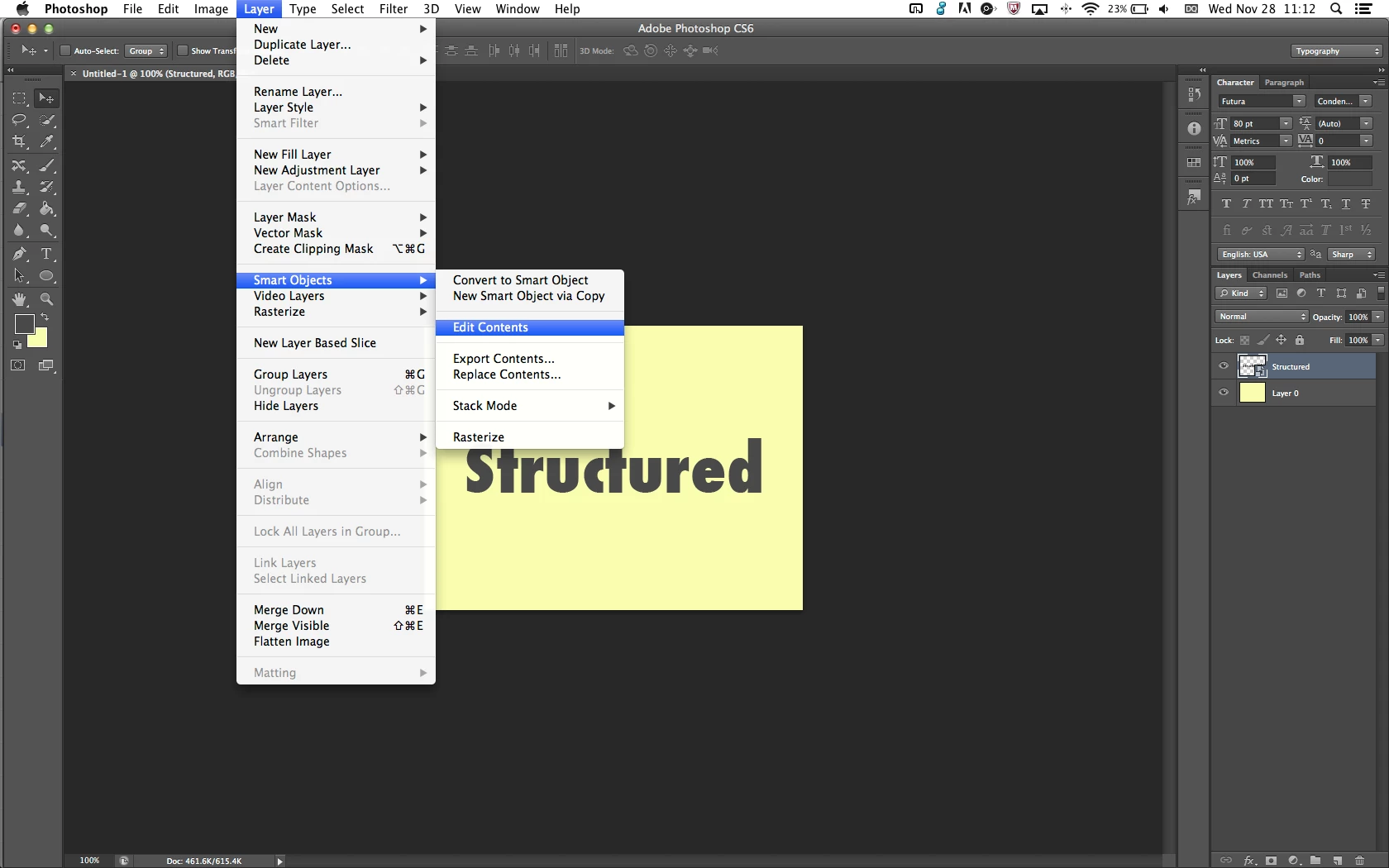
It allows you to apply filters and effects much like you would to a regular “raster” layer, but still lets you edit text by going to Layer > Smart Objects > Edit Contents with the smart object selected:
Already have an account? Login
Enter your E-mail address. We'll send you an e-mail with instructions to reset your password.
 AdChoices