
Ken Nielsen
Legend
August 22, 2020
解決済み

I uncheck 'show home screen' but this screen keeps coming up at startup.... How do I disable this?

  • August 22, 2020
  • 返信数 1.
  • 534 ビュー

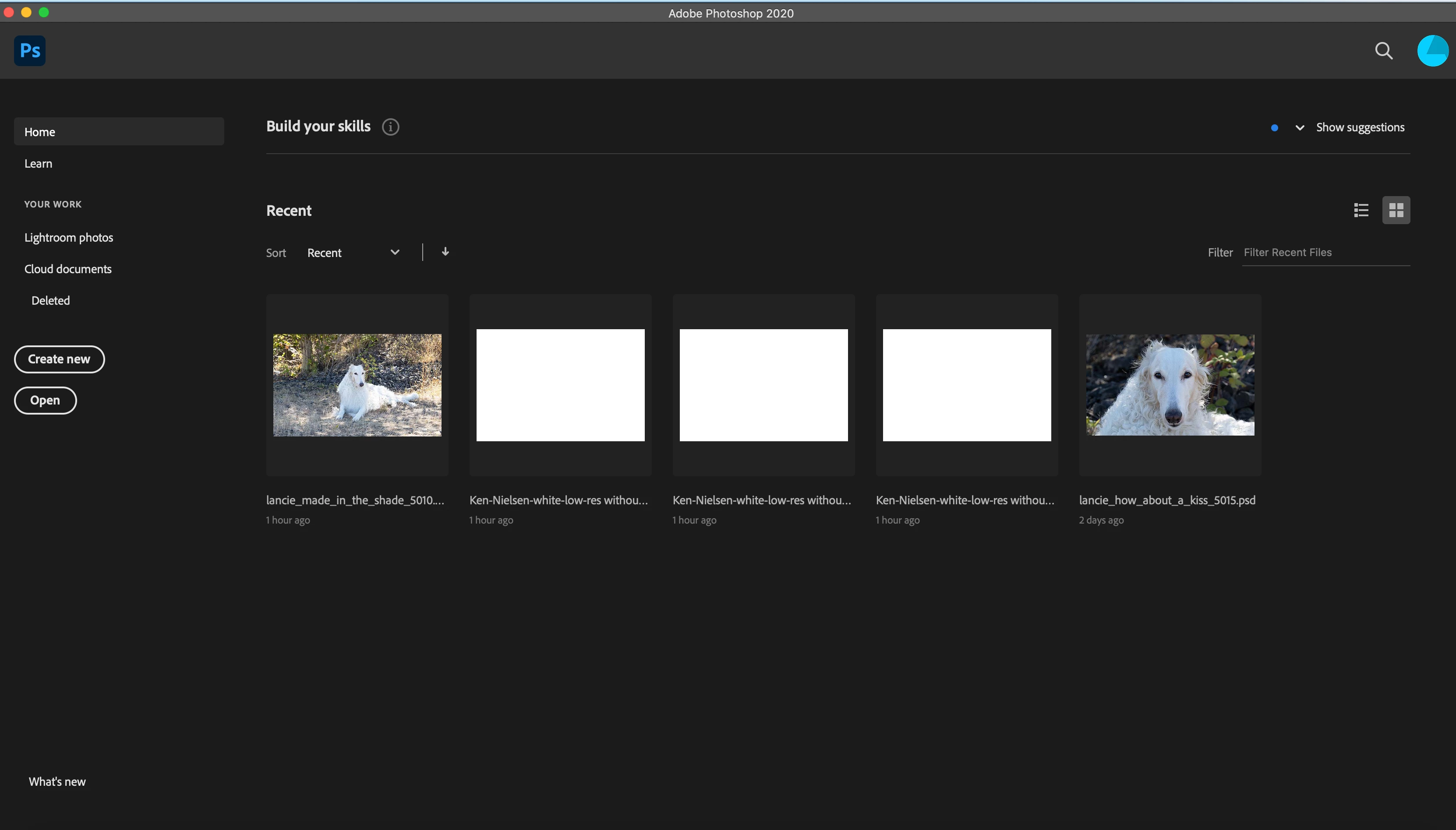
I'm starting with a fresh install of Photoshop and wading through many things which just don't want to go away... Here is the screen that shows at start-up, I have unchecked 'show home screen' in preferences but this keeps coming up at start-up. Is this something else and is there something I can do to get this to go away?

TIA,


Ken
このトピックへの返信は締め切られました。
解決に役立った回答 Just Shoot Me

That is the Home Screen.

Are you Sure you Un-Checked that option?

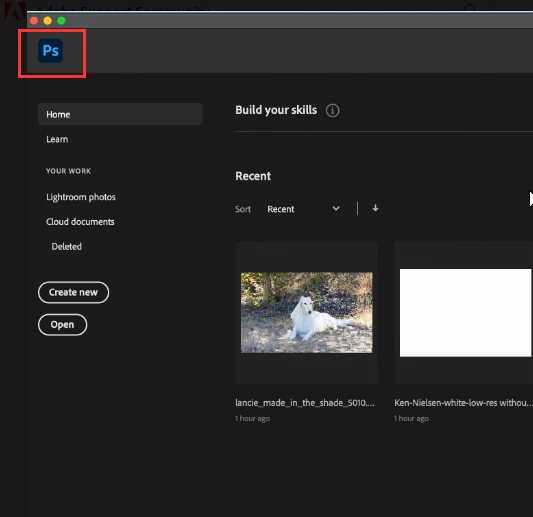
Click the Ps icon in the upper left hand area.


返信数 1

Just Shoot Me
Just Shoot Me解決!
Legend
August 22, 2020

That is the Home Screen.

Are you Sure you Un-Checked that option?

Click the Ps icon in the upper left hand area.


Ken Nielsen
Ken Nielsen作成者
Legend
August 22, 2020

Thank You, Persistence pays off, I know I checked it twice but posting here and having you reply in kind fixed it. Some things are beyond explaining. It might have been my repeated restarting of my computer that caused it to finally 'take.' I appreciate your help as these forums are the best help anyone could ask for.


Just Shoot Me
Legend
August 22, 2020

It only takes by clicking that Ps icon in the upper right area of the home screen.


It seems the Ps remembers the startup screen you had showing the last time it started. Home scren show you get the Home screen the next time you start. Selecting that Ps icon sets the interface to remember you Un-checked the Home screen option. At least that is how it worked for me.


Glad you don't have to loo at the Home screen anymore.