Participating Frequently
January 4, 2023
Answered

I want to create a modal button that opens the add a layer style settings window

  • January 4, 2023
  • 3 replies
  • 710 views

I want to create a modal button that opens the add a layer style settings window provided by photoshop.
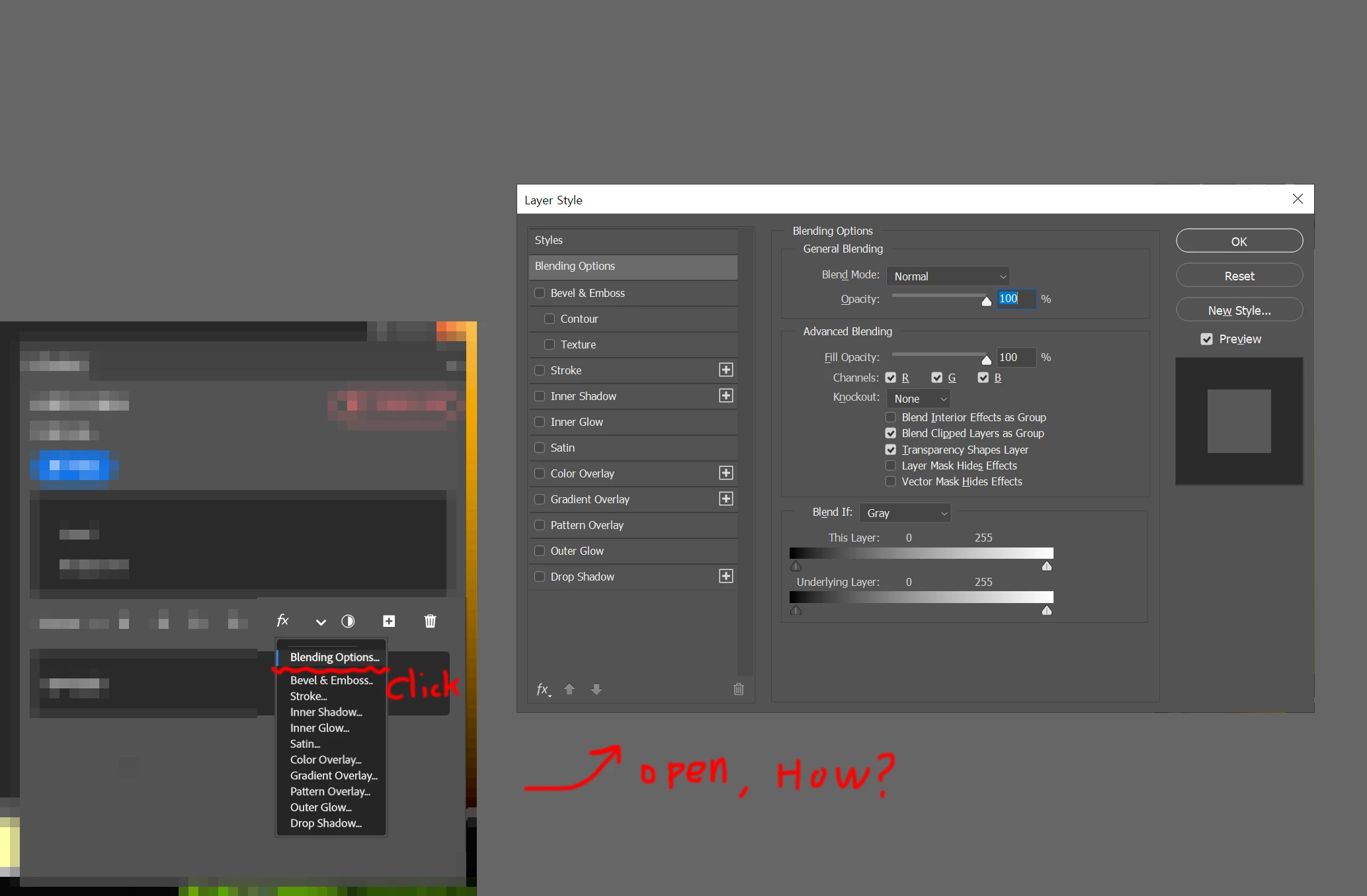
 

This topic has been closed for replies.
Correct answer Stephen Marsh

@lll1234 – As @Lumigraphics wrote, there are already multiple options with actions and keyboard shortcuts... However, if you do want to put this into a script, one possible code chunk would be:


function s2t(s) {
    return app.stringIDToTypeID(s);
}
var descriptor = new ActionDescriptor();
var descriptor2 = new ActionDescriptor();
var reference = new ActionReference();
reference.putProperty( s2t( "property" ), s2t( "blendOptions" ));
reference.putEnumerated( s2t( "layer" ), s2t( "ordinal" ), s2t( "targetEnum" ));
descriptor.putReference( s2t( "null" ), reference );
descriptor2.putClass( s2t( "blendOptions" ), s2t( "blendOptions" ));
descriptor.putObject( s2t( "to" ), s2t( "blendOptions" ), descriptor2 );
executeAction(s2t( "set" ), descriptor, DialogModes.ALL);

3 replies

lll1234Author
Participating Frequently
January 6, 2023

you're right. I wanted to know more.
How the code that works in jsx differs from the code that works in uxp

Thanks for posting the link, I hope it helps those who have similar questions to me.

Both were necessary depending on the situation, thank you for your interest and help.

Legend
January 6, 2023

Photoshop has multiple APIs for external control. UXP is the newest, Extendscript and CEP are older. You can also write plug-ins in C/C++ although that would be overkill for a simple button.

Stephen Marsh
Community Expert
Stephen MarshCommunity ExpertCorrect answer
Community Expert
January 4, 2023

@lll1234 – As @Lumigraphics wrote, there are already multiple options with actions and keyboard shortcuts... However, if you do want to put this into a script, one possible code chunk would be:


function s2t(s) {
    return app.stringIDToTypeID(s);
}
var descriptor = new ActionDescriptor();
var descriptor2 = new ActionDescriptor();
var reference = new ActionReference();
reference.putProperty( s2t( "property" ), s2t( "blendOptions" ));
reference.putEnumerated( s2t( "layer" ), s2t( "ordinal" ), s2t( "targetEnum" ));
descriptor.putReference( s2t( "null" ), reference );
descriptor2.putClass( s2t( "blendOptions" ), s2t( "blendOptions" ));
descriptor.putObject( s2t( "to" ), s2t( "blendOptions" ), descriptor2 );
executeAction(s2t( "set" ), descriptor, DialogModes.ALL);
lll1234Author
Participating Frequently
January 5, 2023

Thank you once. I will try to apply it and write the result again.

Stephen Marsh
Community Expert
Community Expert
January 5, 2023

OK, let me know how the code works for you.

Legend
January 4, 2023

Are you talking about adding a panel with a button on it? Layer Styles are in the Layer menu and you can already customize the keyboard shortcuts for it. You can also record an action and use Insert Menu Item so you simply click the action to open that window.

lll1234Author
Participating Frequently
January 5, 2023

I tried to find the log record using adobe listener and ran it, but that log code didn't work.

What I want is to fully bring up the add a layer style settings window.

I don't want to apply add a layer style settings in code.
I want to open the window as it is

Stephen Marsh
Community Expert
Community Expert
January 5, 2023

So the SL plug-in works for you? What Ps version are you on?


The default code recorded for the blendOptions needs to be changed from:


DialogModes.NO


to:


DialogModes.ALL