Participant
January 14, 2018
Question

ICC profile is not showing in list

  • January 14, 2018
  • 3 replies
  • 7283 views

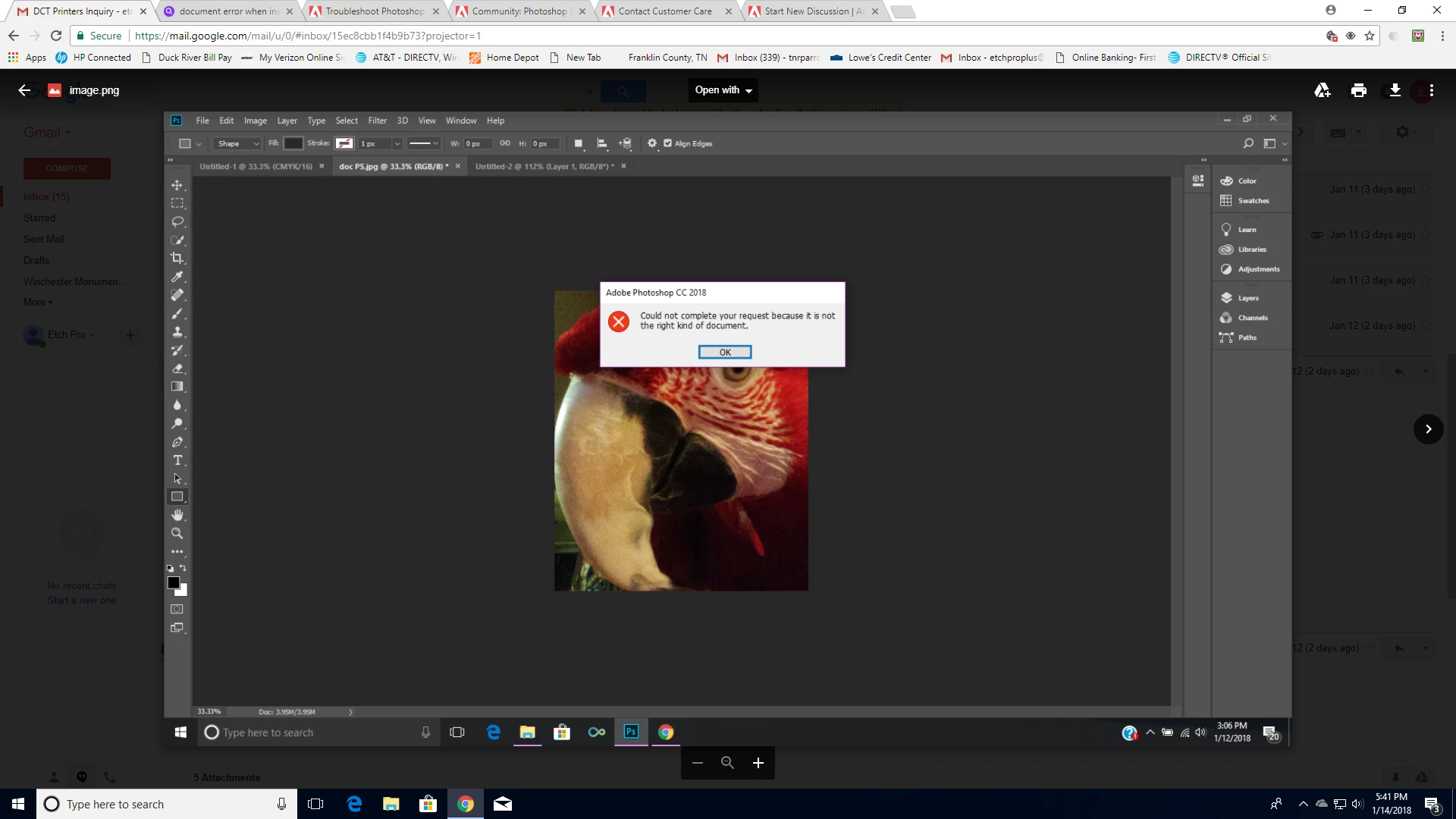
I am using Photoshop CC 2018, Windows 10 OS, obtained the ICC profile from DCT Printers.  I downloaded the profile,tried to install it, but get a pop up error in Adobe Photoshop that says could not complete your request because it is not the right kind of document.  It shows in the spool>drivers>color folder, but it does not show in the drop down list for selection when I go to print.  I have read all the posts re: ICC errors and I don't see a resolution for my particular problem.  Can anyone help?
This topic has been closed for replies.

3 replies

D Fosse
Community Expert
Community Expert
January 15, 2018

It sounds like you're trying to open the profile in Photoshop? In Windows all you need to do is download the profile, to your desktop or wherever, and then you right-click and "Install Profile". It's all done in Windows, no need to have Photoshop open at all.

If the profile still doesn't show up in Photoshop after that, try to navigate to it from whatever dialog you're in, or copy it from the Windows folder into Program Files > Common Files > Adobe > Color > Profiles. All the relevant profiles should be in that folder too.

Brian Capt
Participating Frequently
August 29, 2018

Hello I am having the same issues and more

Im simply using "open with" for a jpg, or i open a file from in PS the same always happens, this works 80% of the time but then i get parsing & ICC error messages, and with jpegs ive opened before

Thanks for your message above but not all of us who use PS are tech geeks, i dont understand a word of that

Regards

D Fosse
Community Expert
Community Expert
August 29, 2018

Your problem is a completely different one from what this thread is about. And please don't post the same question in several unrelated threads. Start a new thread.

See my answer here:

https://forums.adobe.com/thread/2440105

Participant
January 15, 2018

Yes, I shut everything down and restarted it.  I tried installing it on my laptop as well, same OS and it was the same issue with it.  I have reached out to DCT hoping they have a different  profile I can try. 

chanaart
Community Expert
Community Expert
January 15, 2018

Let hope they answer you. If you still have problems with it I recommend Tech support

chanaart
Community Expert
Community Expert
January 14, 2018

I have a weird question..did you restart photoshop after installing the new color driver?

Also is it compatible to this version?