Participant
June 2, 2021
Answered

Identifying these two marks

  • June 2, 2021
  • 1 reply
  • 719 views

Hello all 

Could anyone explain to me what these marks are, about and how I can arrange these or delete them? 
I got these images from a client, TIFF format and whenever I try to choose colours, these marks comes up. 

This topic has been closed for replies.
Correct answer jane-e

Hi @R_AMS 

Color Sampler tool "I", then "Clear All" in the options bar if you want to remove them.


Details here:

https://helpx.adobe.com/photoshop/key-concepts/sample.html 
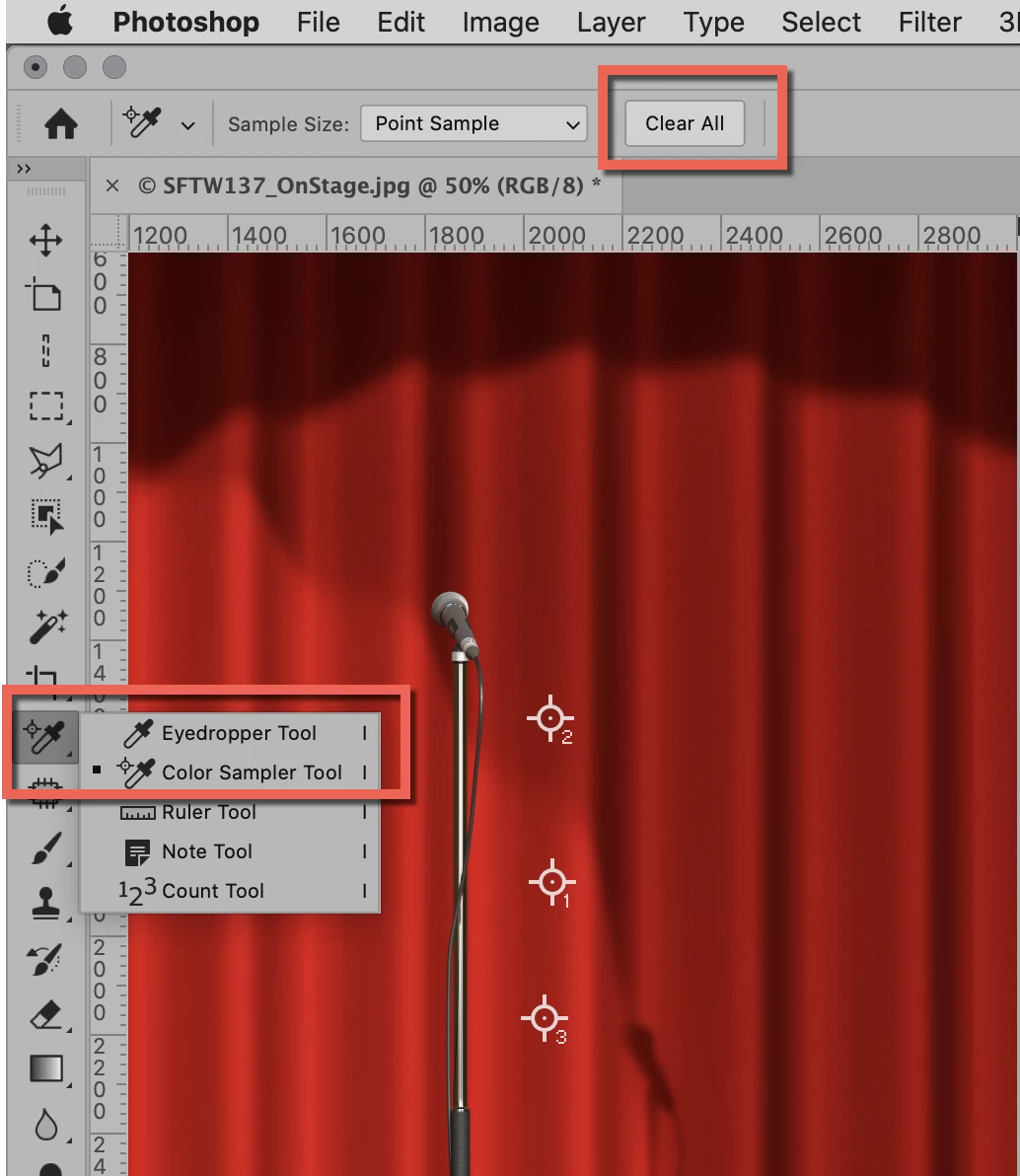
 

Photo credit: @davescm in this week's photo challenge:

https://community.adobe.com/t5/photoshop/something-for-the-weekend-part-137-stage-struck/m-p/12077420 


~ Jane

1 reply

jane-e
Community Expert
jane-eCommunity ExpertCorrect answer
Community Expert
June 2, 2021

Hi @R_AMS 

Color Sampler tool "I", then "Clear All" in the options bar if you want to remove them.


Details here:

https://helpx.adobe.com/photoshop/key-concepts/sample.html 


Photo credit: @davescm in this week's photo challenge:

https://community.adobe.com/t5/photoshop/something-for-the-weekend-part-137-stage-struck/m-p/12077420 


~ Jane

R_AMSAuthor
Participant
June 2, 2021

Hello @jane-e 


Thank you so much! I can sleep tonight. 


jane-e
Community Expert
Community Expert
June 2, 2021

@R_AMS 


Hooray! They don't print, btw.


~ Jane