
Participant
September 29, 2020
Question

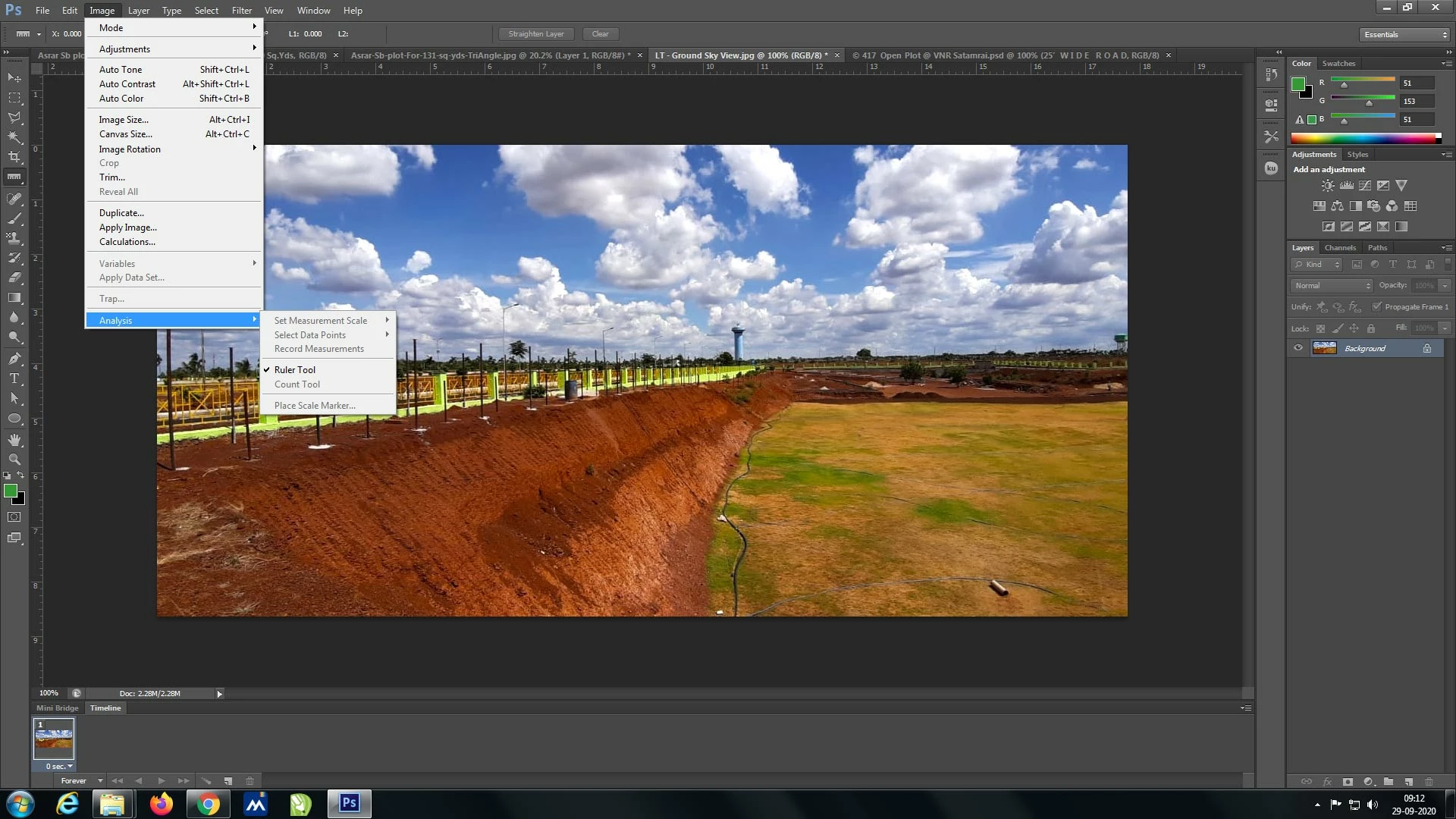
Image > Analysis > Ruler Tool (All other options are greyed) disabled options in PS CS6 Ver 13

  • September 29, 2020
  • 2 replies
  • 674 views

Hello there...

I am using PS CS6 Ver 13 on Windows 7 Professional

I am not able to use measurement tools... all options in Image > Analysis  are Greyed (expect Ruler Tool)

On all the Mode 8/16/32 Bits Channel is same disabled

Please help me out.... How shall i enable it.

due thanks to all..

-Shah G
This topic has been closed for replies.

2 replies

Nancy OShea
Community Expert
Community Expert
September 29, 2020

Upgrade to latest Windows 10 (64-bit) and get access to all the features in Photoshop CC. 

https://helpx.adobe.com/creative-cloud/system-requirements.html

https://helpx.adobe.com/photoshop/system-requirements.html


Nancy O'Shea— Product User & Community Expert
Jeff Arola
Community Expert
Community Expert
September 29, 2020

If i'm not mistaken i believe one needs photoshop cs6 Extended to use those commands.


There are two version of the perpetual license photoshop cs6, Standard (the one you appear to have) and Extended which enables 3D and several other features including the Image>Analysis menu commands.


https://prodesigntools.com/whats-the-difference-photoshop-cs6-vs-photoshop-cs6-extended.html