
Participant
February 23, 2018
Question

Image and frame not rotating together

  • February 23, 2018
  • 2 replies
  • 515 views

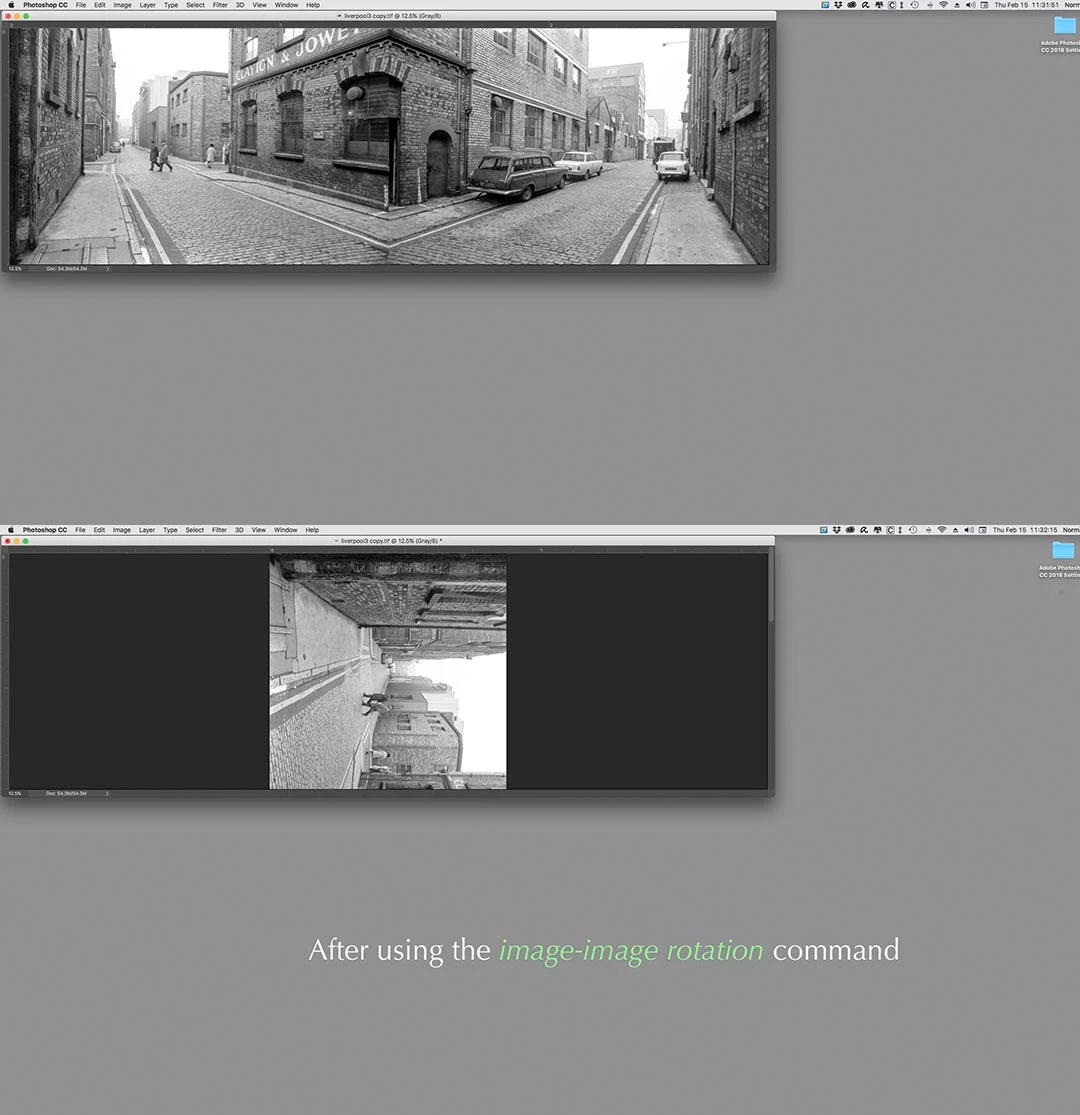
With the lats update I have encountered a problem. When I have an image open and go to IMAGE-IMAGE ROTATION-CLOCKWISE(or)COUNTER CLOCKWISE(or)ARBITRARY the frame does not rotate so I am left with only part of the image visible. Any thoughts?
    This topic has been closed for replies.

    2 replies

    D Fosse
    Community Expert
    Community Expert
    February 24, 2018

    Try to reset your preference file, it may be corrupted.

    This isn't normal and there's no way I can make this happen.

    JJMack
    Community Expert
    Community Expert
    February 24, 2018

    On windows it is very easy to do. All I need do is manually resize a floating window then when  I rotated image in the windows the windows stay put and the image rotates.

    If  Photoshop set the window size like zoom resize window  then Image Rotate will also rotate the window

    JJMack
    JJMack
    Community Expert
    Community Expert
    February 23, 2018

    You rotate the image not Photoshop image window frame Try using  Ctrl+0 to fit the window for you CMD + Zero

    JJMack
    Participant
    February 24, 2018

    Thank you JJMack for the Cmd+0, which I do know. This is still a two step process, as is the Cmd+ or - which also works, and I was hoping to be able to return to the prior behaviour, which is just one step.

    JJMack
    Community Expert
    Community Expert
    February 24, 2018

    I do not know if Mac Photoshop will behave like my Windows Photoshop. I edit in Floating Image windows. If I do a Ctrl+0 to fit an image to a window.  I can then Image Rotate Rotate 90 clockwise and the image will rotate and the window will resize to the changed orientation.  However if you rotate a wide aspect ratio ie Landscape to a portrait orientation. The image will not be refitted scroll bars must be used.

    JJMack