Known Participant
October 19, 2018
Question

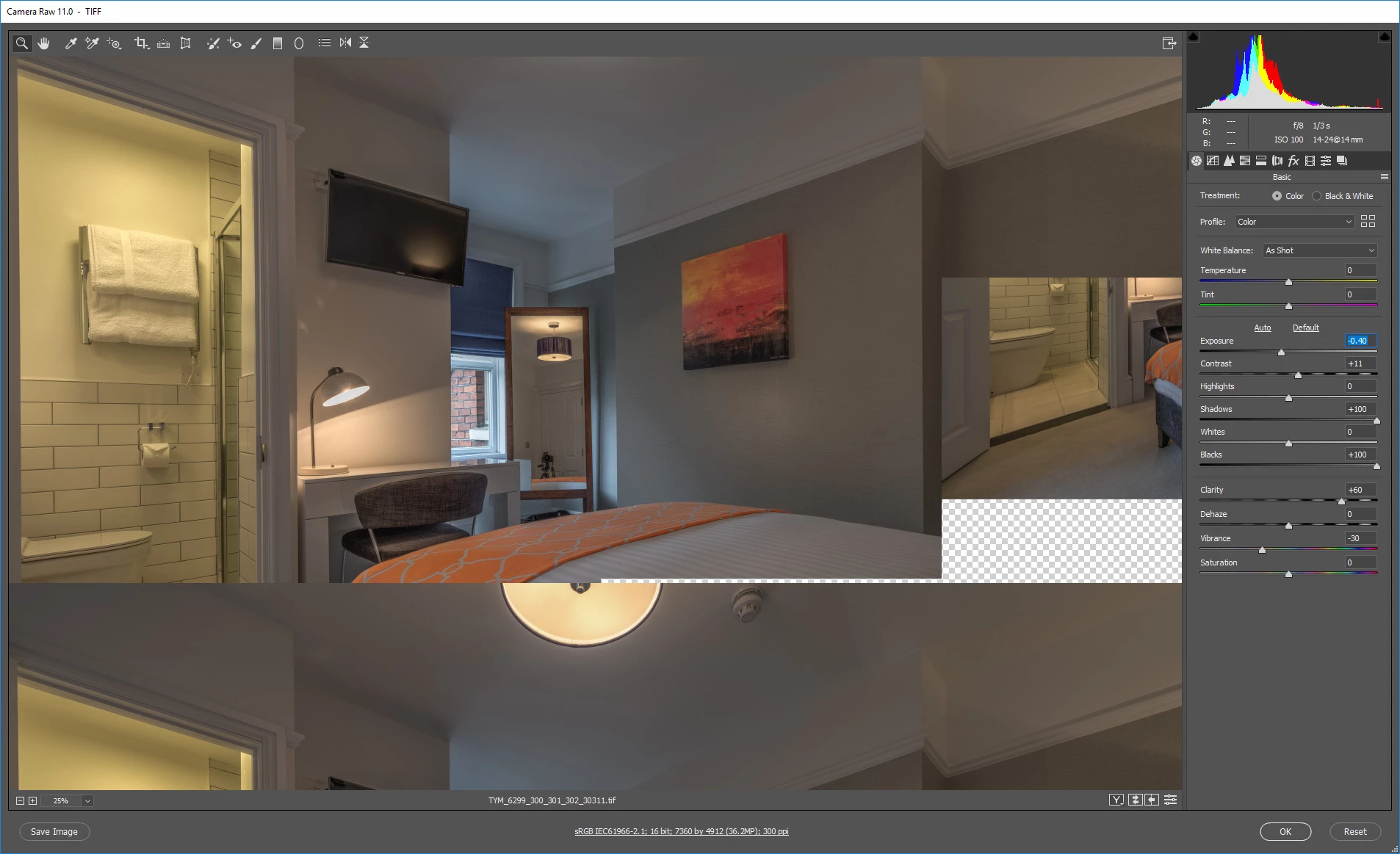
Image breaking up in camera raw

  • October 19, 2018
  • 3 replies
  • 729 views

Another top *cough* update from adobe, images are now breaking inside of camera raw whilst trying to make edits. Anyone have any idea on how to fix this?
    This topic has been closed for replies.

    3 replies

    ItWasNotMe
    Known Participant
    October 29, 2018

    I have very similar, maybe the same problem

    • Edit Tif File (for example)
    • Select Camera Raw filter
    • Make a change using Camera Raw
    • Select OK to return to Photoshop

    Wait for the Progress Bar to complete.

    Only part of the screen is repainted, usually but not always top left corner; usually but not always over top of existing image, sometimes over a checkerboard.

    MacOS 10.13.6 (High Sierra)

    PhotoShop 20.0.0

    Camera Raw 11.0.0.61

    Not using the Graphics Processor (i.e. unchecked)

    Known Participant
    October 19, 2018

    Sorted. I forgot updated sometimes recheck this almost pointless option ;0).

    c.pfaffenbichler
    Community Expert
    Community Expert
    October 19, 2018

    Not quite pointless, ideally it should provide advantages with regard to processing speed but things can go awry …

    c.pfaffenbichler
    Community Expert
    Community Expert
    October 19, 2018

    Haye you tried unchecking Photoshop > Preferences > Camera Raw > Use Graphics Processor and restarting?