Answered
Image desaturated after export
When working on the canvas the colors are more vibrant, then the colors are dulled once I export it.
Is there anything I could do to get rid of the color difference?
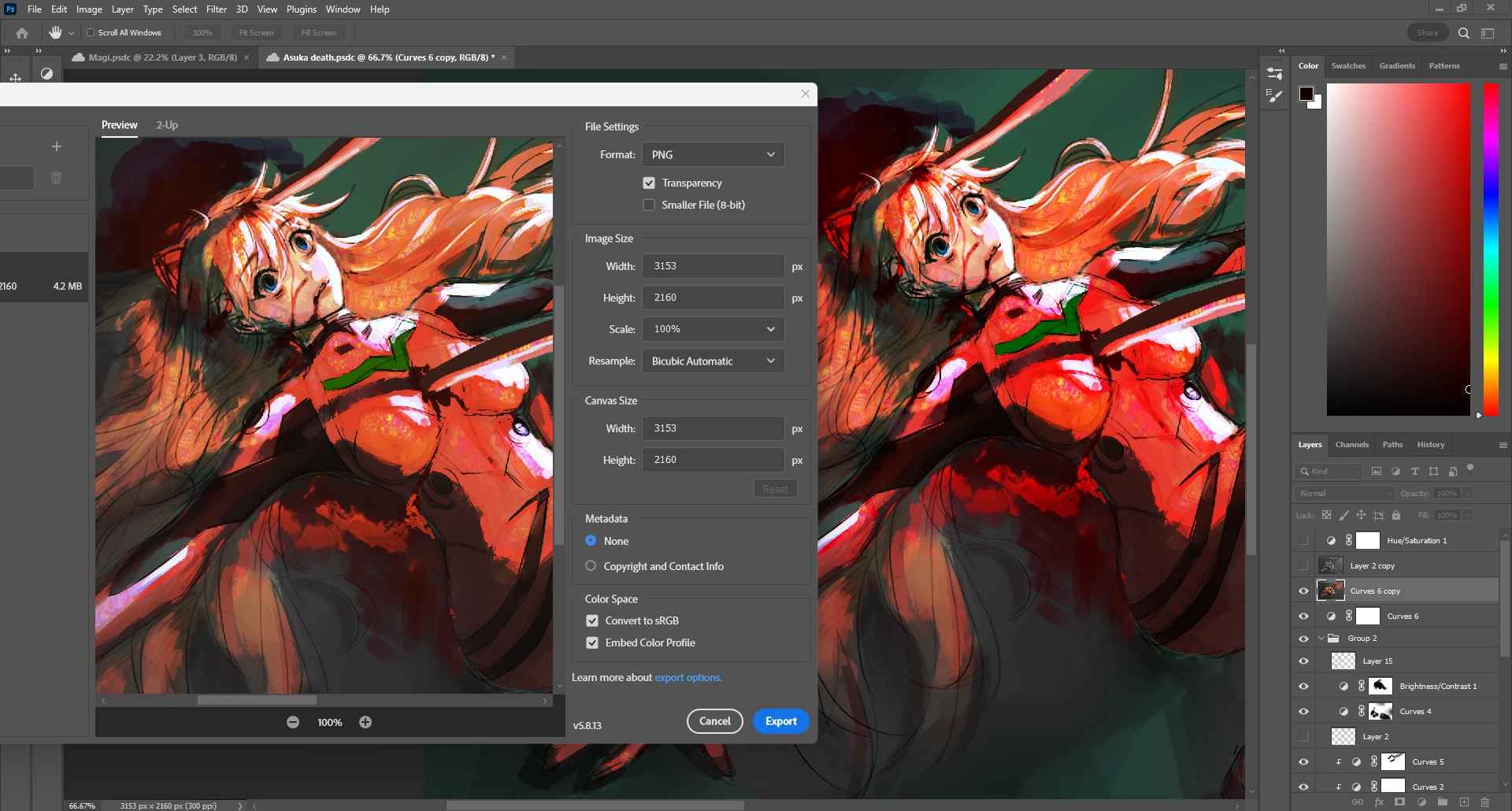

When working on the canvas the colors are more vibrant, then the colors are dulled once I export it.
Is there anything I could do to get rid of the color difference?
OK, maybe this is a monitor profile issue. If there is a problem with the profile, maybe not written to correct icc specification, whatever - it may end up not being read correctly by an application under some circumstances. I notice right away that your monitor profiles are a bit off/suboptimal.
First of all, I can say that if you bought a calibrator, all this would be solved immediately. But in the meantime we can probably fix it temporarily.
For the Samsung, there isn't a default profile assigned in the operating system at all. I googled this model, and it's a standard gamut panel. So just set sRGB IEC61966-2.1 here and click "set as default".
The Huion Kanvas is a bit more tricky. The specs state "150% sRGB, 92% Adobe RGB". A simple % number doesn't tell you much, but it does indicate that the display is about half way between standard gamut and wide gamut. That's OK in itself, but it means you must have an accurate monitor profile. It also means that without proper color management, that display will display an sRGB file oversaturated. A functioning monitor profile will correct for that.
So, lacking a calibrator, here you have no choice but to download a monitor profile from Huion. Set it up the same way.
Relaunch Photoshop when this is done. Photoshop loads the monitor profile at application startup, and continues using it for the remainder of that session.
But there's more. I see you have the screens connected to two different GPUs. That's also a potential problem in Photoshop, because it uses the GPU for actual data processing, sending the result back to Photoshop, and there can only be one GPU in that equation. Two GPUs will conflict if they are both called. Ideally, both screens should run off the RTX 4070.
The GPU matters here because the conversion into the monitor profile, the actual display color management, is executed in the GPU. So a marginal profile can break in a marginal GPU driver, or vice versa. It can work in some circumstances and break in others. These are flip sides to the same coin.
Finally. Try Save For Web just to rule out an Export bug.
Already have an account? Login
Enter your E-mail address. We'll send you an e-mail with instructions to reset your password.
 AdChoices