
bigdogmurphy
Known Participant
October 20, 2022
Answered

Image flies all over the screen when moving the mouse!

  • October 20, 2022
  • 1 reply
  • 1636 views

How can I stop an image I'm working on from flying all over the screen, even off-screen, when I reposition the mouse?  By reposition I mean even moving the mouse to select a different tool!
This topic has been closed for replies.
Correct answer gener7

Under Photoshop > Preferences > Tools,

Uncheck "Animated Zoom", Flick Panning" and if need be, "Overscroll."  Restart Ps to be sure the changes take effect.


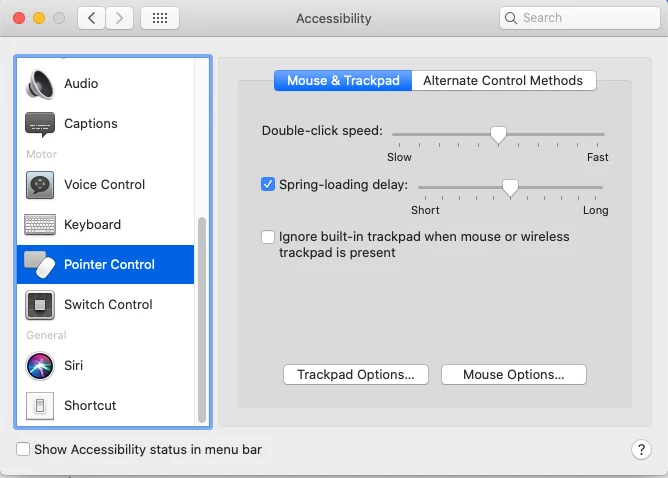
Also look at Accessibility and check the settings:


Another idea:


Since you are on MacOS, go to System Preferences > Mouse and see if slowing down the tracking speed works.

1 reply

gener7
Community Expert
gener7Community ExpertCorrect answer
Community Expert
October 20, 2022

Under Photoshop > Preferences > Tools,

Uncheck "Animated Zoom", Flick Panning" and if need be, "Overscroll."  Restart Ps to be sure the changes take effect.


Also look at Accessibility and check the settings:


Another idea:


Since you are on MacOS, go to System Preferences > Mouse and see if slowing down the tracking speed works.

bigdogmurphy
Known Participant
October 21, 2022

Well, at least they don't fly all over as fast! Thanks for the tip!!


Links removed by Moderator