Answered
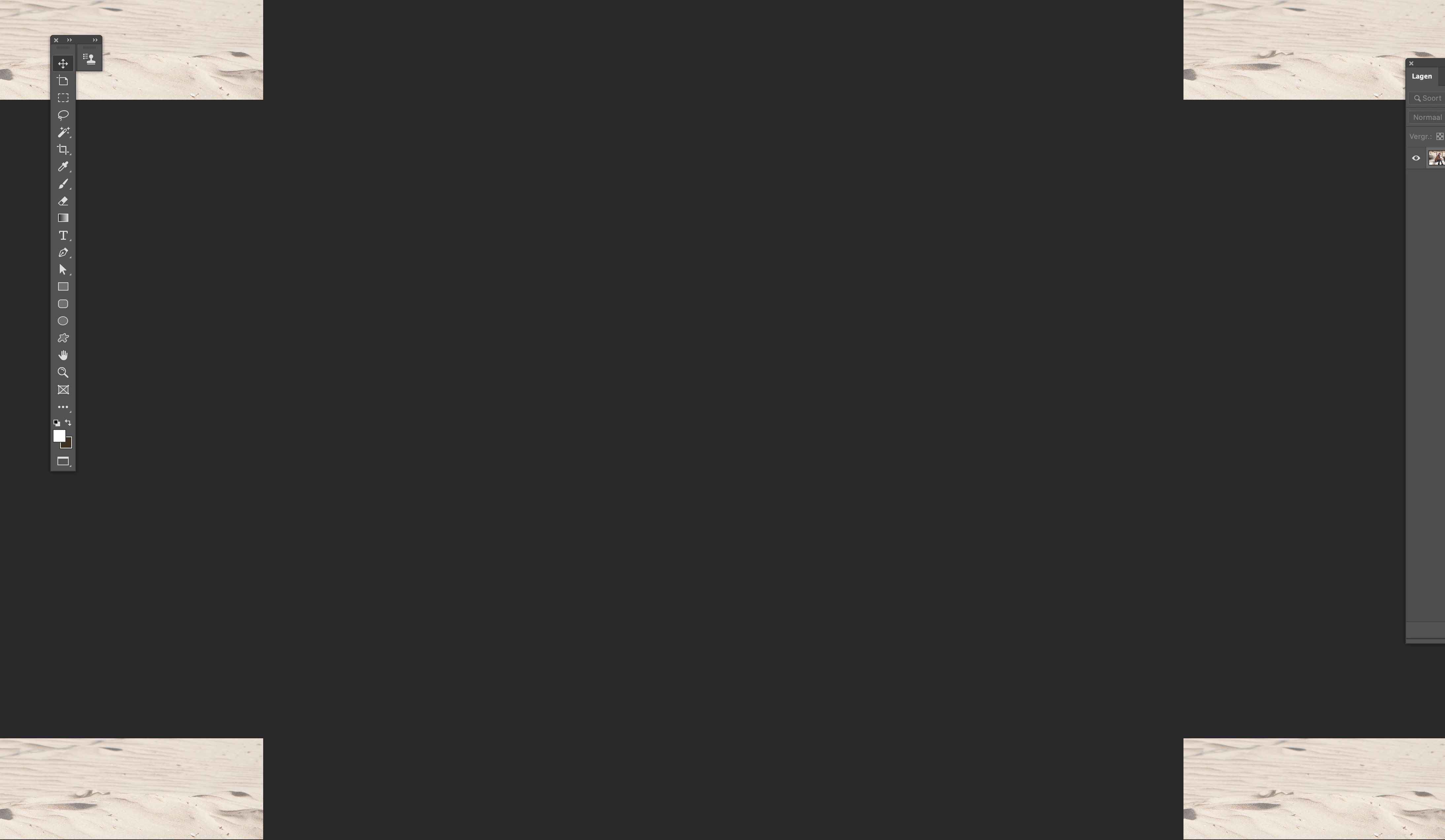
image is 'spread' into 4 pieces
Hi...
I have an issue
Each time I open a file in photoshop, the image is 'spread' into 4 pieces...
I have no idea what is wrong... :((
Hi...
I have an issue
Each time I open a file in photoshop, the image is 'spread' into 4 pieces...
I have no idea what is wrong... :((
That looks like a GPU error.
Try turning off the Graphics Processor in Preferences > Performance and restarting Photoshop. If that resolves the issue, then re-enable the GPU and, if you use a Windows system, check with the manufacturer of your GPU that you are using the latest driver. In the case of NVidia use the Studio drivers
If turning off the GPU does not resolve the issue , then turn it back on and reset preferences.
Dave
Already have an account? Login
Enter your E-mail address. We'll send you an e-mail with instructions to reset your password.
 AdChoices