Participant
July 31, 2024
Question

Image Processing In Bulk - Which Components of a PC are the most important for this task?

  • July 31, 2024
  • 1 reply
  • 340 views

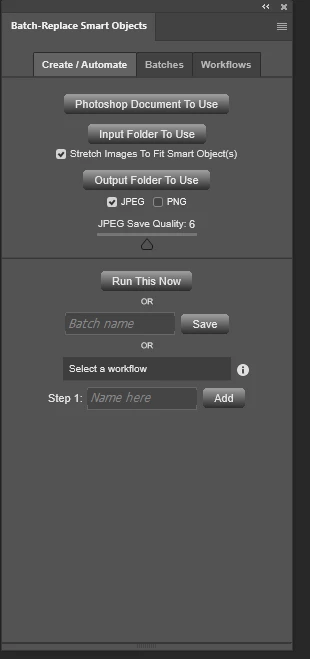
What I am currently doing is using the Batch-Replace Smart Objects plugin found on the Photoshop marketplace. 


Which automatically inserts jpg files, onto a PSD template.

Then saves the file as a JPG to a folder of your choosing.


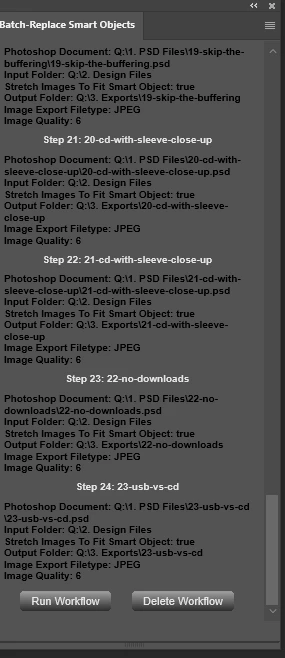
My Workflow


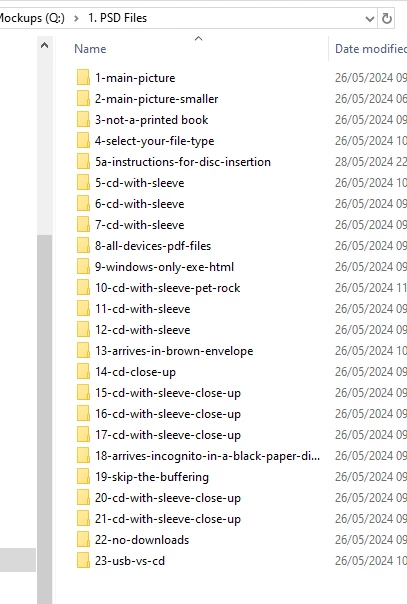
PSD Files:


24 individual folders, each containing a unique PSD template.
Ranging from 2MB to 56.4 MB.


Design Files:


50 to 1800 JPEG Files sitting in this folder.
All roughly 150kb to 200kb each. 


Export Folder


The export folder could end up with 41,823 JPEG files when the process is complete.

Each JPEG file is around 100 to 300KB.


My Question

I'm looking into building a new computer.

 
Do you know which components of a pc are the most important for bulk image processing?
 
I'm currently maxing out the 16GB of RAM DDR4.
I have a workflow set to do all 24 x 50 . or 24 x 1800 at once.
 
I just need a computer that won't slow down doing the operation.
 
Or have glitches where the colours on some images will be messed up, or there will be an overlap from one image to the next.
 
Don't think it's CPU limited.
 
Therefore buying a threadripper with 1 million cores probably won't help.
 
How much RAM do you think is needed to do 1800 x 24 images.
This topic has been closed for replies.

1 reply

Legend
July 31, 2024

I wouldn't build a new PC with only 16GB of RAM, even for basic use. Minimum 32GB, SSD storage (USB hard drives are good for backup and extra storage), a decent video card (right now NVidia RTX cards seem to have the advantage), and a beefy power supply. Never skimp on the power supply.

Parts from major vendors seem to have fewer driver problems than no-name junk.

Glyn5FC6Author
Participant
July 31, 2024

You didn't understand the question.


My current computer is using 16GB Ram.


But the image processing is utilising all of it.


So I am asking what the expected RAM usage would be for this amount of images.

And if an nvme drive would help too. Since photoshop slows down to a crawl after a few hours of processing.


With so many CPU platforms out there.


I wanted to know, if the CPU had any affect on this type of work, or if it's purely RAM.


This will determine if it's worth buying threadripper, or using a consumer platform.


Difference between 128GB, 192GB, or 256GB of RAM and beyond.


D Fosse
Community Expert
Community Expert
July 31, 2024

Batching doesn't require more memory than single file processing, as long as one file is closed before the next is processed. The memory is reused and recycled as you go.


It's normal for RAM to saturate right up to the limit you have set in Preferences. But it should never go above that; if it does, something's wrong.


Photoshop normally requires a lot more memory than any RAM you may have installed. The heavy lifting is handled by the scratch disk. Think of RAM as a fast access cache for the scratch disk's main memory. As long as you have enough scratch disk space, you'll be fine. Photoshop doesn't "run out of RAM". It uses the scratch disk.


In short, there is no such thing as "enough RAM". There's no point in chasing for it. You should be fine with 64.


Now, the only little twist with smart objects is that when opened, it's stored in the system temp directory, not the scratch disk. This doesn't matter much in practice, but is a separate disk space consideratkon.