
Participating Frequently
March 25, 2021
Answered

Image Processor Not Opening ARW File to Apply Setting

  • March 25, 2021
  • 1 reply
  • 423 views

When I use the Image Processor to apply the same settings to a batch of RAW images and save as TIFF, with the option "Open first image to apply settings" checked, it won't open the ARW files of Sony camera with Camera Raw. They just get converted to TIFF straightaway. Tested with Canon's CR2 and Nikon's NEF both work fine. 
This topic has been closed for replies.
Correct answer Jeff Arola

I believe the problem your having is the result of adobe not keeping the Image Processor code up to date to take into account new camera raw file extensions.


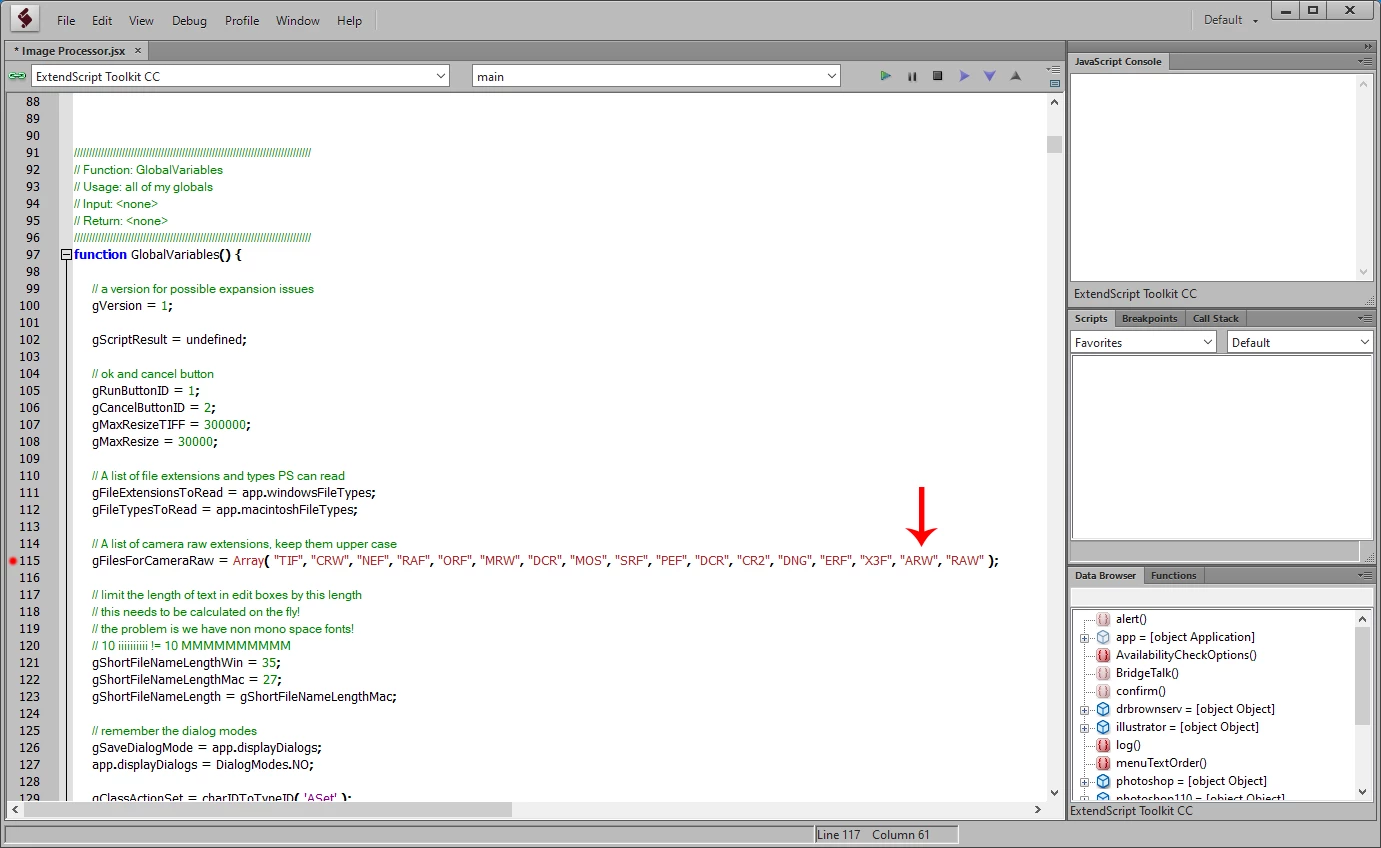
In your case you need to add the .ARW extension to line 115 in the Image Processor.jsx in order to get the results you desire.


The Image Processor.jsx is in C:\Program Files\Adobe\Adobe Photoshop 2021\Presets\Scripts and if you don't have Adobe ExtendScript Toolkit CC, then you can use any text editor like WordPad to modify the script.


1 reply

Jeff Arola
Community Expert
Jeff ArolaCommunity ExpertCorrect answer
Community Expert
March 25, 2021

I believe the problem your having is the result of adobe not keeping the Image Processor code up to date to take into account new camera raw file extensions.


In your case you need to add the .ARW extension to line 115 in the Image Processor.jsx in order to get the results you desire.


The Image Processor.jsx is in C:\Program Files\Adobe\Adobe Photoshop 2021\Presets\Scripts and if you don't have Adobe ExtendScript Toolkit CC, then you can use any text editor like WordPad to modify the script.