m90583877
Known Participant
November 30, 2018
Question

Image processor not running actions

  • November 30, 2018
  • 1 reply
  • 1689 views

Hi, I am using Image Processor Pro in Photoshop20.0.1, MacOs Mojave.

I have been having problems with running actions from the Image processor. Whenever I run the same action through Batch - automate running the whole folder it works. However when I am trying to run the same action through the image processor I get an error message. First it ran the action on some of the files from the folder, but not all of them, but on the second attempt none of them get processed at all.

What I am doing is converting pdf files into a jpg and then running an action on them:
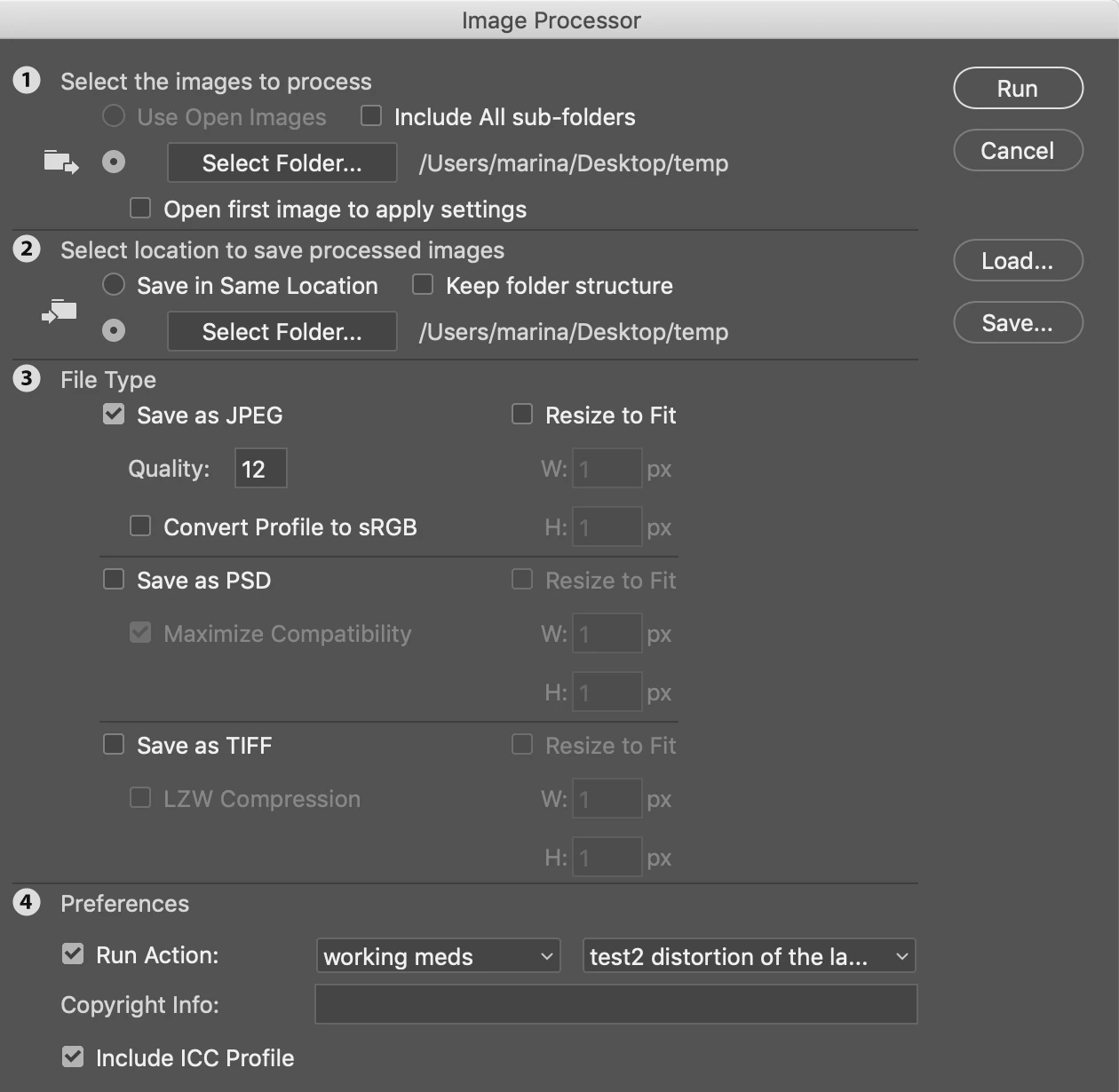
And I always get this error message:
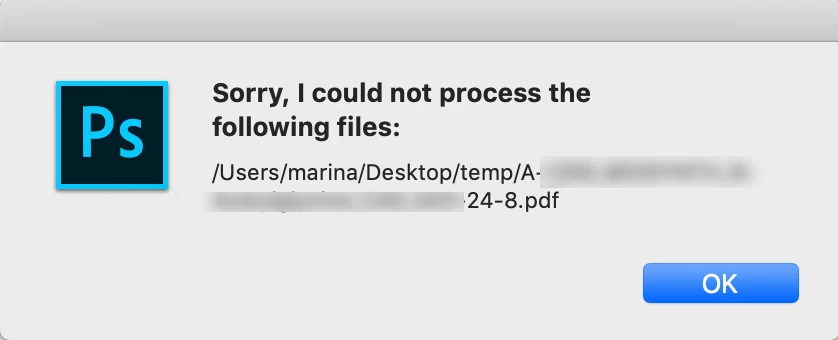
What could be the reason and how can I fix it?

Thank you!

This topic has been closed for replies.

1 reply

PECourtejoie
Community Expert
Community Expert
November 30, 2018

Hello, could you post a screenshot of the action's steps?

I see that the file is a PDF, does the action work on the background, on a flattened copy of the image, etc.

m90583877
m90583877Author
Known Participant
November 30, 2018

Yes, the action unlocks the background layer etc to do the necessary steps:

When I do it in two steps, first convert the image and save it and the then run the batch - automate for the folder with the converted images it works. But if I activate this action in the image processor -it does what I showed above.

JJMack
Community Expert
Community Expert
November 30, 2018

Posting a screen capture of an action with all steps collapse is like posting the table of contents for a book we see a crude outline of repetitive events but have no about the events.   The message most likely is not from the action I do see some Place steps so the action does process files however we have not idea if any of the place steps is trying to use  that file in the message. The files is a PDF so its most likely a file you want the Image processor to process.  And the image Processor had a problem with processing that file and generated the message.  The problem might be the action failed but we have no details about the actions steps.

JJMack