
Participating Frequently
April 24, 2017
Question

Image Size in Photoshop automatically reverts to tiny resolution

  • April 24, 2017
  • 2 replies
  • 442 views

I'm having problems with Photoshop, and it's been going on for about 3 weeks now.

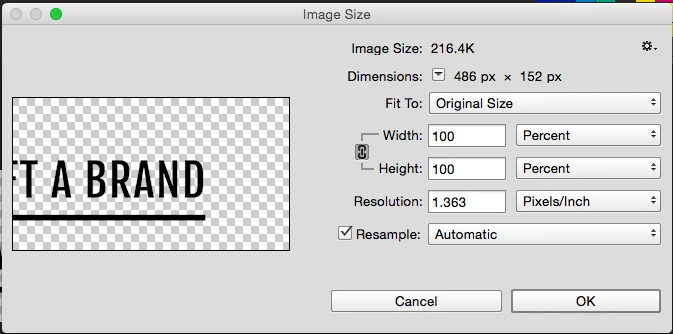
Every time I work in photoshop the resolution reverts to 1 or 2 pixels - even if I have set up new doc at 72 - later on down the track it always reverts to this tiny size.

Snapshop image below show the resolution.

BTW - I haven't done anything different than before.

Can someone please explain....how to fix this and how to avoid in the future?

Thank you!
This topic has been closed for replies.

2 replies

Participating Frequently
April 24, 2017

Hey Michael - yes. whatever the file size - in this case 486 px 152 px I would start off with a 72 resolution - but lately it's been jumping to resolution around 1 or two.

The only thing I have been doing lately is - doing screen shots from my mac. Do you think this could have anything to do with it?

Thanks for your response too by the way Micheal

Michael Riordan
Inspiring
April 29, 2017

Hi again Kellie

I'm not able to reproduce your issue, but honestly it doesn't really matter to your file. I know it must be annoying and frustrating but the resolution setting is really for print output. As long as your document is not changing pixel dimensions (i.e. the 486x152), all of the image data is there. So as long as there is no actual "damage" that you're noticing on the image, you can ignore the resolution change.

Hope that's helpful

Michael

Michael Riordan
Inspiring
April 24, 2017

Hi Kellie

Just to clarify, when you created the file was it 486 x 152 and the image size was 216.4k? So the only thing that is changing is the resolution? Is that correct?