
Known Participant
August 9, 2024
Answered

Image Size Question

  • August 9, 2024
  • 2 replies
  • 472 views

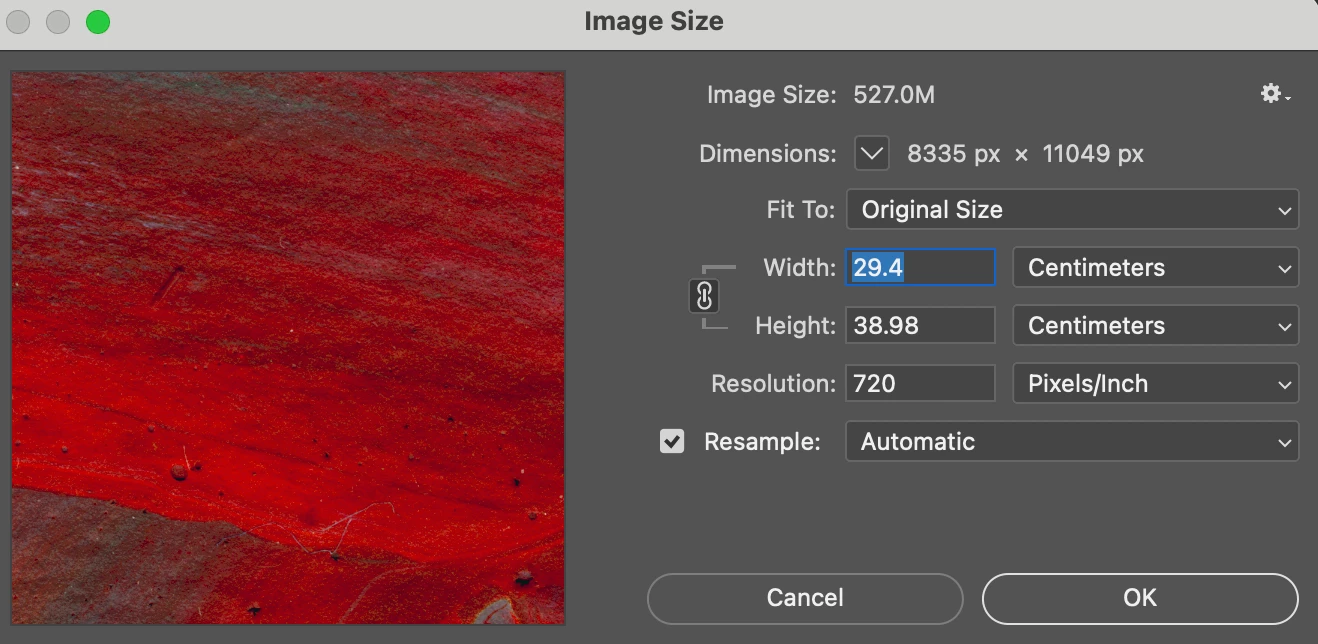
Hi All. I have a scan of some artwork that was scanned at 720 dpi. The scanned image shows in Photoshop is 29 x 40 cm (same size as the original physical artwork on paper). In photoshop I want to change the dpi to 300, and then I want to increase the dimensions of the image. When I do that, how do I know when the height x width is too large, in terms of the image losing quality. Maybe another way to ask the quetion is: How do I know at what dimensions the 300 dpi no longer be true? Screenshot of the Photoshop dialogue box image size attached.
This topic has been closed for replies.
Correct answer Conrad_C

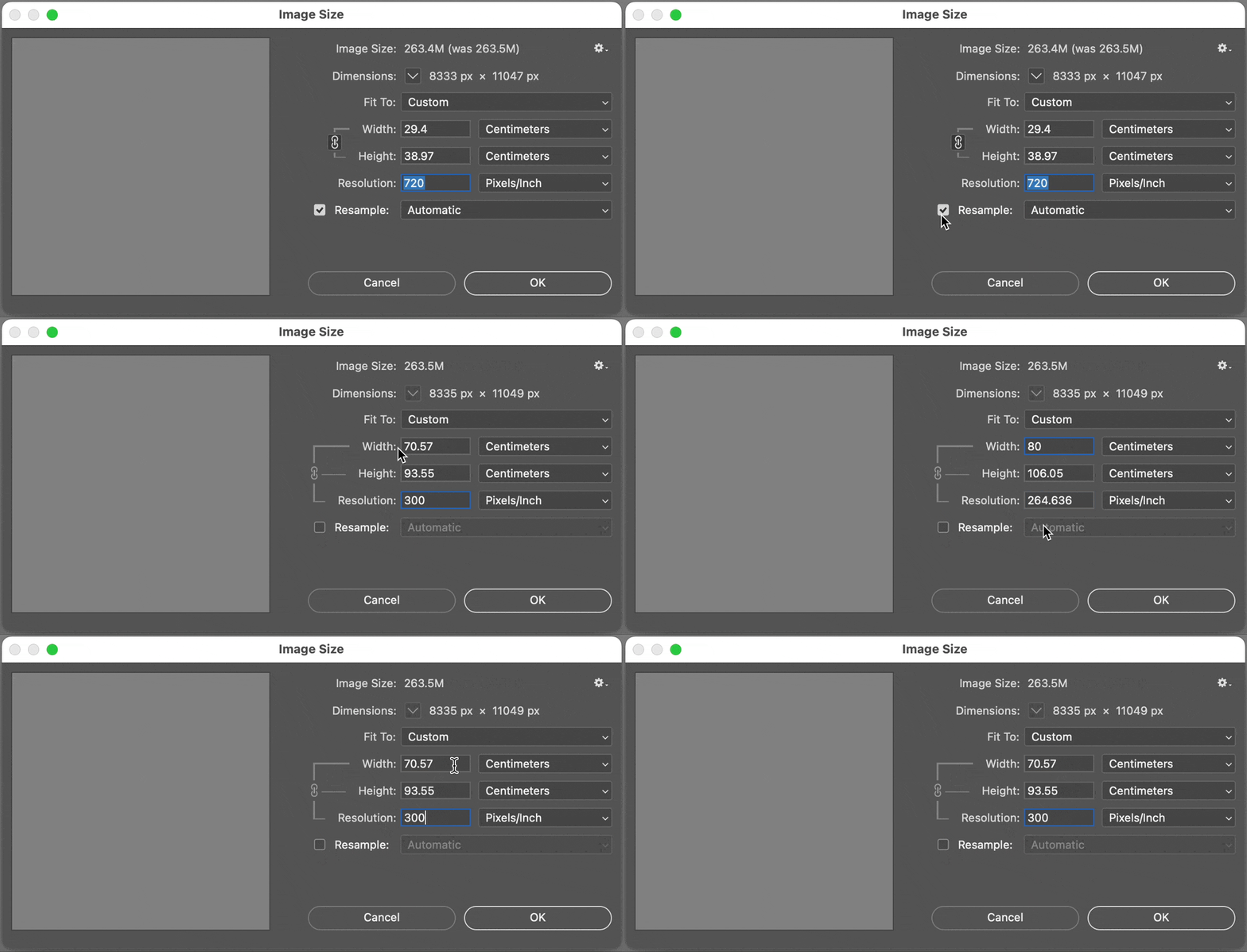
To get the answer to that question, deselect the Resample option before changing numbers. When Resample is deselected, the Image Size dialog box becomes a resolution calculator. It recalculates only using the pixels actually present in the scan (resampling would add or remove pixels), so the higher you set Centimeters, the lower the Resolution (pixel density) value drops because the same available pixels get distributed over more area.


The demo below shows that for an image of 8335 x 11049 px, at 300 ppi the dimensions are 70.57 x 93.55 cm. At any larger dimensions the pixel density drops below 300 ppi, and at any smaller dimensions it will be above 300 ppi.


This is all based on the formula that ppi = image pixels divided by print size in inches.

2 replies

Stephen Marsh
Community Expert
Community Expert
August 10, 2024

It's PPI, not DPI. Keep in mind that you may not even need 300 ppi, depending on output method, print size and viewing distance/conditions.

Known Participant
August 10, 2024

I'm using the file for a print on demand service and they use dpi, specifically 300 dpi is recommended. 

Stephen Marsh
Community Expert
Community Expert
August 10, 2024

:]  It's PPI.

Conrad_C
Community Expert
Conrad_CCommunity ExpertCorrect answer
Community Expert
August 9, 2024

To get the answer to that question, deselect the Resample option before changing numbers. When Resample is deselected, the Image Size dialog box becomes a resolution calculator. It recalculates only using the pixels actually present in the scan (resampling would add or remove pixels), so the higher you set Centimeters, the lower the Resolution (pixel density) value drops because the same available pixels get distributed over more area.


The demo below shows that for an image of 8335 x 11049 px, at 300 ppi the dimensions are 70.57 x 93.55 cm. At any larger dimensions the pixel density drops below 300 ppi, and at any smaller dimensions it will be above 300 ppi.


This is all based on the formula that ppi = image pixels divided by print size in inches.

Known Participant
August 10, 2024

Thanks very much! That makes sense, I get it now.