
Participant
January 6, 2017
Answered

image under pallet? [2017]

  • January 6, 2017
  • 6 replies
  • 860 views

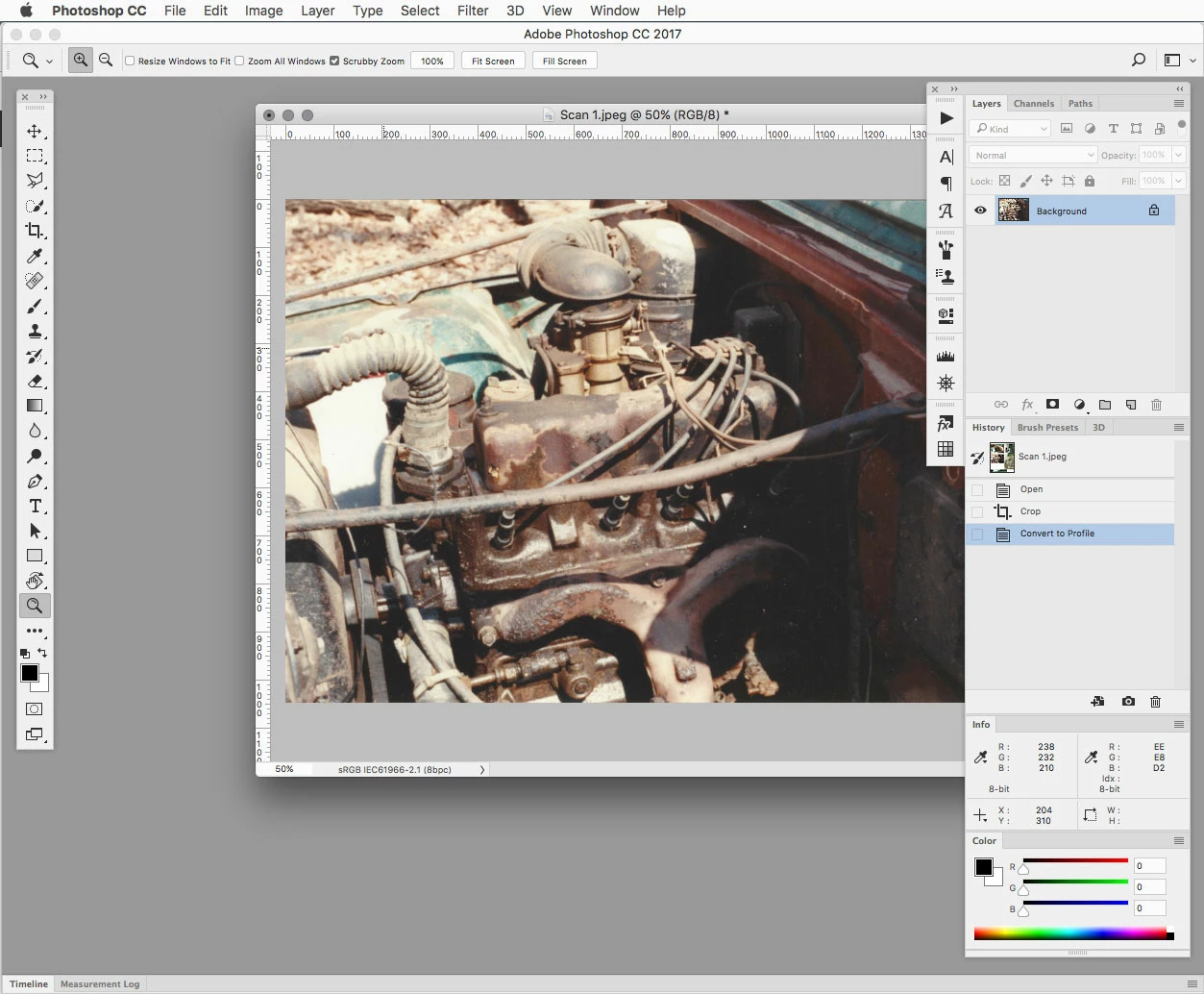
I've just installed CC, in place of CS6. Ive customised and saved my workspace, but when an image is open it floats OVER the top of my panels and tools. I prefer it to tuck under these. Thats how I had CS6 setup, so I know it can be done. Can anyone point me in the right direction for that setting please. Thanks
This topic has been closed for replies.
Correct answer Jeff Arola

If you undock your panels from the sides of the photoshop workspace, then the floating document windows will go underneath the panels.

6 replies

Participant
January 9, 2017

thank you guys.  Like most things in photoshop, easy solution, if you can find it! 

Great.  All done, thanks again.  Martin

Participant
January 7, 2017

Thanks guys. I'll go through all these suggestions on Monday, when i'm in the office. I don't like multiple images opening in tabs though. So that setting is currently off.

D Fosse
Community Expert
Community Expert
January 7, 2017

It's as R_Kelly shows in his screenshot. You need to dock the panels (anchor them to the UI borders).

You do this by dragging until the cursor hits the border. When a blue line appears, drop the panel(s).

Barb Binder
Community Expert
Community Expert
January 6, 2017

Window > Workspace > Essentials (or your favorite workspace)

Window > Workspace > Reset Essentials (or your favorite workspace0

~Barb at Rocky Mountain Training
Jeff Arola
Community Expert
Jeff ArolaCommunity ExpertCorrect answer
Community Expert
January 6, 2017

If you undock your panels from the sides of the photoshop workspace, then the floating document windows will go underneath the panels.

cinziamarotta
Participating Frequently
January 6, 2017

Check if this option is active: Window > Application frame

Participant
January 6, 2017

thanks.  Ive just tried unticking it.  The software background disappears, showing the desktop through.  The image now slides underneath, but its (photoshop) unusable without the application frame in place.  So its a partial resolution!  Thanks anyway

cinziamarotta
Participating Frequently
January 6, 2017

Martin,

the "Application frame" option has to be activated. Then choose "Window - Arrange - Consolidate all to tabs" as Dave suggested.

davescm
Community Expert
Community Expert
January 6, 2017

Hi Martin

Try Window - Arrange - Consolidate all to tabs

Dave

Participant
January 6, 2017

thanks.  No, tried that.  Unfortunately it didn't work.