carolinep67943074
Participant
June 30, 2017
Question

images exported gritty and fuzzy

  • June 30, 2017
  • 2 replies
  • 902 views

I created an invitation in Photoshop, it's set as a CMYK 300 dpi image and saved as a PNG. I created a simple 1000X1000 pixel 300 DPI file (in Photoshop) to make a mock up to list it in my Etsy store. no matter what I try it still comes out gritty and out of focus.

I have tried: Quick Export as PNG, Save as JPG, save as PNG, Save for Web, reducing the size, checking for updates, restarting my computer, I even went as far at to call customer service and spoke with a gentleman who after an extremely aggravating hour and 20 minute conversation got a little "stressed" with me and went on to tell me that the problem is with my computer and it has nothing to do with Photoshop. He closed the ticket and that was the end of that convo. needless to say, I need A LOT of help

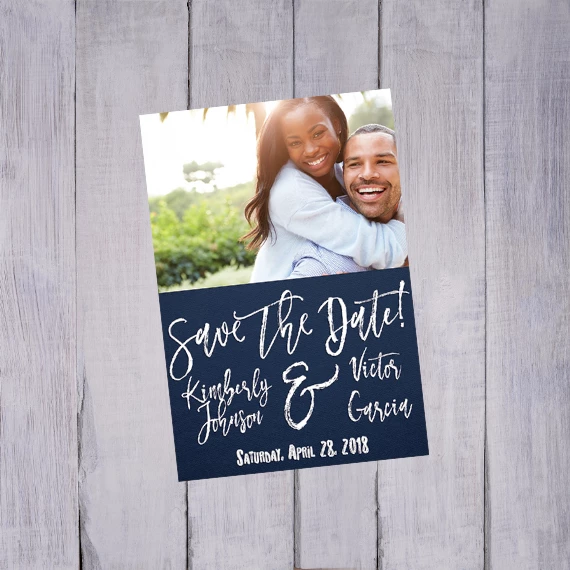
This is what it comes out looking like
This topic has been closed for replies.

2 replies

davescm
Community Expert
Community Expert
June 30, 2017

Looks fine here also. You aren't by any chance viewing it on a hi res (e.g. retina) screen through a browser that is scaling it to 200% to compensate for the higher res screen (which many do without telling you ?).

Two unrelated things but I hope useful nonetheless :

300 dpi setting is for printing - it will make no difference to the look on screen. All that counts for screen output is pixels i.e. 1000 x 1000

Your image was saved here without a profile. It is good practice to export with "convert to sRGB" and "Embed Color Profile" both checked. That way the colours will look correct on colour managed systems and on standard (not wide gamut) screens. On non color managed wide gamut screens all bets are off but at least with the profile your image will look correct to the majority.

Dave

carolinep67943074
Participant
June 30, 2017

I'm not sure what you mean by "a hi-res (e.g. retina) screen". I have a surface pro 4 if that helps. also not sure what you mean by my "browser that is scaling it to 200% to compensate for the higher res screen (which many do without telling you ?)." I checked to see if Chrome was zoomed in and it's not.

any who's, I tried your suggestion and exported it with "convert to sRGB" and "Embed Color Profile" both checked. and still no change.

davescm
Community Expert
Community Expert
June 30, 2017

Hi

Those color settings will not affect the resolution - they will affect the viewed colour (that is why I said is was unrelated but good practice)

Dave

c.pfaffenbichler
Community Expert
Community Expert
June 30, 2017

I fail to see the problem.

The image opened in Photoshop and viewed at View > 100% does not seem unduly unsharp to me.

Is the problem that it appears differently when viewed in a browser?

If so please post a screenshot.

carolinep67943074
Participant
June 30, 2017

c.pfaffenbichler

this is a screenshot from my Etsy store

and this is from my Instagram (different version, same problem)

none of my computer settings have changed in the last 2 days, so I don't understand how it would look gritty and so low rez. also, it looks just as blurry on my phone after I took the saved image dropped it into my google drive so I could post it on

also, I'm not sure if this helps but it looks just as blurry on my phone after I took the saved image dropped it into my google drive so I could post it on Instagram

davescm
Community Expert
Community Expert
June 30, 2017

The images you have attached have been scaled either on uploading or downloading

In your first post you said your image was 1000x1000 pixels.

The attachment in that post was 570x570 pixels ( only 33% of the original pixels)

The attachment in your last post was less than 300x300 pixels  (only 9% of the original pixels)

Dave