
Stefano_Ferrarini
Participant
February 21, 2021
Question

Images looks different in photoshop in comparison with other programs

  • February 21, 2021
  • 3 replies
  • 277 views

Hi, how descripted on the title, I have a problem on viewing the images.
My monitor is a BenQ SW240, calibrated with a Datacolor SpyderX Elite every month but the images viewed in Photoshop looks different if viewed with another software (example: Windows default software for viewing images).

The problem isn't in saving, because if I re-open the image in Photoshop it looks still different.

Anyone can help me understand the problem?

Here's a screenshot:
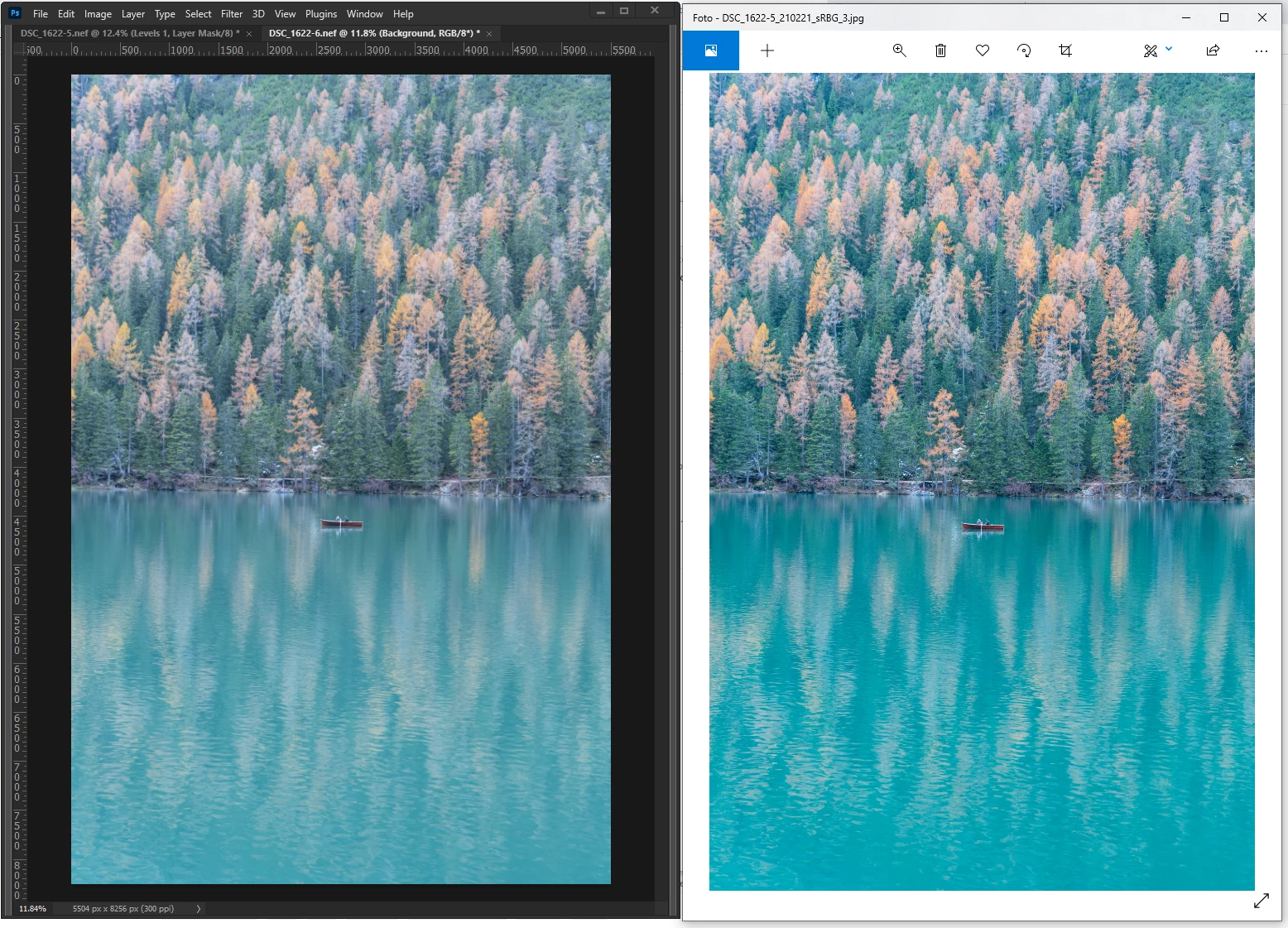
Thanks to anyone who answers!!

This topic has been closed for replies.

3 replies

c.pfaffenbichler
Community Expert
Community Expert
February 21, 2021

And preferably always embed the profile in the image when saving and exporting. 

Stefano_Ferrarini
Participant
February 21, 2021

Thanks for the tip, I will do it! 🙂

D Fosse
Community Expert
Community Expert
February 21, 2021

Yes, that's a wide gamut model and this is entirely normal and expected. Photoshop is right; Windows "Photos" is wrong.


When you purchase a wide gamut monitor you enter into a contract: it can only be used with fully color managed software. Applications without color management support are basically useless. Identify them, and stop using them.


Stefano_Ferrarini
Participant
February 21, 2021

I didn't know the Windows program didn't have color management ... I'll look for another one software that does.


Thank you very much! 😊


Stephen Marsh
Community Expert
Community Expert
February 21, 2021

Photoshop is colour managed, Windows Photo Viewer isn't.


Is this a wide gamut monitor? Is it set to emulate sRGB or Adobe RGB?