
Participant
November 20, 2019
Resuelto

Images not showing up in Photoshop 2020 on Mac

  • November 20, 2019
  • 3 respuestas
  • 10774 visualizaciones

Hi there, 


I used to use photoshop a lot but haven't needed to for some time. I have an adobe subscription and have updated it and not sure if it's because I have changed the setting by mistake or if I am doing something wrong. When I open a new photo to work with (wanting to delete a background) I can see the image in my layers but not on my work area (or whatever you call it) Can anyone please help.


Thank you Tracey 
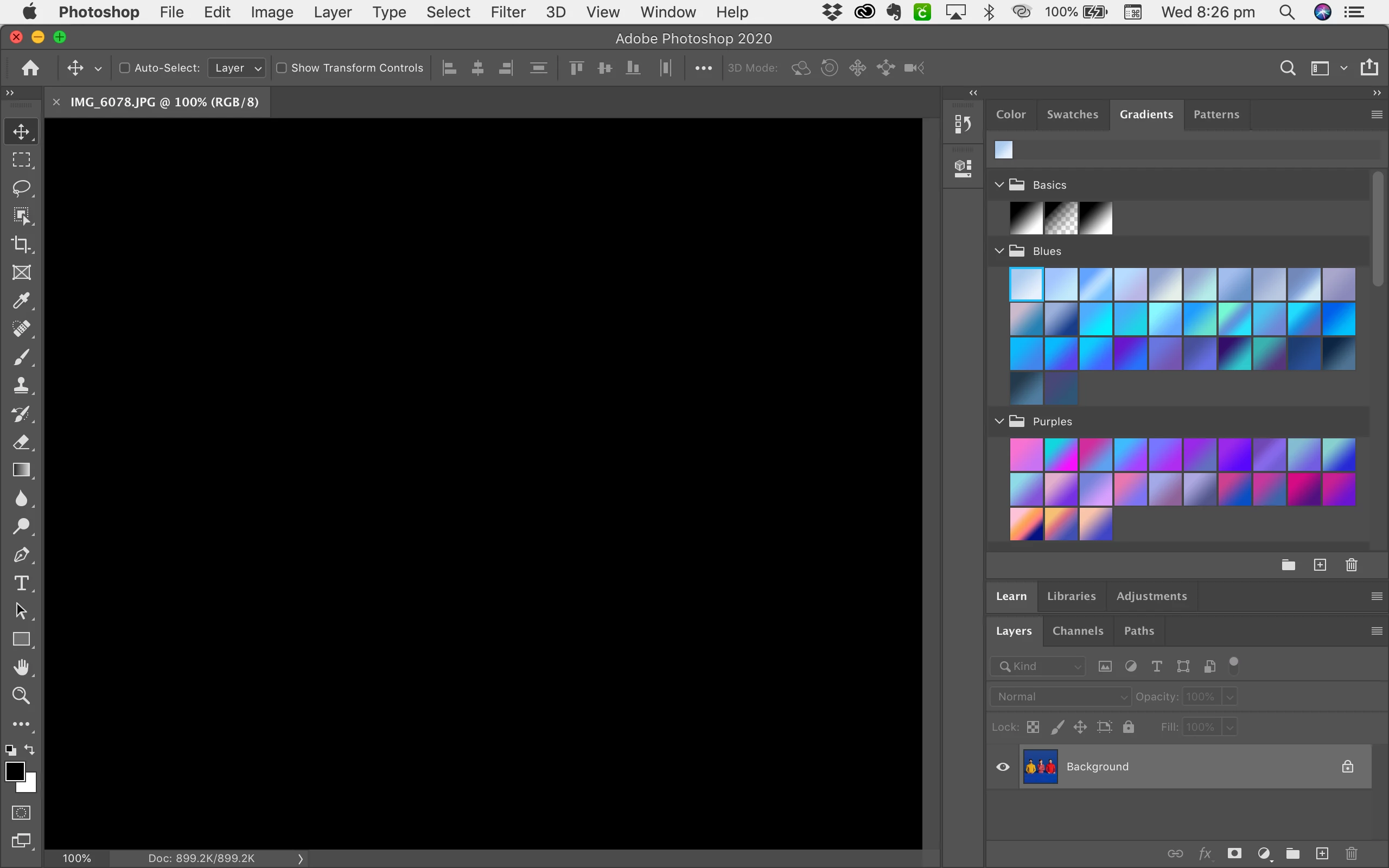


{Thread title renamed by moderator}

Este tema ha sido cerrado para respuestas.
Mejor respuesta de nikunj.m

Hi Tracey,


Would you mind going to the Preferences for Photoshop, then Performance and uncheck the option to Use Graphics Processor? Once done, quit and relaunch Photoshop to open the image check if that helps.


If that helps, you can try the article below.

https://helpx.adobe.com/in/photoshop/kb/troubleshoot-gpu-graphics-card.html


Regards,

Nikunj

3 respuestas

Participant
September 3, 2022

i have this problam in photoshop 7.0

Participant
November 21, 2019

Thank you so very much! This worked! I really appreciate it!🙌

nikunj.m
nikunj.mRespuesta
Legend
November 20, 2019

Hi Tracey,


Would you mind going to the Preferences for Photoshop, then Performance and uncheck the option to Use Graphics Processor? Once done, quit and relaunch Photoshop to open the image check if that helps.


If that helps, you can try the article below.

https://helpx.adobe.com/in/photoshop/kb/troubleshoot-gpu-graphics-card.html


Regards,

Nikunj

Participant
June 7, 2022

Hi, im having the same problem. But i cannot uncheck the GPU checkbox in my preferences. Any idea's how to solve it?