photoman12001
Participating Frequently
June 23, 2020
Question

Images pixelated/straight edges wavy

  • June 23, 2020
  • 3 replies
  • 484 views

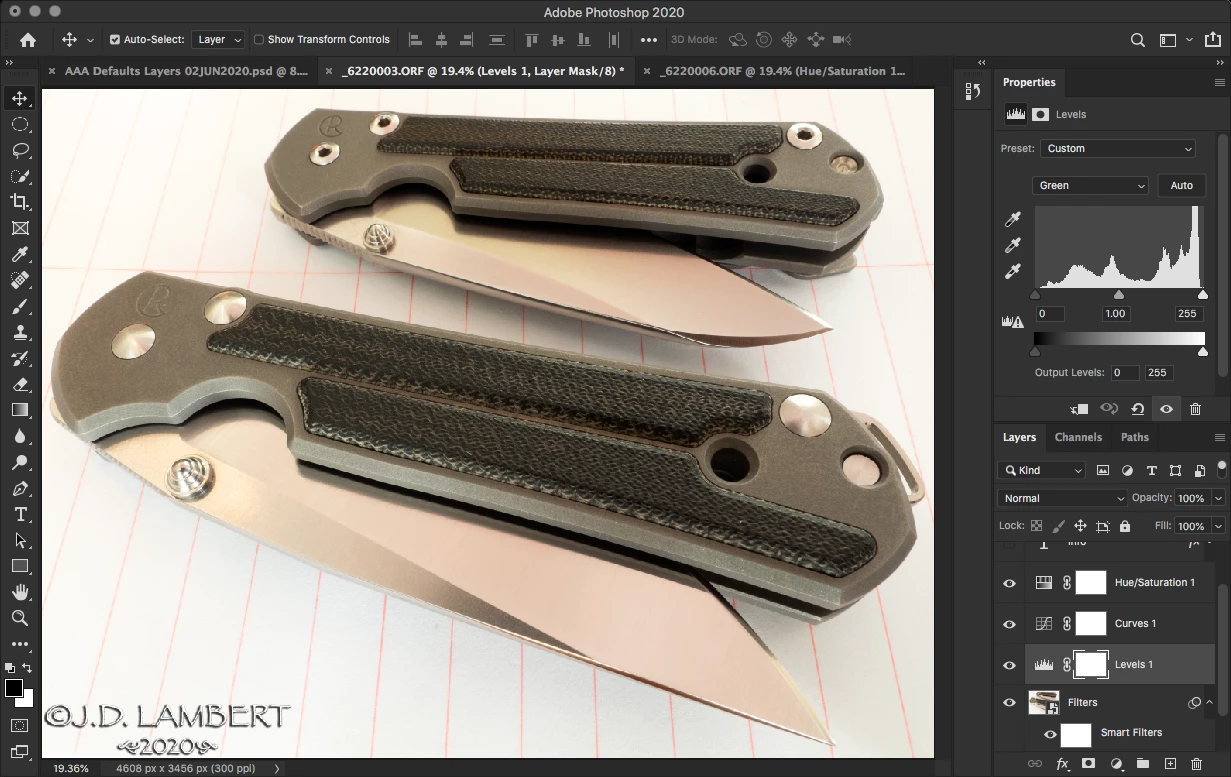
I'm using the Adobe subscription service for Photoshop & Bridge on my macBook Pro and macMini. PS updated about a week ago and now my photos look terrible when they are fit to the screen on both machines. They look pixelated and straight edges are wavy. When I zoom in they look fine but it's very annoying since I mostly edit with them fit to the screen. The gradiant areas of brushes also look pixelated. I've attached a couple of screenshots showing the issue.


Is there a setting I can change to stop this? I already tried the cache levels. That's really the only thing I found via Google searches.


Straight edges are very wavy
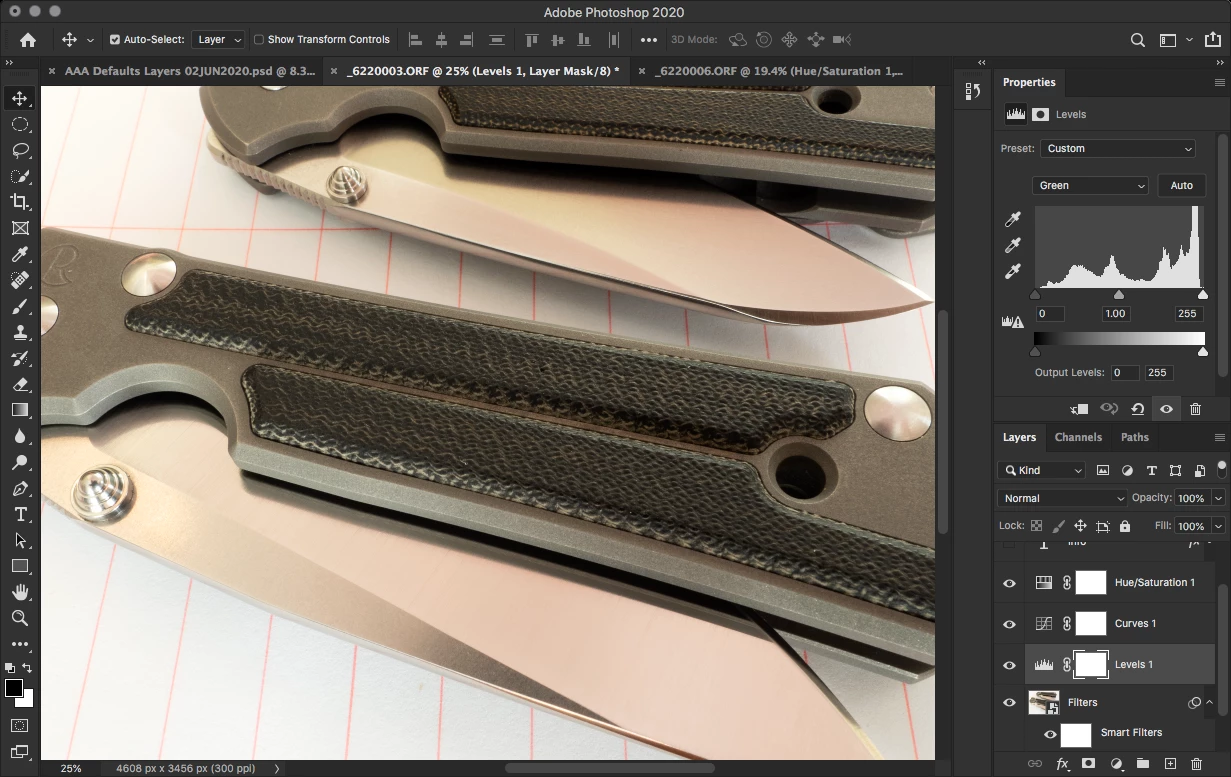
Zoomed in the edges look good again
This topic has been closed for replies.

3 replies

photoman12001
Participating Frequently
June 29, 2020

I went back to PS version 21.0 from 21.2 and photos look fine at all magnifications.

Anyone from Adobe listening? What's happening here with 21.2?

photoman12001
Participating Frequently
June 24, 2020

No insight/suggestions?

I reinstalled PS and that did not help.

photoman12001
Participating Frequently
June 27, 2020

A few more examples. I've used various PS versions for years and never seen this.

Pixelated brush gradients

Zoomed in they look better

Look at the edge of that middle knife. It almost looks serrated.

Zoomed in I get a straight edge again.

Fur & whiskers are choppy

Looks better zoomed

photoman12001
Participating Frequently
June 29, 2020

Deleted

chrishoultt
Participant
June 23, 2020

Same problem Here, this is so terrible