Participant
January 20, 2022
Answered
import data
- January 20, 2022
- 2 replies
- 1146 views

Setting up variables in Photoshop can be tricky, it is not always intuitive. Here is an animated GIF where I have highlighted where I believe you need to set things correctly:
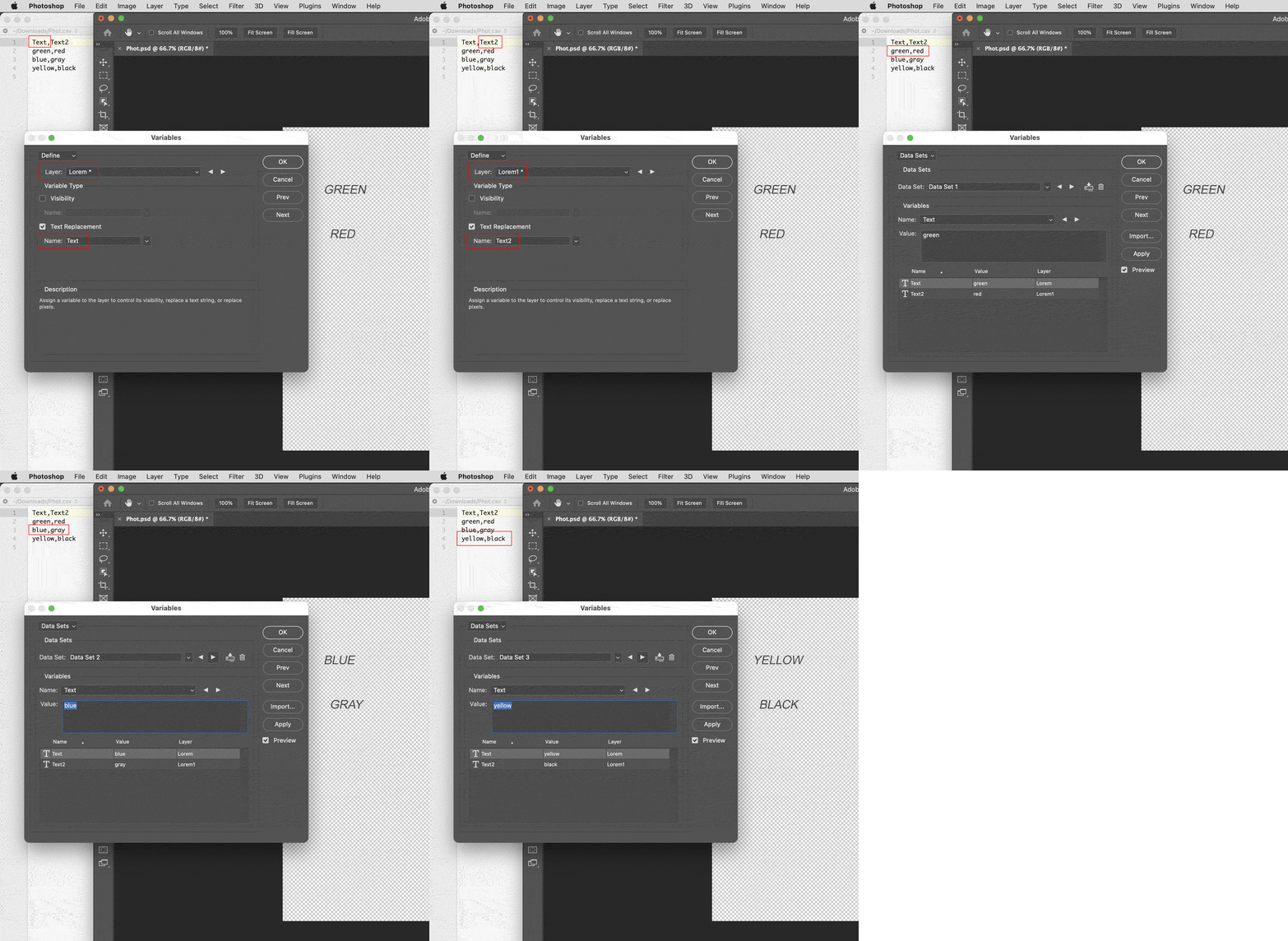
Name the text replacement variables after the first row headers in your .csv file. I removed the 3rd text layer that was off the canvas to simplify the example.
I have also attached the updated files below.
Please feel free to ask questions.
Hope this helps!
Already have an account? Login
Enter your E-mail address. We'll send you an e-mail with instructions to reset your password.
 AdChoices