Participating Frequently
April 21, 2023
Answered

impossible d'appliquer un mode de fusion en cmjn

  • April 21, 2023
  • 13 replies
  • 712 views

Bonjour 


Je viens demander de l'aide sur photoshop. 

J'ai l'abitude d'utiliser les masques d'écretage et d'y appliquer des mode de fusions.

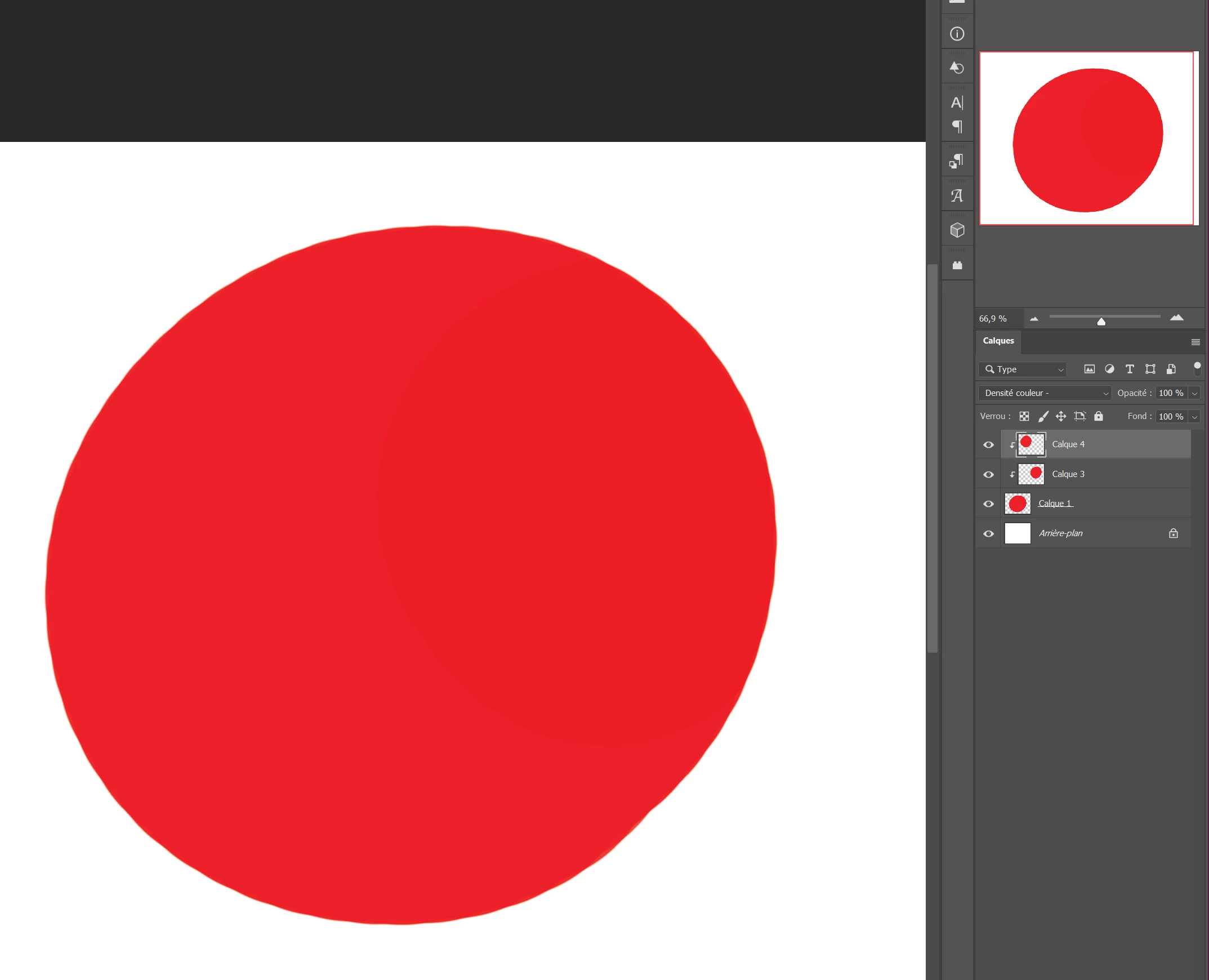
Mais aujourd'hui mon masque d'écretage n'est quasiment pas visible lorsque je lui applique le mode produit, ou le mode densité couleur -. Sur la photo le calque 3 et en produit et il ne ce vois pas sur le calque .

Je sui en cmjn, et lorsque je passe en mode rvb, cela fonctionne. Mais j'ai besoin de travailler en cmjn. 

Ca marché avant, je ne comprend pas s'y c'est un bug, ou si j'ai fais une mauvaise manipulation.


J'ai un pc windows 11 -version 22H2

Photoshop 24.4.1


merci pour votre aide.
This topic has been closed for replies.
Correct answer CShubert

pas problème mon ami @Celia23047459dq3q so, let's try this and see if you can get the functionality back.


Let's make sure we're in a default state and there are no stale settings somewhere: 

Restore your preferences using this manual method:  

https://helpx.adobe.com/photoshop/using/preferences.html#Manually 

Does it work correctly? 

If that doesn't solve it, you can quit Photoshop and put the Settings folder back. 


It may help if we could see your Photoshop System Info. Launch Photoshop, and select Help >System Info...and copy/paste the text in a reply.  


13 replies

CShubert
Community Manager
Community Manager
April 21, 2023

Hi @Celia23047459dq3q curious if you have used soft proofing for your workflow?  Since CMYK throws away so many colors, it would be worth it to see if an RGB workflow and only convert to CMYK when going to print, using a custom CMYK printer/paper profile, would help you avoid any surprises?


https://helpx.adobe.com/photoshop/using/proofing-colors.html


Participating Frequently
April 21, 2023

Hello Derek Cross . 


Parce que je travail sur un album jeunesse destiné à être imprimé .

Je préfère travailler directement en cmjn pour l'impression , et pour ne pas avoir de mauvaise surprise en passant en rvb. 


Derek Cross
Community Expert
Community Expert
April 21, 2023

Why do you need to work in CMYK mode?