Participant
June 16, 2020
Answered

Impossible to change to TAPERED ENDS BRUSH STROKE (Multiple Failed Attempts)
  • June 16, 2020
  • 1 reply
  • 1305 views

I've nearly exhausted every option and I've looked at previous posts. 

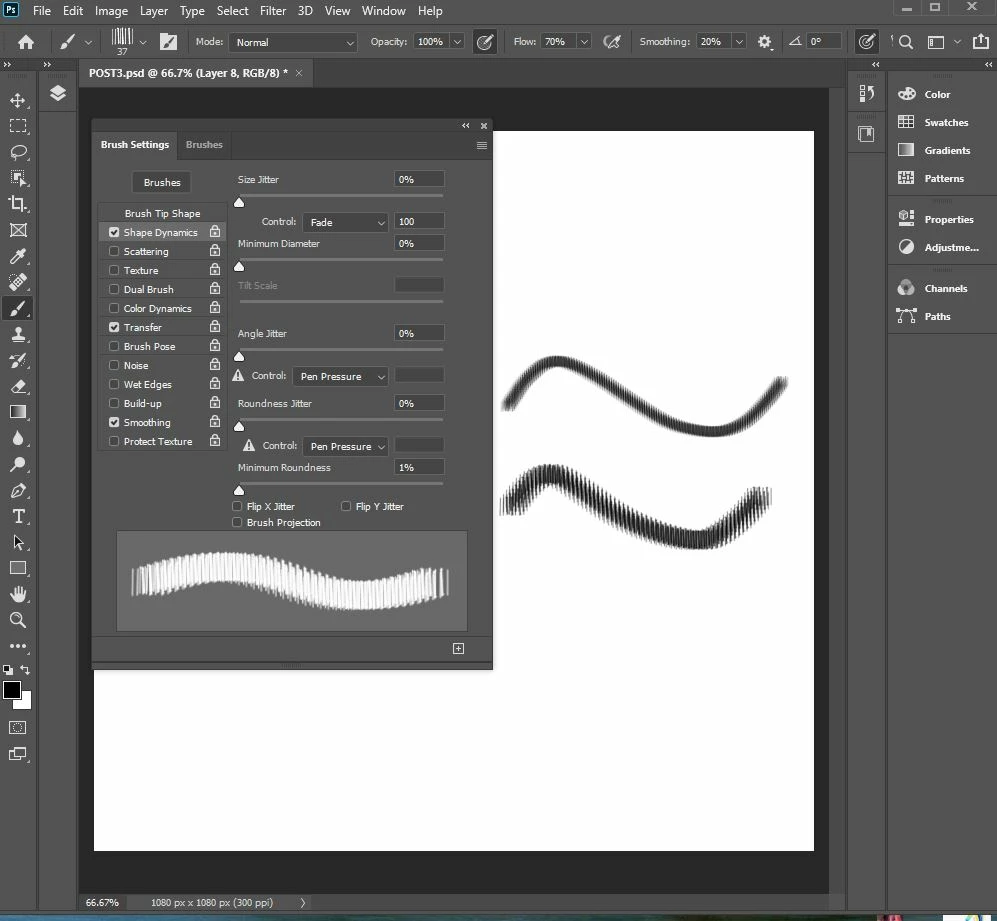
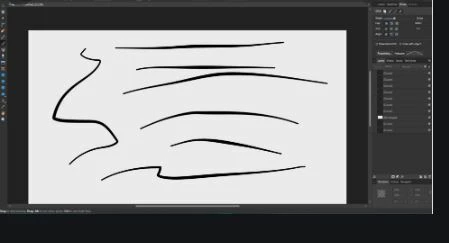
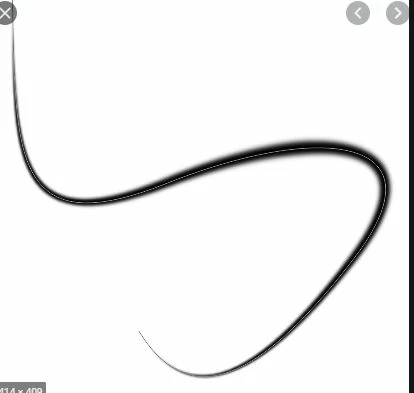
I could be doing some steps wrong, but I am trying to CREATE/FIND/PERSONALIZED a BRUSH TOOL w/ TAPERED ENDS as you draw. I showed what I mean at the pictures to the side. 

I've already tried changing my Minimum Diameter Control or any other of the controls into "Pen Pressure" or "Fade Out" and then I save that setting. BUT when I draw it still looks the same. I also have a pen tablet; so, I don't understand WHY it's not working. If you even have a Brush Set with tapered ends for Photoshop that I could import - THAT would be fine too.


I previously had all the right settings by luck BUT lost it all in a computer error. HOW do I get back a tapered end brush stroke?
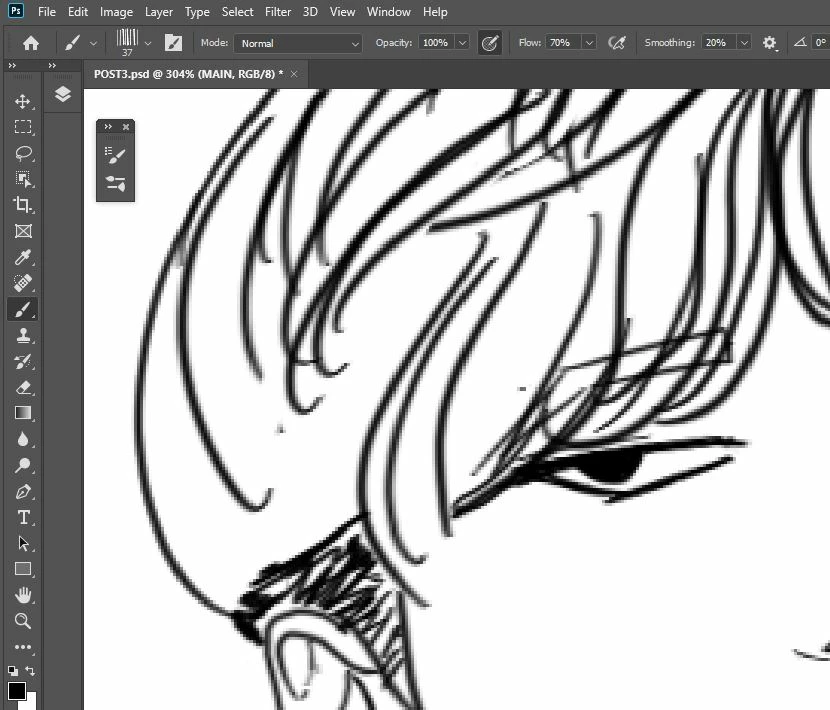
Example of how I would like for the brush to end. I want to be able to draw two lines to create a sharp end to a "piece of hair."
This topic has been closed for replies.
Correct answer davescm

Hi

One thing at a time.

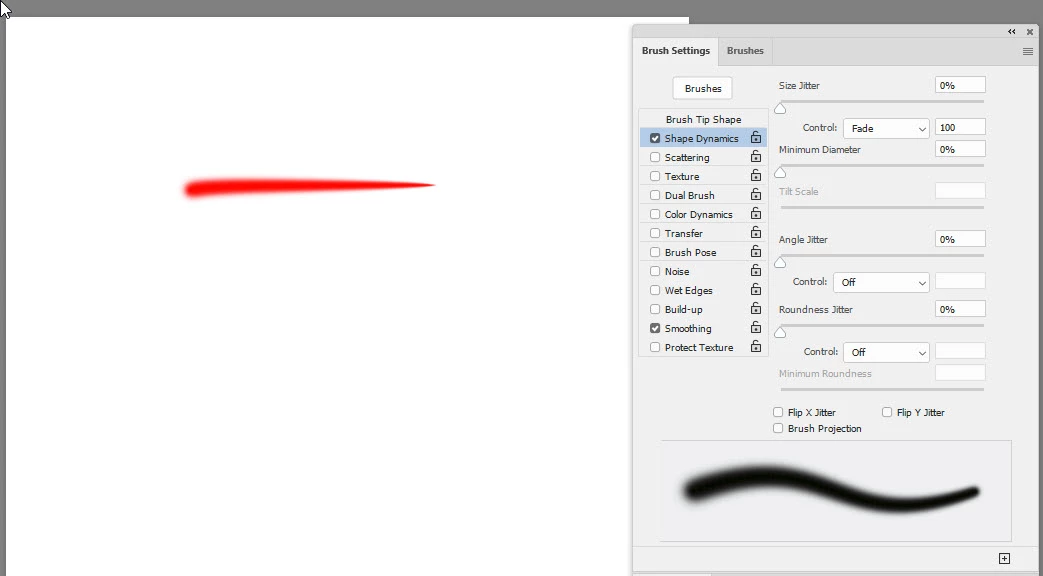
Setting the brush size control to "fade" just fades out (not in) but it does allow the size to reduce using a mouse :

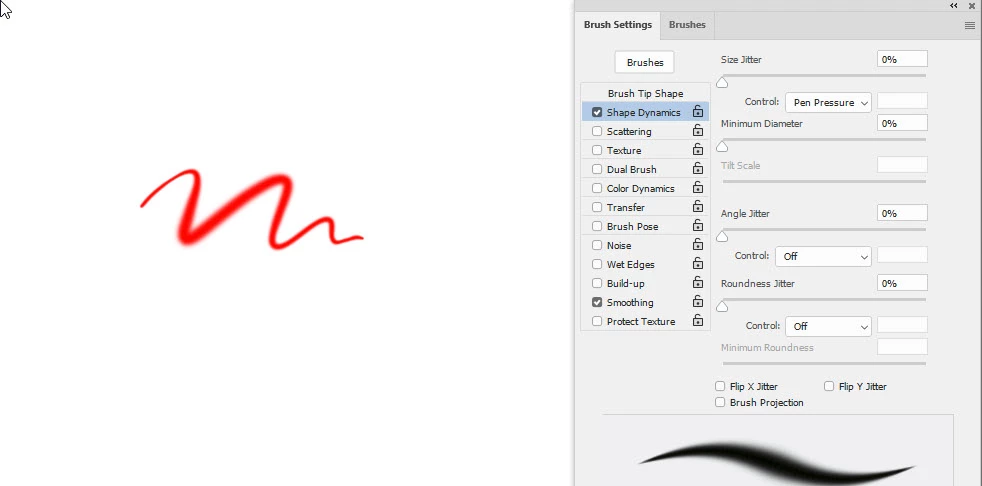
Setting the same control to pen pressure allows fade out and fade in but under pen pressure control


However the triangle next to your settings that you have set to pen pressure suggests that Photoshop is not seeing your pen pressure. If you have a tablet , with the current version of Photoshop, ensure the tablet is set to use Windows Ink and ensure that you are not forcing Photoshop to use the old Wintab APIs. So remove any PSUserConfig.txt file you might have installed that forces Photoshop to Wintab. Many folk used that in the past to overcome pressure issues but it is not now required.


Dave

1 reply

davescm
Community Expert
davescmCommunity ExpertCorrect answer
Community Expert
June 16, 2020

Hi

One thing at a time.

Setting the brush size control to "fade" just fades out (not in) but it does allow the size to reduce using a mouse :

Setting the same control to pen pressure allows fade out and fade in but under pen pressure control


However the triangle next to your settings that you have set to pen pressure suggests that Photoshop is not seeing your pen pressure. If you have a tablet , with the current version of Photoshop, ensure the tablet is set to use Windows Ink and ensure that you are not forcing Photoshop to use the old Wintab APIs. So remove any PSUserConfig.txt file you might have installed that forces Photoshop to Wintab. Many folk used that in the past to overcome pressure issues but it is not now required.


Dave