

Improve Photoshop CC2015 performance with SSD
Optimize performance Photoshop CC
This is not a problem, although I'd welcome any suggestions for improvement. I'm just posting it as this change has made my Photoshop usage much more efficient and some of you may want to do the same.
MY SETUP
Windows 8.1 64 bit
PC Acer TC-220 AMD A10 7800 4 core 3.5Gh
AMD Radeon RS235 graphics card
3TB Hard drive
500GB Samsung Solid State Drive
16GB DDR3 memory
I recently upgraded my one-year old desktop PC to include an SSD, which wasn't part of the original spec. I was getting fed up with PS taking what seemed like a long time to load both itself and any files. The difference has been well worth it. The installation was done by a PC engineer who charged £60, and the Samsung 500GB drive cost £140. There was no need to reload any programs or data as the SSD came with migration software. I got my machine back and it was exactly as it was before apart from the reordering of the disks.
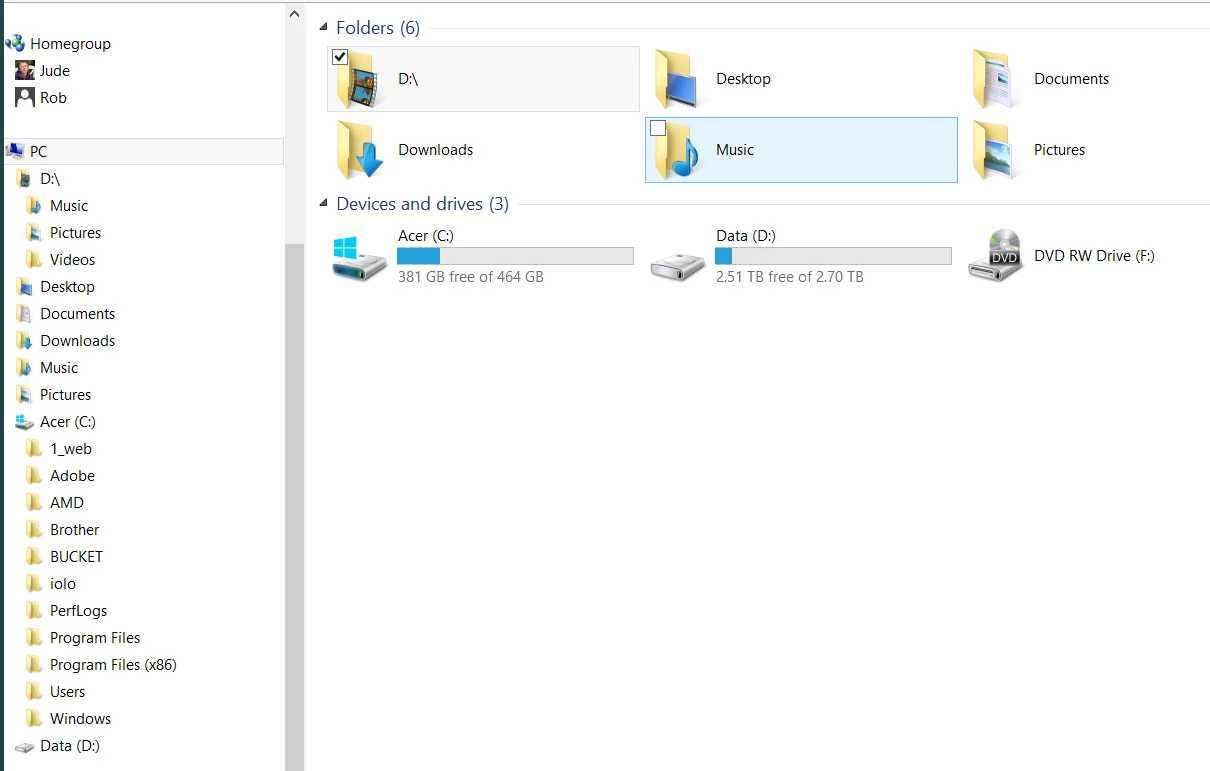
The SSD (drive C:) has Windows operating system, and all other programs (including PS). The old HDD (now drive D:) which was partitioned before is now a single partition now contains all my large data such as music files and nearly all my images. Any new images that I download via Bridge are stored in a folder called BUCKET which is on the SSD as they download quicker (I can see a noticable difference over the HDD) and can also be accessed faster when editing. Completed images and RAW files are moved to the HDD when finished. I find that when editing new files the HDD doesn't get accessed at all, and if I do move files there, or access old files, I can hear the HDD starting up, so I presume it's getting much less wear. That's a significant factor as HDDs generally have a 10% fail rate (my original one failed after 12 months). SSDs are much more reliable.
I also made the SSD my PS scratch drive. Adobe Optimize performance notes (link above) say that the scratch disk ought to differ from the drive with large files. I'm not sure what they mean by 'large files' - my RAW files are 21MB and TIFFS are about 30MB. If I make the HDD the scratch disk that will slow things down, and if I leave it on the SSD but put my editing files on HDD they will slow down instead, and create more access wear on the drive. Does anyone have any thoughts on that?
I set my memory usage in performance preferences to 100% as I never run anything else when using PS (apart from any small background tasks). Adobe say it's OK to do that in their notes.
I don't have timings for my old system, but with the SSD they are as follows. I'd say they are considerably faster, and a lot less frustrating. Well worth the £200. My SSD is 500GB. I should image you could get away with 250GB easily. My SSD is currently only using 80GB with 380 free. I have Windows op system, Firefox, Photoshop/Bridge, Nik products, Helicon, MS Office, and all my other programs loaded onto SSD, so they all run much faster too.
Load Bridge from the Windows taskkbar 2 secs
Load PSCC (without a file) from taskbar 5 secs
Load PSCC with a RAW file from Bridge 9 secs
Load TIFF from PSCC (already loaded) 2 secs
Any suggestions for further improvements?
As you can see I have a lot of free space, despite having a lot of images.
 AdChoices