Answered
Improved subject selection does not seem to work
good morning, to me the improved subject selection does not seem to work ... is it a problem of GPU and graphics card? Thanks!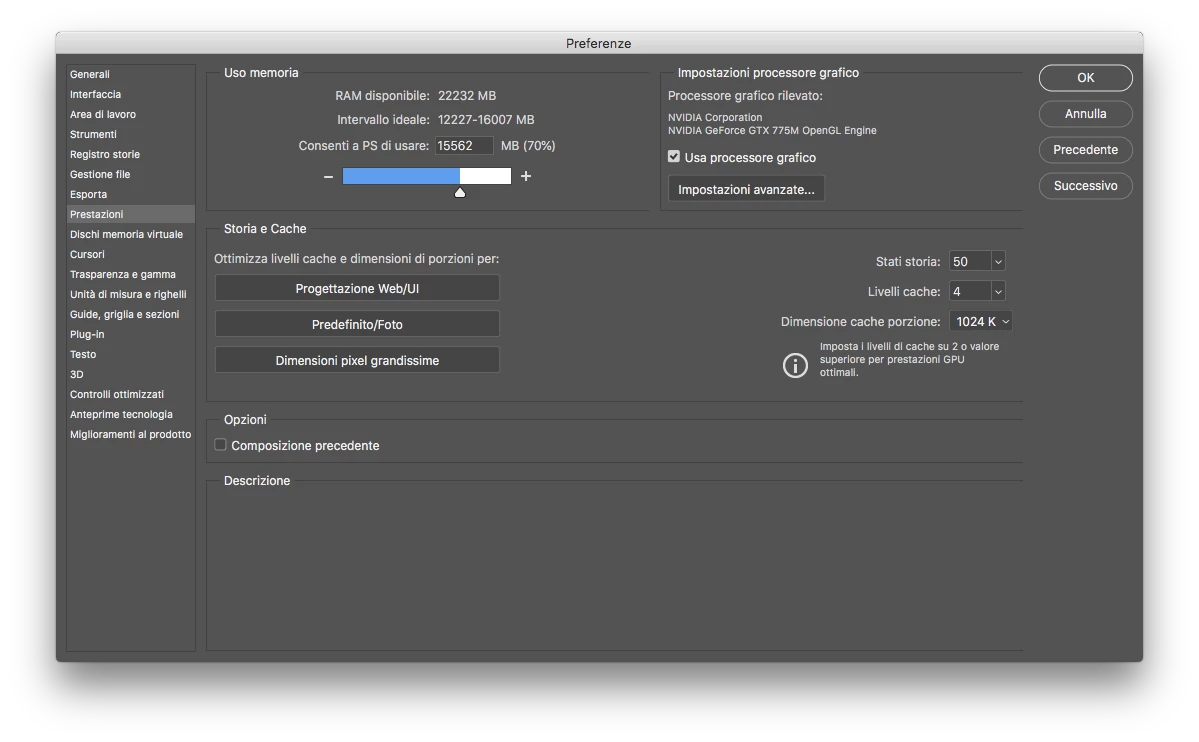
good morning, to me the improved subject selection does not seem to work ... is it a problem of GPU and graphics card? Thanks!
Did you ever get this resolved? I'm having the same issue. I have all of the performace settings on what they should be. Not sure what's going on.
It doesn't work on High Sierra. They don't even acknowledge the issue, it works the sames as Photoshop 19.
I have the exact same problem, and if you follow the youtube tutorial examples, with their own example images, you get a very different result, like you were using Photoshop 19.
So far Adobe hasn't given any explanation, to the High Sierra is dead.
Already have an account? Login
Enter your E-mail address. We'll send you an e-mail with instructions to reset your password.
 AdChoices