Participant
August 12, 2022
Question

In Photoshop 23.4 The Selection Tool Doesn't Select Properly
  • August 12, 2022
  • 2 replies
  • 307 views


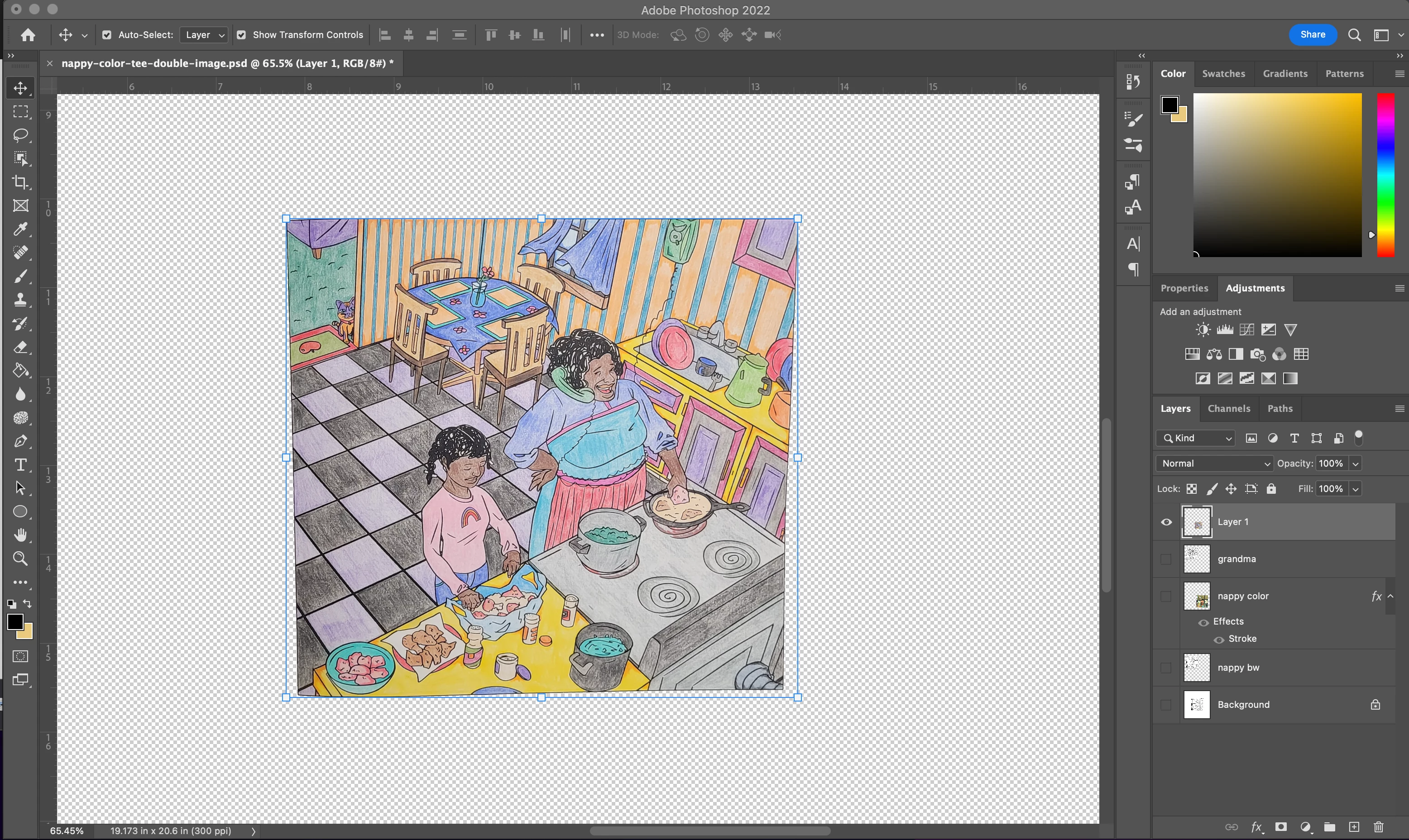
Why when I attempt to select this image, which is not square, does the selection tool only select in a square shape and not adjust to the actual shape of the image? 


I'm attempting to change the shape of the image into a square shape yet the corners aren't attached to the actual shape of the image.


I just updated to this version and this is the first time I've ever encountered this issue when trying to Free Transform an image using the selection tool.


Any help would be appreciated. Thank you


This topic has been closed for replies.

2 replies

Earth Oliver
Legend
August 12, 2022

>this is the first time I've ever encountered this issue when trying to Free Transform an image using the selection tool.


which selection tool?


and if you want to make that square, just set down some guides and transform to those.

Known Participant
August 14, 2022

I think what you need to do is to firstly select View > Show > Grid.  Make your selection, then select Ctrl+T to show the transform handles, Right click on the image and select 'Skew'. Click and drag the necessary corners to pull your image out to the lines - not diagonally, vertically then horizontally. Click the green tick, then Crop (Image > Crop). Hope this helps.

Bojan Živković11378569
Community Expert
Community Expert
August 12, 2022

Your image is not perfect square while handles are not following shape but rather 90 degree angle in each corner. Everything is OK, thats how things work in Photoshop. If you drag corner handles beware that you will distort image in attempt to make it square. Have you tried to mask image or to clip it to square shape?

AyomariAuthor
Participant
August 13, 2022

Hi, 


Thanks for your response.


I know the image isn't a perfect square. My goal is to free transform it into a square but when I select the image, the selection doesn't adjust to the actual shape of the image, but creates a square around the image as you can see in the provided example. Typically, the selection should adjust to the actual shape of whatever the layer is, and then from that shape you can Free Transfrom by clicking and dragging the tiny squares in the corners of the shape. While it may cause distortion, I don't believe that adjusting this image to a square will distort it badly as a square shape isn't too far removed from the shape that it is currently. 


So I'm wondering why the selection doesn't put the tiny squares to the actual shape of the layer but rather creates a square, which means those tiny squares aren't actually touching the shape of the layer?