Participant
April 24, 2019
Answered

In program color not matching render colors

  • April 24, 2019
  • 2 replies
  • 944 views

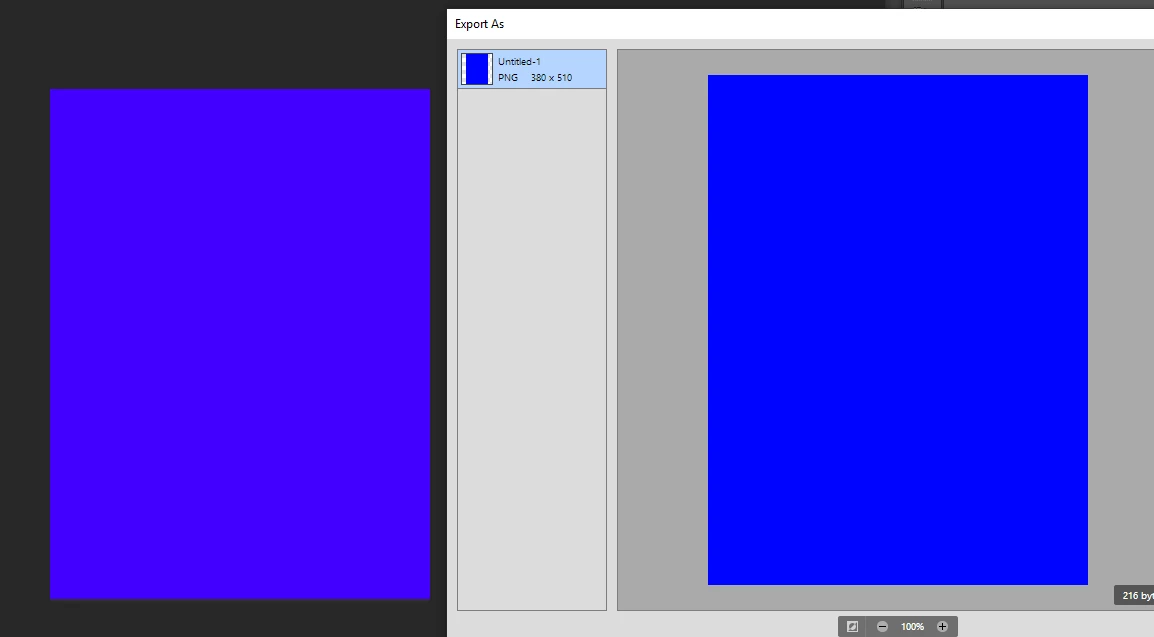
So I did some reading and I just couldn't find this particular issue. Basically what's happening is that the shading of the image in Photoshop is significantly darker than the render of it. I can choose to Export as... and in the preview the coloring looks right but it absolutely will not be the right color in the actual program. What is this? How do I fix it because it's a major dilemma when trying to make something a specific color?
    This topic has been closed for replies.
    Correct answer D Fosse

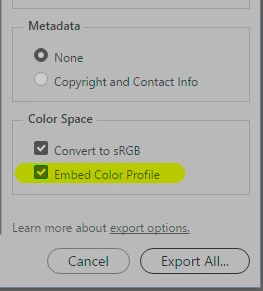
    Look in the bottom right of the Export dialog:

    This turns on color management in the Export module, and so it matches main Photoshop which is always color managed.

    However - I suspect your problem is that you're opening the exported file in an application that doesn't support color management at all. Applications without color management will never display correctly, under any circumstances, no matter what you do. That's why "it absolutely will not be the right color in the actual program", as you say.

    2 replies

    D Fosse
    Community Expert
    D FosseCommunity ExpertCorrect answer
    Community Expert
    April 24, 2019

    Look in the bottom right of the Export dialog:

    This turns on color management in the Export module, and so it matches main Photoshop which is always color managed.

    However - I suspect your problem is that you're opening the exported file in an application that doesn't support color management at all. Applications without color management will never display correctly, under any circumstances, no matter what you do. That's why "it absolutely will not be the right color in the actual program", as you say.

    D Fosse
    Community Expert
    Community Expert
    April 24, 2019

    Turn on color management in Export by checking "Embed Profile". Color management is off by default (for some reason).

    FayTheGayAuthor
    Participant
    April 24, 2019

    I'm not seeing that option anywhere

    c.pfaffenbichler
    Community Expert
    Community Expert
    April 24, 2019

    What do you mean by »render«?

    edited

    Please set the Status Bar to »Document Profile« and post more meaningful screenshots.