
Inaccurate image size
Hello,
I've been experiencing a very frustrating issue with Photoshop CC 2017 on Windows 10: the images are displayed in Photoshop are much smaller than their "real" size. If I open an image at 150 px, I see it as roughly 100px on Photoshop. The rulers and any other image properties also indicate the smaller size. When I save it or export it for web it's in the "real" size (150px). This problem persists no matter the size, format or resolution. It's basically as if everything is at zoom 66.67%
Here comes a screenshot of an image of 500px open in Photoshop and in Google Chrome.
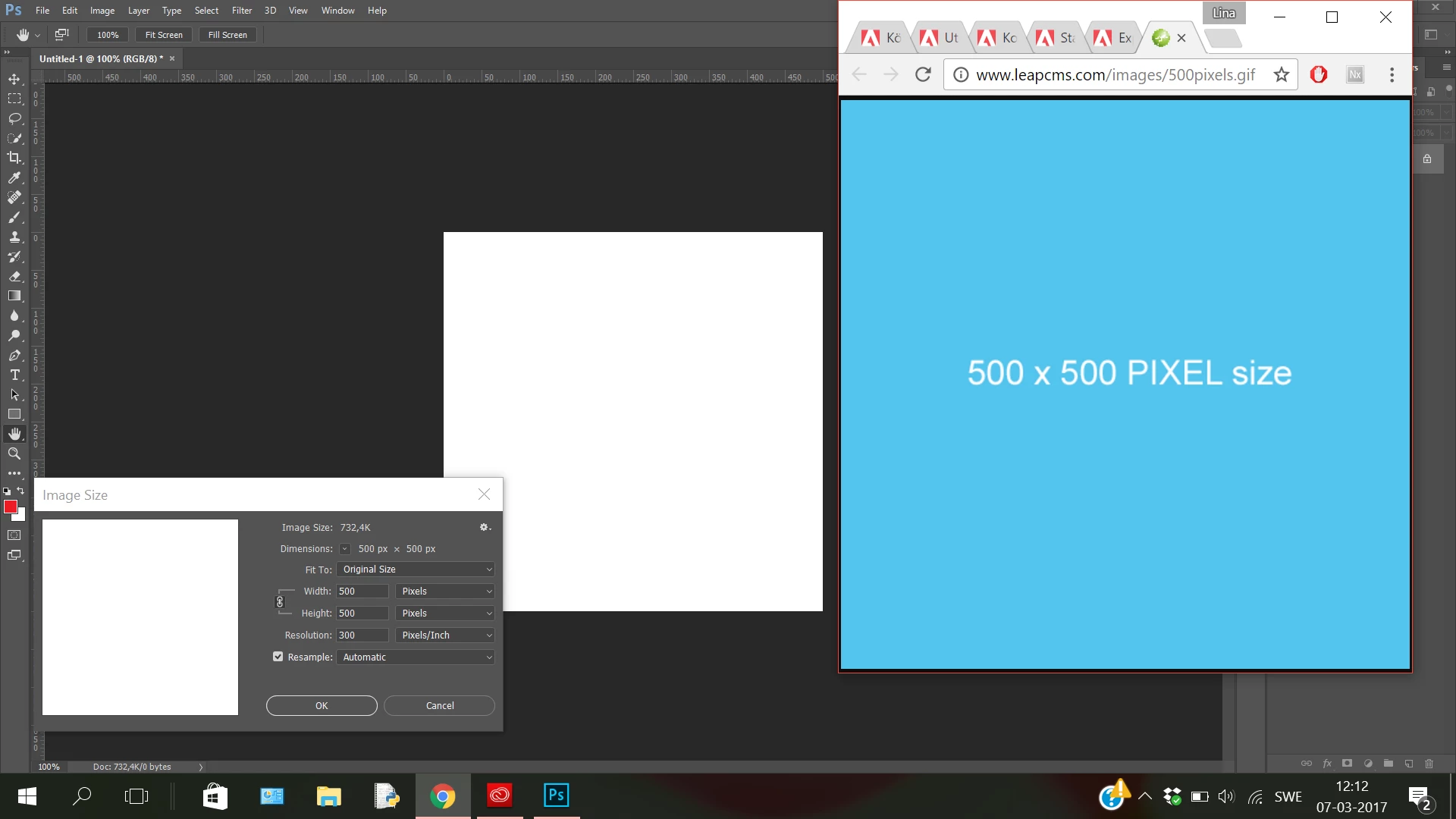
It's incredibly annoying since I need to see the work I am doing at the same size and quality as the final exported result. I have looked high and low for a solution to no avail, even reinstalling the program. Is the only solution to uninstall CC17 and revert back to Photoshop CS6 (with which I never had this issue)?
 AdChoices