
Incorrect colour when exporting from Lightroom into Photoshop
Hi all,
I'm having a bit of an issue where whenever I export a photo from Lightroom into Photoshop the colour doesn't match, and I sometimes get slightly strange colour banding. I've checked my export settings in Lightroom and I think this is correct. I've added a screenshot from Lightroom and Photoshop below to show which settings I am using.
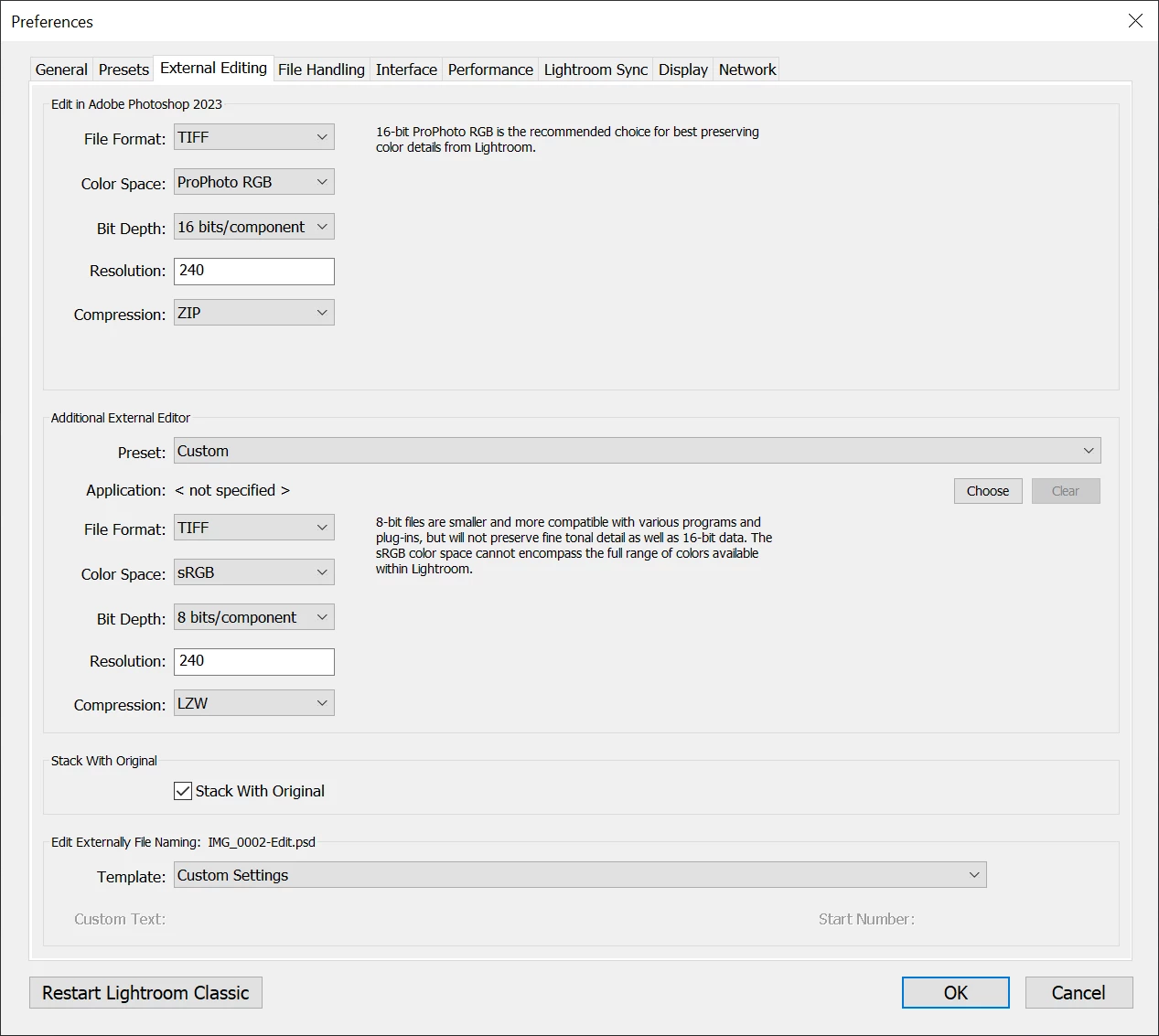
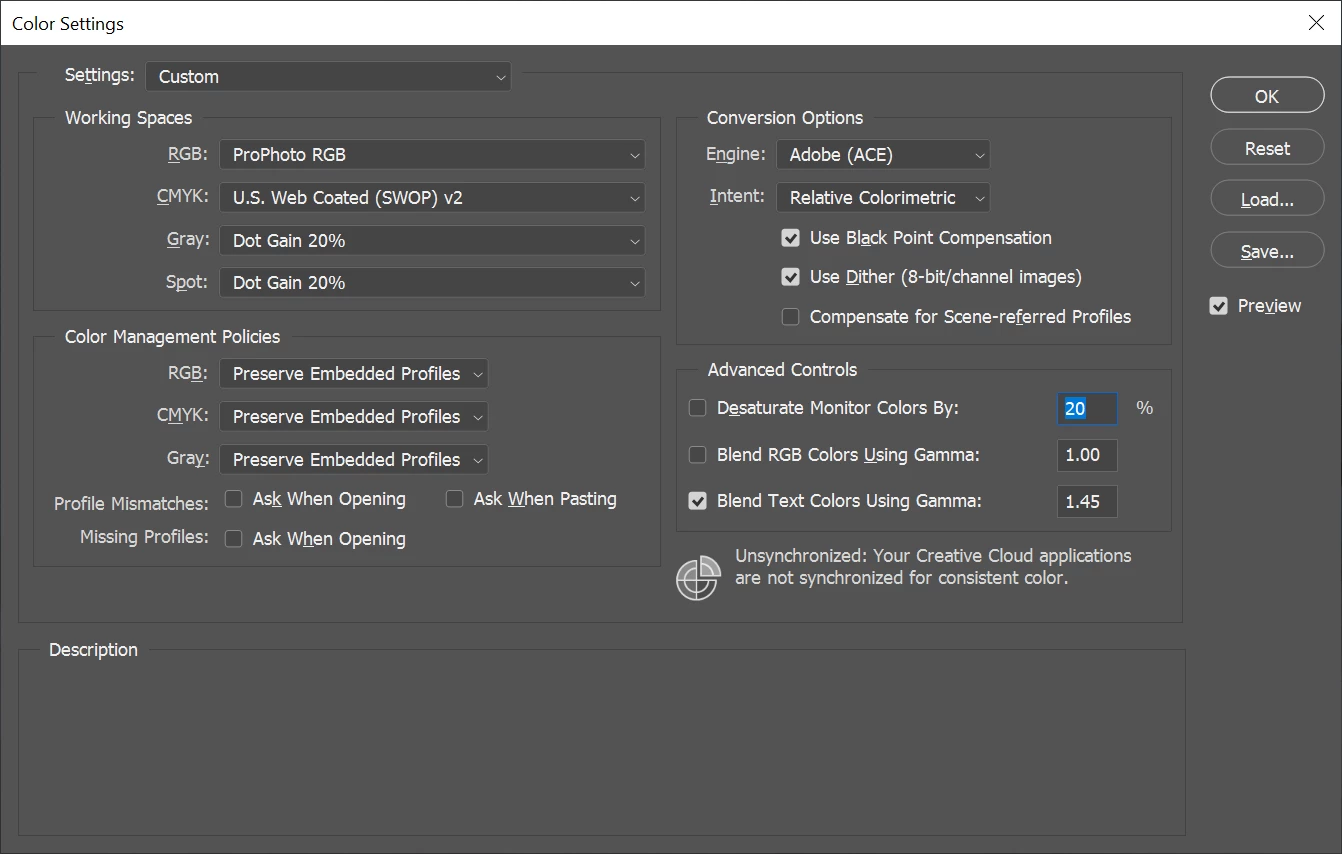
Strangley I've noticed that if I switch the colour mode in Photoshop from RGB to CMYK it looks correct and matches exactly what I see in Lightroom. It's as if the wrong colour mode is being exported from Lightroom but I couldn't see an option for colour mode anyway in Lightroom for exporting to Photoshop.
Any ideas where I might look next to try and solve this issue?
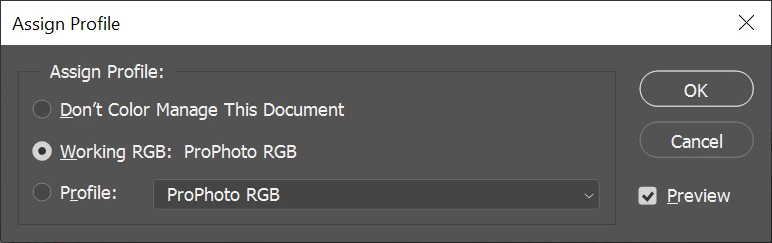
For completeness here is a screenshot of the profile that I have assigned in Photoshop:
 AdChoices