Known Participant
July 29, 2017
Answered

Increase pixel selection in Color Range tool?

  • July 29, 2017
  • 2 replies
  • 978 views


Hi,

Is there a way to hold down shift or something to expand the "marching ants" selection? I am trying to eliminate the green background, replace it with gray, and some green reflection is on the jewelry.

As a work around I could fill the areas I want to keep with a different color so it's not chosen in the selection, then delete the green marching ants area, then go back and recolor. But, I have a lot of jewelry to do and would like to know the "pro" way to expand the marching ants selection in the Color Range tool.

When the background is deleted and replaced with gray it'll be a companion to the online catalog shots which look like:
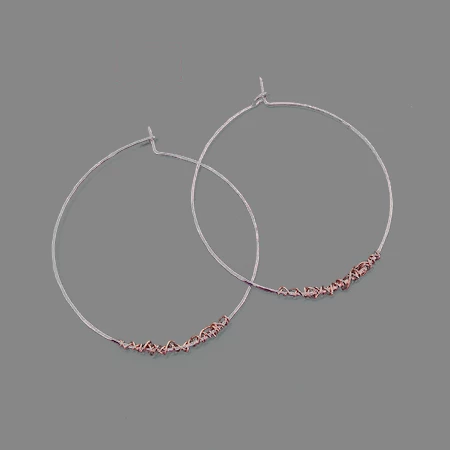
Thanks for any help...

- Anita
    This topic has been closed for replies.
    Correct answer Norman Sanders

    There is a  faster, easier way:

    Place  new layer below the image layer

    Return to the image layer and bring up Layer Style by double clicking on it

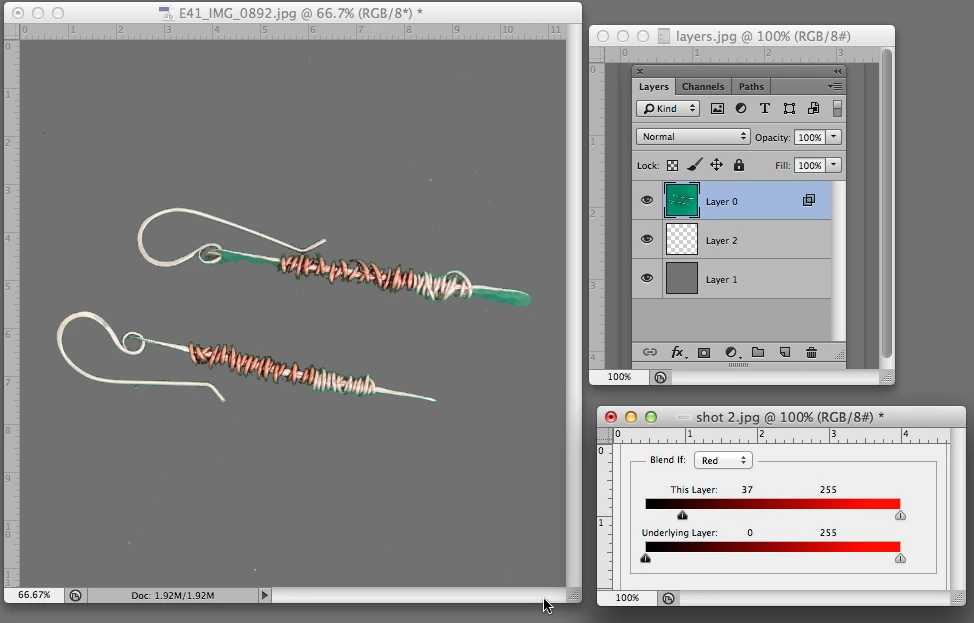
    Set the Blend If to  Red and follow the setting shown above

    Place a new layer at the bottom, below the transparent layer, as shown and fill with gray 

    2 replies

    Norman Sanders
    Norman SandersCorrect answer
    Legend
    July 29, 2017

    There is a  faster, easier way:

    Place  new layer below the image layer

    Return to the image layer and bring up Layer Style by double clicking on it

    Set the Blend If to  Red and follow the setting shown above

    Place a new layer at the bottom, below the transparent layer, as shown and fill with gray 

    anita1390Author
    Known Participant
    July 29, 2017

    Norman, thanks.

    I need to try this yet so you may hear back from me. Anyway I see by your sample it's great so I marked it correct. Thanks again!

    Norman Sanders
    Legend
    July 29, 2017

    Happy to help.

    Norman Sanders
    Legend
    July 29, 2017

    You can try the eyedropper to add to your selection.

    On the other hand, there may be a better approach than Color Range.

    For example, a copy of the Red channel along with the Blend If tool may produce the desired result without making a Selection at all.

    anita1390Author
    Known Participant
    July 29, 2017

    Norman, thanks.

    The eyedropper dialog box disappears once the marching ants appear. I can see the eyedroppers before I click and get the amrcching ants selection (PS CC).

    Here is the image. I have a background layer of GRAY#868787, and a transparent layer where I work the image. I save the PSD file with both layers before I output to PNG. In case the background color ever needs to change  I can go straight into the PSD file.

    anita1390Author
    Known Participant
    July 29, 2017

    Norman, I don't understand the red channel in your description. The earrings need to be full color, just the background is gray. It's for eCommerce online catalog shots.