

Shan-Dysigns
Inspiring
February 14, 2019
Question

Interesting Effect on Canvas Resize - Curious For Explanation

  • February 14, 2019
  • 7 replies
  • 1025 views

I came across an interesting effect when I opened up a smart object and changed the canvas size (increased only). The original size is 1920 x 1920, and depending on how much I increase the width/height (either proportionally or independently), the effect varies. I just find this interesting and wonder if anyone knows what is causing this. There is another smart object in this file with smart filters. Here is the file (18 MB) if you want to play with it. I would have made the file smaller, but I didn't want to have to redraw all the shapes. http://www.shan-dysigns.com/forums/photoshop/starburst.psb
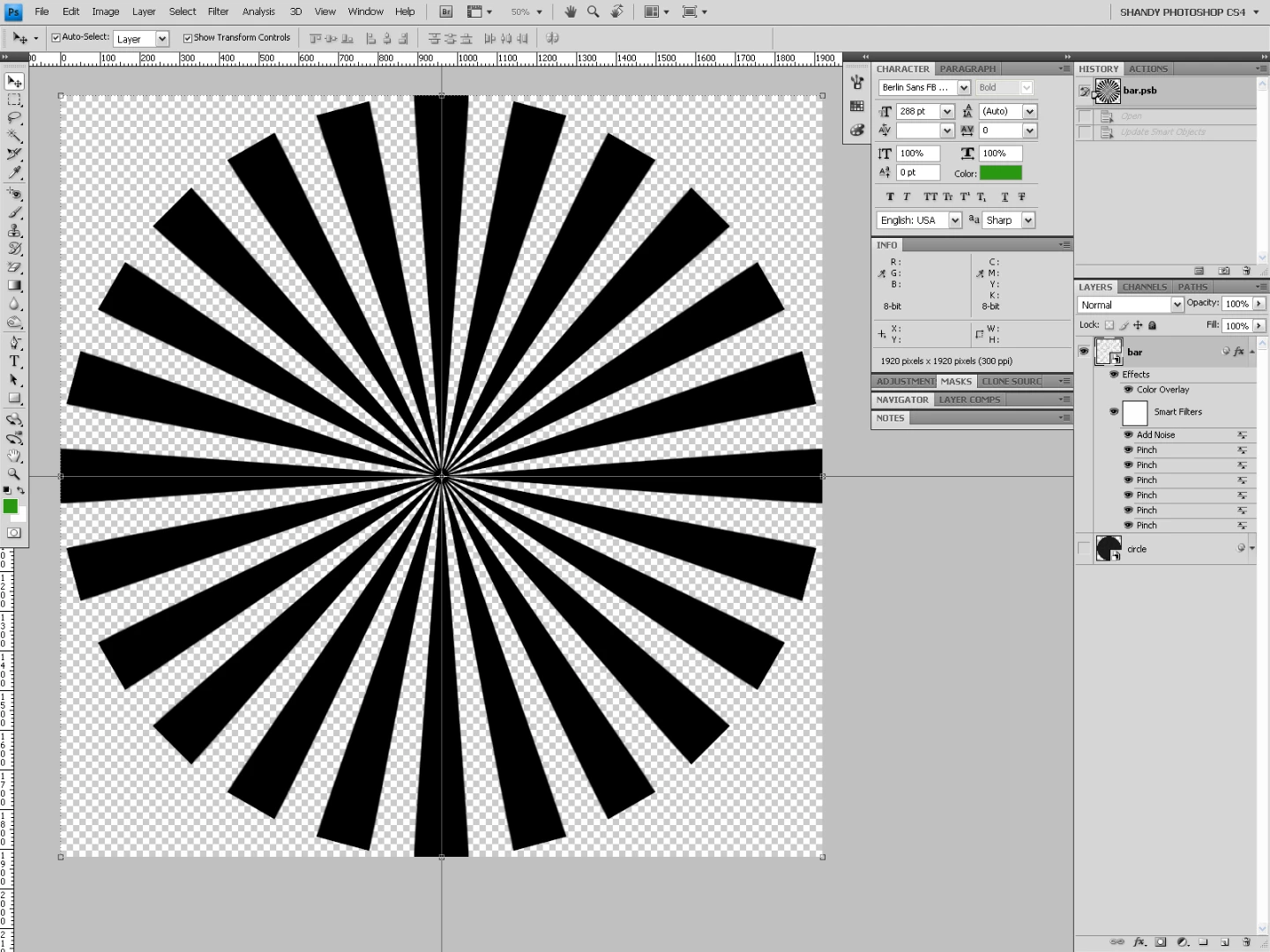
1920 x 1920
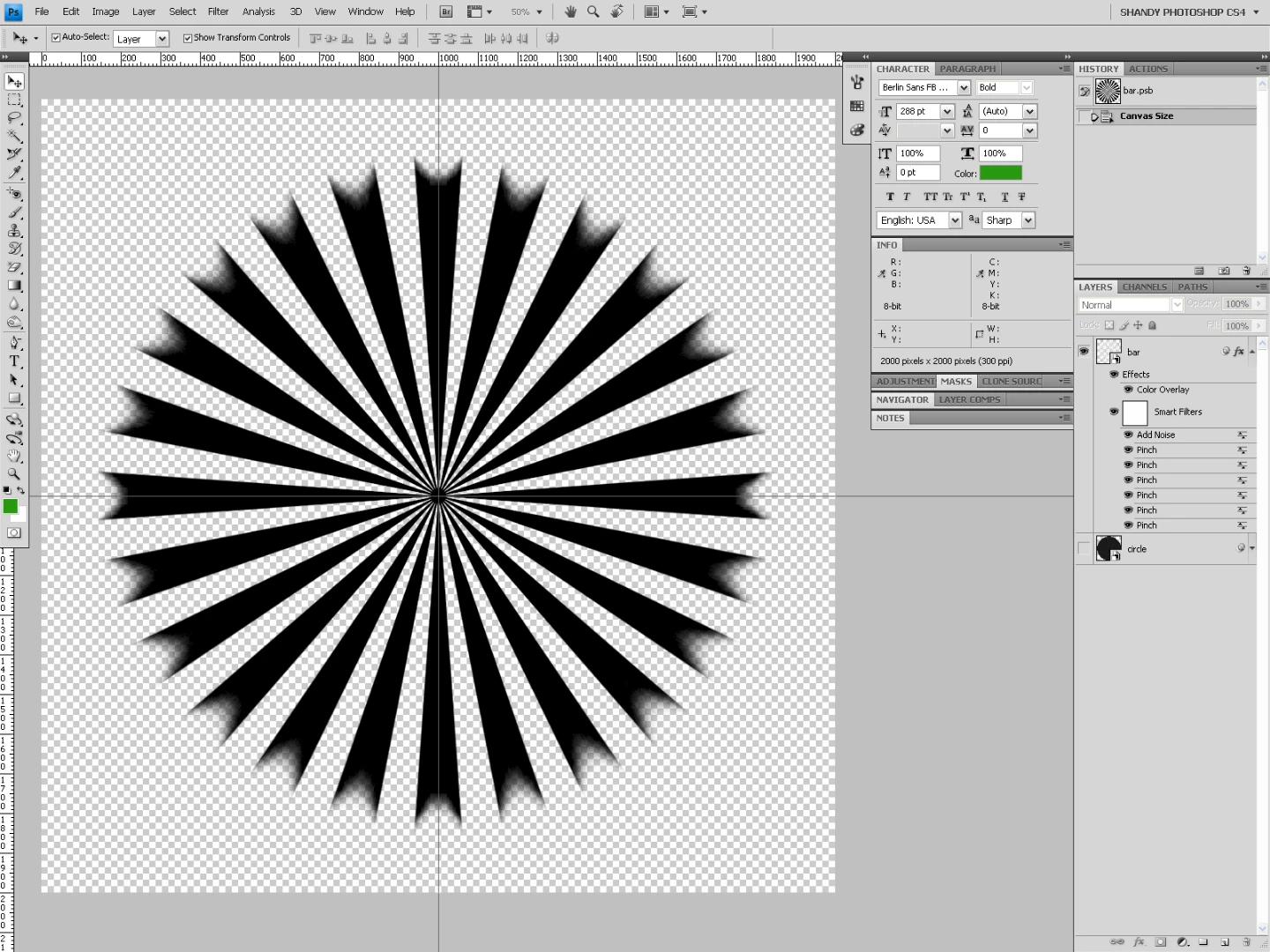
2000 x 2000 (proportional resize)
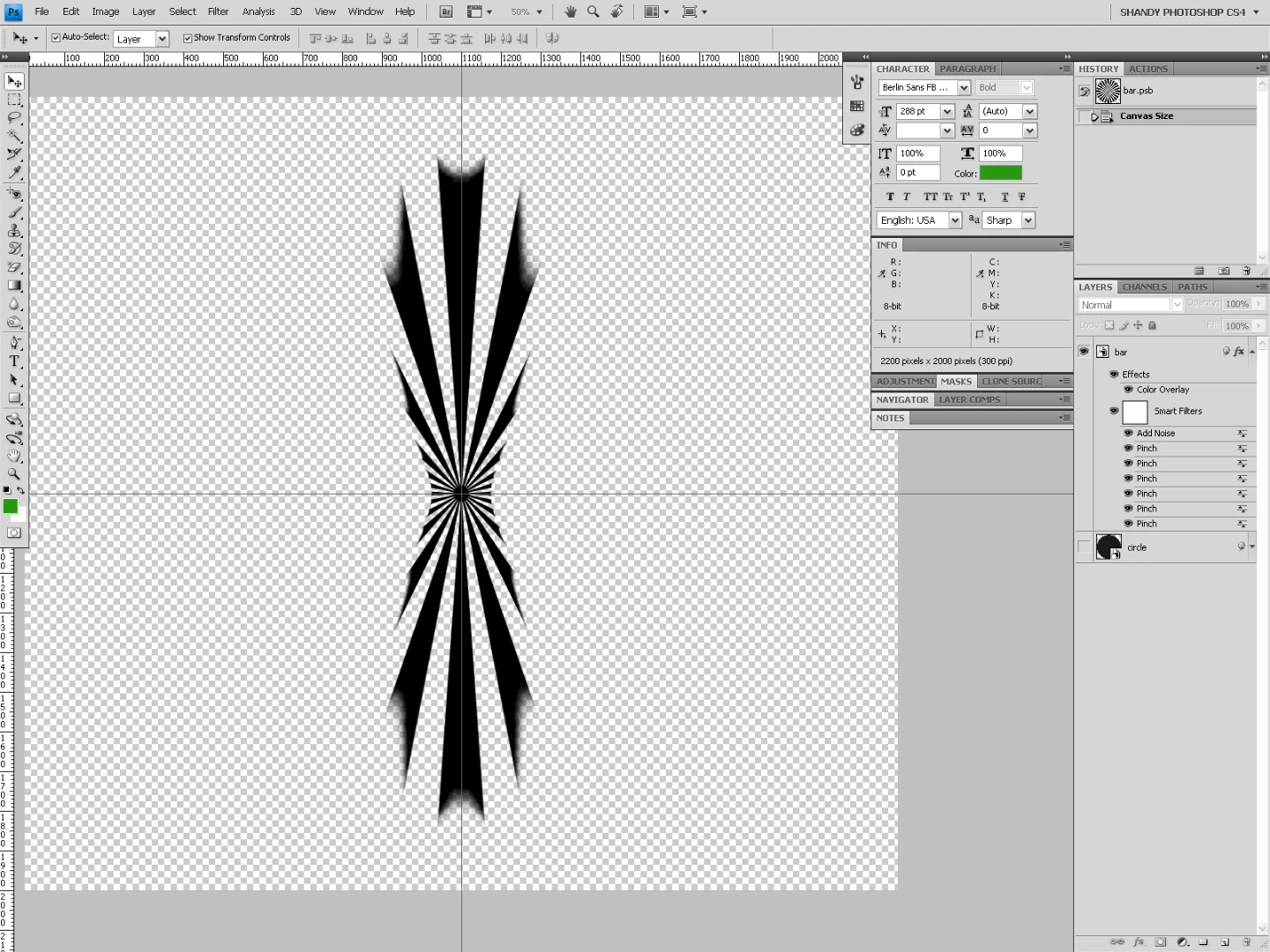
2200 x 2000 (independent resize)

This topic has been closed for replies.

7 replies

Chuck Uebele
Community Expert
Community Expert
February 14, 2019

Yep, getting the same thing with your file. It's does seem to be the pinch filter for some reason.

Shan-Dysigns
Inspiring
February 14, 2019

You will notice a different in the resulting effect if you open up the "bar" SO first, resize that canvas, then save... or you resize the original SO first, then open up with "bar" SO and resizing that canvas.

I'm sure this is all a random algorithmic effect. I've just never come across it before.

Chuck Uebele
Community Expert
Community Expert
February 14, 2019

No, I recreated it. Will have to try with your PSB.

Chuck Uebele
Community Expert
Community Expert
February 14, 2019

It also seems to only do it with the pinch filter. Can't get it to do it with any others.

JJMack
Community Expert
Community Expert
February 14, 2019

Every Smart Object layers has an associated transform.   If you replace a smart object layers's object  with a different size object using Replace Content or Opening the object and changing the work file size aspect ratio resolution.  When layers object is updated the associated transform will not transform the smart object layer correctly.  For the associated transform has not been not changed or updated.   Smart object Layer object have to be replace with object that have the same aspect ratio, Size and Print resolution. for the  layers associated transform to work correctly,  There can be many smart object layers sharing  a common object. Each layer has its own associated  transform.  If you mess up a  shared smart object many layers content may be transform incorrectly.  That how smart object layers work.  You should not change an object size in any way.

JJMack
Shan-Dysigns
Inspiring
February 14, 2019

I don't know if this is similar to what you mentioned, but there is a difference between whether I open the secondary SO and resizing that canvas first, and then resizing the original SO to the same canvas size, but the order of canvas resizing does indeed change whether the effect happens or not. I just thought it was an interesting unintended result.

JJMack
Community Expert
Community Expert
February 14, 2019

There are two ways to resize a canvas one is with image size which will also resize all layers. The other way  is  with canvas size that only change the document canvas size all layers except the background layer remain the same size only their position relative to the canvas is effected The background layer does not support transparency so the background layer is always canvas size. Canvas size will  always add and crop background areas the background layers.

JJMack
Chuck Uebele
Community Expert
Community Expert
February 14, 2019

Okay, I got it to do what you're doing. It wasn't opening the SO and resizing it. It was resizing the unopened SO, and it only messed up with the smart filter applied.

Shan-Dysigns
Inspiring
February 14, 2019

Did you open my example or try to recreate it? The interesting effect that I'm referring is how the edges of the individual shapes are manipulated and even the different ways they are manipulated based upon different canvas resizes. I'm pretty sure it has a lot to  do with a SO inside a SO and which SO is opened versus which SO has the effects (and maybe even a matter of which smart effects are applied). I just thought it was an interesting mishap.

Chuck Uebele
Community Expert
Community Expert
February 14, 2019

Looks like you have a lot of smart filters, so I image somewhere it's messing with that, as I tried it with just a straight smart object and didn't have any issues.