Answered
iPad photoshop can’t find subject selection
Hi,
Really thanx for Photoshop on the iPad!
But, even after deleting Photoshop app and reinstalling, I cannot find the new subject selection tool in the selection tools.
Murk
Hi,
Really thanx for Photoshop on the iPad!
But, even after deleting Photoshop app and reinstalling, I cannot find the new subject selection tool in the selection tools.
Murk
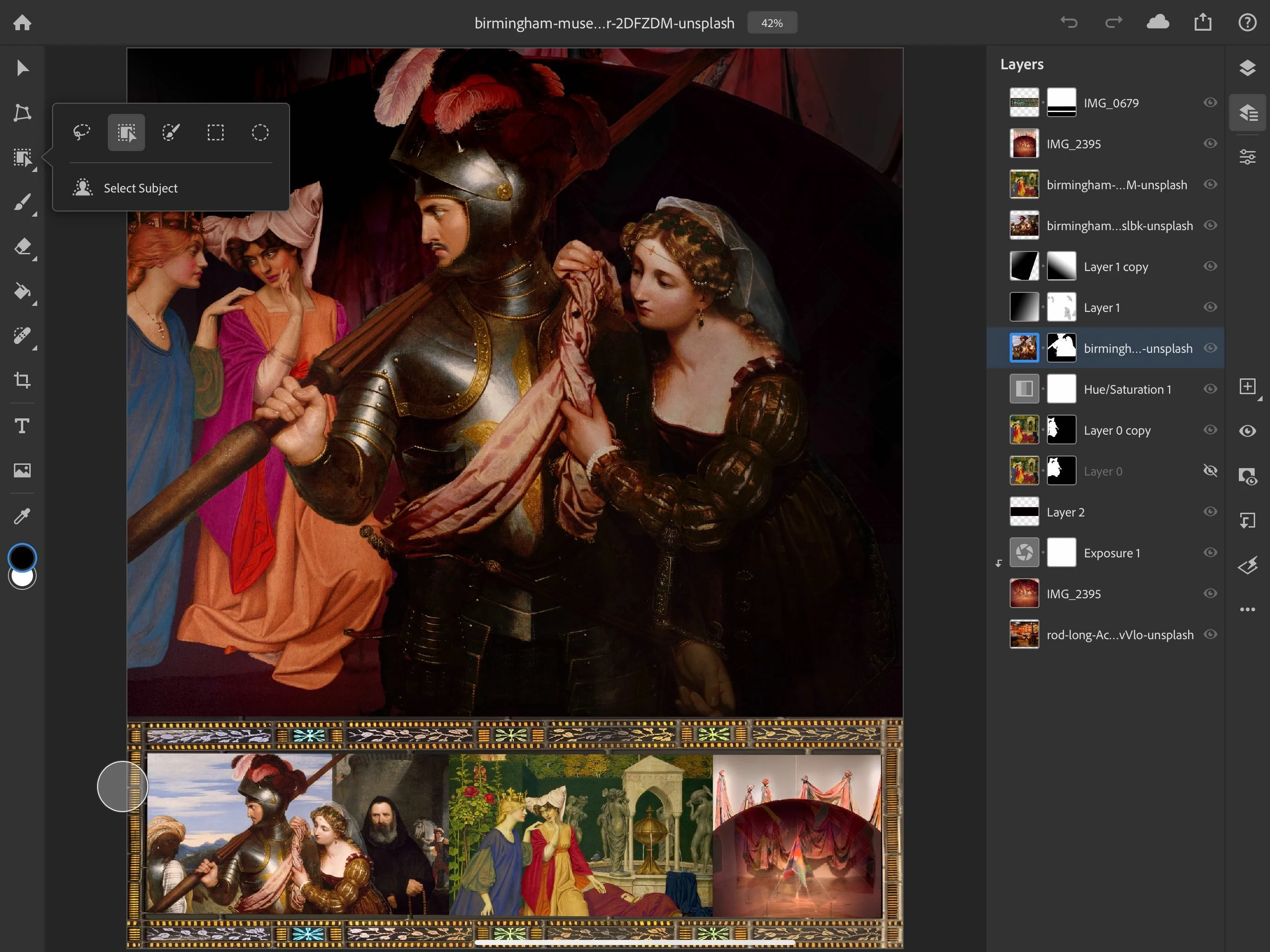
Thank you for the screen shots. You are on the correct version, but I think you are confusing the tool options floating panel for add, subract and intersect with the tool slot I mentioned. Any tool that has the arrow at the bottom corner has additional tools in that slot. You can either tap and hold or double tap to show the additional tool that are available. The object select tool is the second tool from the left. Select subject is a single tap on the item below the tools.
Already have an account? Login
Enter your E-mail address. We'll send you an e-mail with instructions to reset your password.
 AdChoices