nielsv73347782
Participant
May 15, 2019
Answered

iris blur tool does not show the blur adjustment handles

  • May 15, 2019
  • 5 replies
  • 7331 views

Hi,

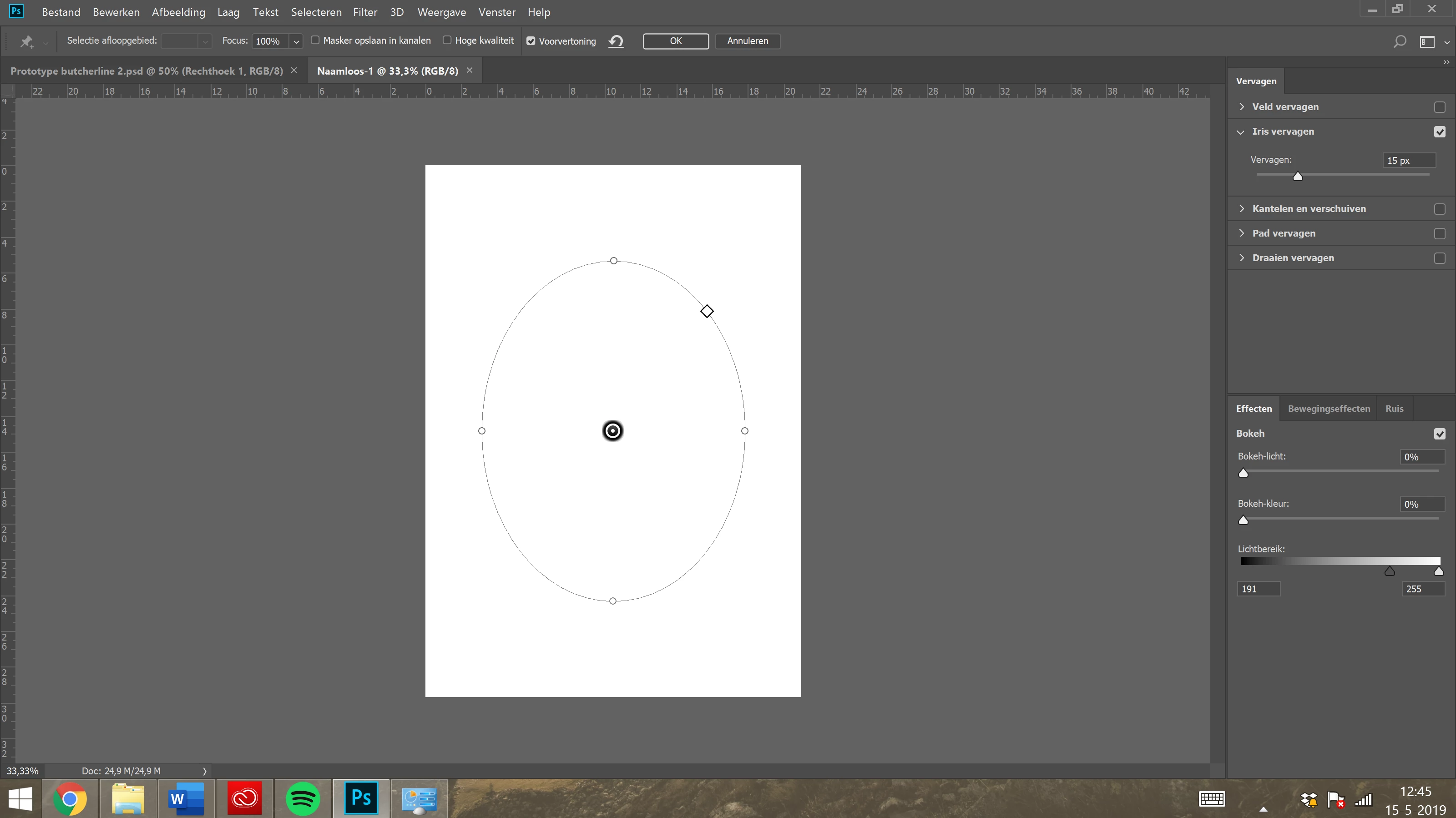
I want to use the iris blur tool from the blur gallery but my iris (elipse) does not show the blur adjustment handles. It only has the increase/decrease/ shape change handles. See the screencap below. Is there a box I need to chek? I cannot find it. thanks.

Using latest version of Photoshop CC on windows 8.1
Correct answer

Hi

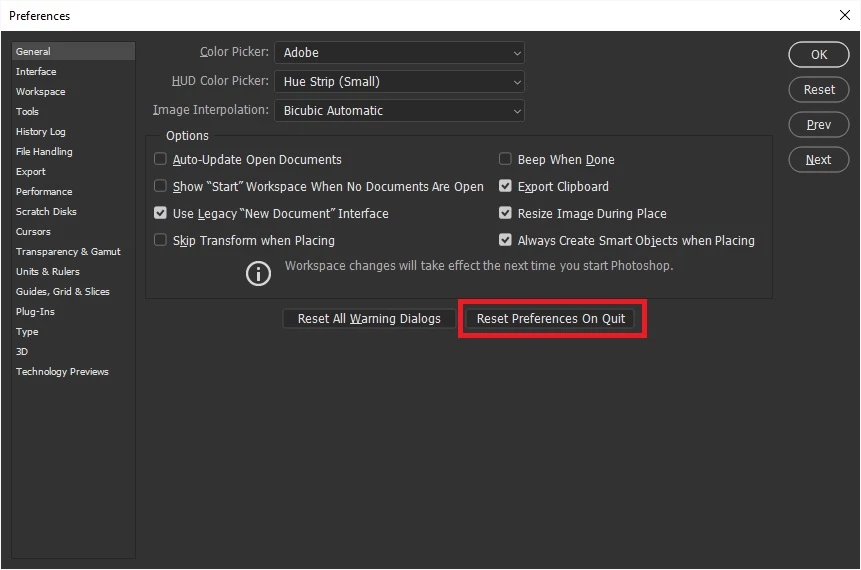
Try resetting your Photoshop preferences

Also what exact version of Photoshop do you have, PS CC2019 is not supported for Windows 8.1

Upcoming Changes to Creative Cloud OS Support for Windows and Mac | Adobe Blog

5 replies

Participant
March 25, 2021

Try pressing cntrl+H.

Participant
March 26, 2021

You just saved my life, thank you!!!

Participant
January 31, 2021

My Iris blur controls are off to the side. How to I recenter them inside the iris blur circle? 

jane-e
Community Expert
Community Expert
February 1, 2021

Hi

This is on page 232 of the Classroom in a Book for Photoshop 2021. Can you show the Blur Tools panel on the right side?

~ Jane

Participant
February 1, 2021

Hi Jane,


I just reset all preferences and was able to fix the proplem. Thank you for responding. 

Participant
January 7, 2021

Okay, resetting all the preferences worked for me, but I must say it's a kluge answer.  Fortunately I had just recently saved the toolbars setup that took me hours to tweak to my liking.... I hope you'll soon have a more focused (yes, intended it, no, not sorry) solution for this bug.

rlevantese
Participant
July 9, 2020

Hi! After installing version 21.2, this problem with the blur gallery filters occurred. In the last previous update I did this procedure and it worked, but this time when upgrading to version 21.2 the problem is not solved by doing this procedure. I tried to reset all preferences, but it didn't work for me. I use photoshop on Mac OS High Sierra version 10.13.6. I also tried to reset all preferences when starting photoshop with the command (cmd + shift + alt) and it didn't work.
I even tried to uninstall photoshop and reinstall, but I was not successful with the problem. Can you help me with this problem, please?


Correct answer
May 15, 2019

Hi

Try resetting your Photoshop preferences

Also what exact version of Photoshop do you have, PS CC2019 is not supported for Windows 8.1

Upcoming Changes to Creative Cloud OS Support for Windows and Mac | Adobe Blog

nielsv73347782
Participant
May 16, 2019

Yes thankyou! That worked

The version I am running is 19.1.8 b.t.w.

May 16, 2019

You're welcome