Check "Legacy Compositing" in Preferences > Performance to confirm that this is indeed the same issue. That should make it go away by reverting to old compositing code.
Check "Legacy Compositing" in Preferences > Performance to confirm that this is indeed the same issue. That should make it go away by reverting to old compositing code.
Now there's a thought. I've been having to work with Legacy Compositing enabled, but it did not occur to me to try switching it off since the update. I've just done so, and 'tried' to duplicate what I thought was giving problems before, and it's OK, but time will tell.
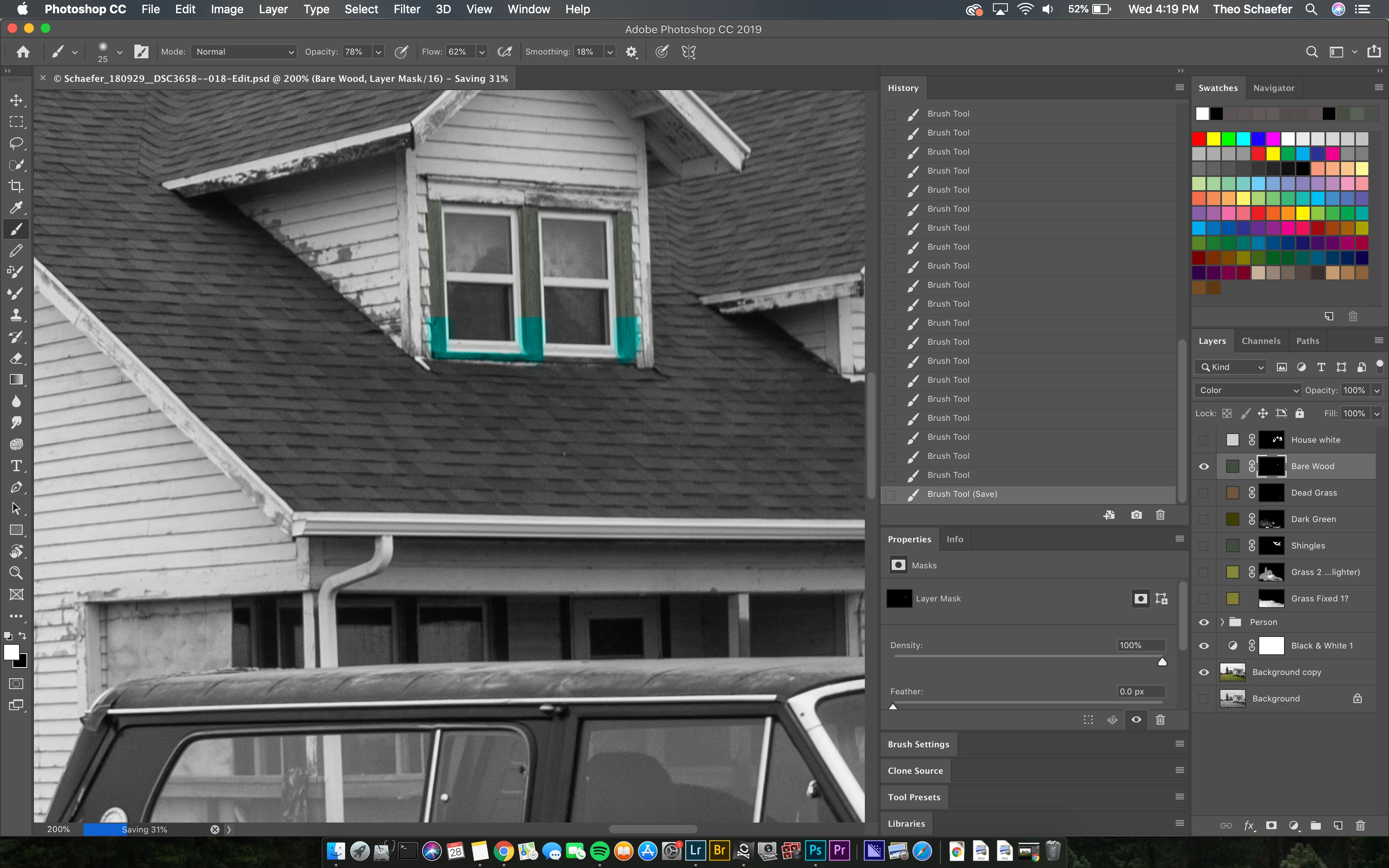
Can you explain what the issue you have is? It looks like you have done quite a few brush strokes on a layer mask and did a save. What is the issue I should see here? I see a small white area in the Layer mask Thumbnail but the Image is zoomed to 200% and the windows has scroll bars I can not tell if the area the mask is allowing to be seen is on screen or not. Is it the odd green color on parts of the house dormer window frames? What Mac OS version and what Photoshop version are you using?
Supply pertinent information for quicker answers
The more information you supply about your situation, the better equipped other community members will be to answer. Consider including the following in your question:
Adobe product and version number
Operating system and version number
The full text of any error message(s)
What you were doing when the problem occurred
Screenshots of the problem
Computer hardware, such as CPU; GPU; amount of RAM; etc.
 AdChoices