Kar209
Known Participant
June 10, 2012
Answered

is .eps True Vector?

  • June 10, 2012
  • 1 reply
  • 36341 views

Hello:

Can someone tell me rather saving an image in Photoshop CS6 as .eps is actually True Vector quality?

I just read some confusing information and now I am uncertain.

Will the images I save as .eps be totally scaleable without losing any quality?

If not, is there anything I can do to the (tons) of images I have already made to make them not lose quality?

I tried opening a .eps file/image in Inkscape which as I understand is a vector program but the open file doesn't recognize the .eps files.

The .eps seems file w/in Ps itself but now I'm wondering about other programs. I'm so new I don't even know if that makes an sense.

Also, if Ps .eps files tend to lose scalable quality then is there a way in which I can create images as true vector or as images that won't lose their quality? Do I need an other program?

Your time and efforts to help me is greatly appreciated : )

Thanx!!

Kara


This topic has been closed for replies.
Correct answer Wade_Zimmerman1

Here is a raster image, you can create art in Photoshop and though it is not a photograph it is constructed the same way and to make it a little confusing you can use the vector tools in Photoshop to make vector art.

Here is a detail of the same image but I  am zooming in so that you can see it is constructed of pixels.


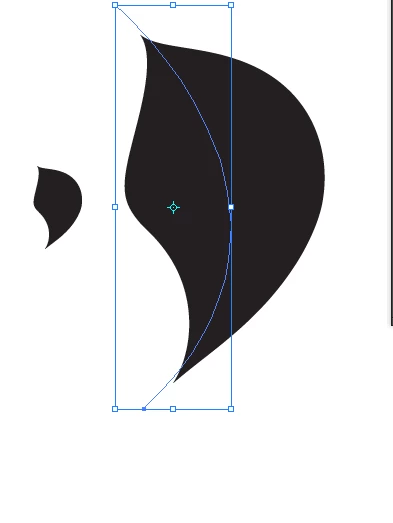
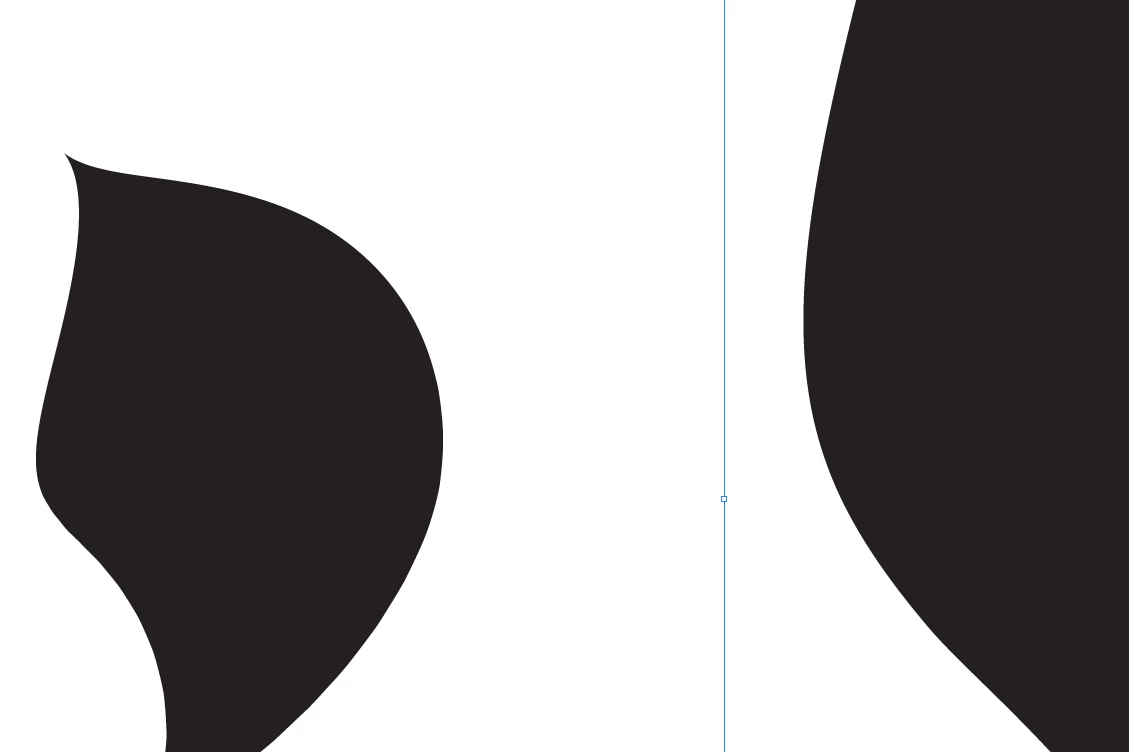
And this is vector art created in Illustrator

I have it at a normal view and a zoomed in view and you can see that the art is still sharp when you zoom in the art on the left is the original  and the one on the right is scaled to enlarge it.

1 reply

Chris Cox
Legend
June 10, 2012

EPS files can contain vectors or bitmaps.

If you save a pixel image from Photoshop as EPS, it will be pixels, not vectors.

It sounds like you want to be using Illustrator.

Kar209
Kar209Author
Known Participant
June 11, 2012

OMG! I think I may have a heart attack!

I have been making images to sell on sites like Canstock and I've been saving them all as .eps b/c Canstock said they need to be able to scale the images. ARG!

Guess I better contact Canstock.

Well, actually I have saved them as .jpg too but I didn't think .jpg's were scaleable w/out losing quality. Are they scalebale in that way?

If they don't accept the PS .eps files it would have saved me quite a bit of time saving only as .jpg

Well Chris ... thank you as always and it loos as though I'll be getting Illustrator this week. I don't know very little of Ps and nothing of Illustrator. More homework ... LOL

Be well & have a Wonderful day/night

Participating Frequently
June 11, 2012

What kind of "images" are you talking about? How are you making them?

Are they pixel-based images like photographs from a digital camera? Or are they vector-based images created in a vector drawing program?

A quick look at Canstock and it appears it's a typical stock image company that sells pixel-based image like photos. (jpgs etc) and vector-based images as EPS.

Pixels can't be scaled up without losing quality. Vectors can be scaled up without losing quality as long as everything in the images is vector and vector only.

While file formats like EPS or AI are often referred to as vector files, be aware that these files can contain a mixture of vectors and pixels.

So you can have an EPS that is pixels only, vectors only or a mix of both.

Simply saving a file in a format that allows vector DOES NOT magically convert pixels to vectors.

Are you sending just photographic images to Canstock? If so, then you don't need to worry about EPS.

I think you need to learn a lot more about Photoshop (and/or Illustrator) along with file formats specifications before you attempt more uploads to stock images websites.

Good Luck!

From Canstock FAQs

  • JPG upload specifications
  • Photos must be uploaded in high resolution JPG format.

    We recommend you save the file in the highest possible quality.

    Do not ever up-sample (increase size) of submitted images.

    Please submit in RGB format.

    The minimum resolution for each file is 3.0 megapixels (approx. 1500 x 2000px).

    The maximum recommended upload file size is 20mp.

    • Vector upload specifications?
    • All vectors must be in EPS file format, EPS8 compatible.

      Files must be true vectors, with no rasterized content.

      Should not also be submitted in JPG format, as we will automatically create all needed thumbnails from the EPS file, and will use it to offer all JPG purchase size options.

      File information can be embedded in the image (title, description, keywords) and will be automatically imported.