Participant
August 9, 2017
解決済み

Is it possible to feather part of a selection or mask in Photoshop CC 2017?

  • August 9, 2017
  • 返信数 2.
  • 3208 ビュー

I have a selection/mask that I want to have a hard edge in one area and a feathered edge everywhere else. Is this possible? The refine edge brush won't work in this case, and I'm not finding another option in Select and Mask. Optimally I would like to feather the whole selection and paint areas to have a hard edge, like an art history brush. I will be duplicating the selection and try combining and fading each to get the effect I want, but it would be great if there was some way to do it in a single mask.

Thanks,

Bill
このトピックへの返信は締め切られました。
解決に役立った回答 davescm

Hi Bill

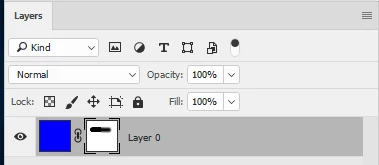
If you remember that a mask is really just a grayscale "image" showing the layer where it is white and making the layer transparent where black then what you are asking is easy.

Just click once on the mask to select it (twice will open select and mask) then paint with the brush tool using hard and soft brushes in black white or grey.

If you want to see an overlay whilst you do this, rather than just watching the image,  press \ .

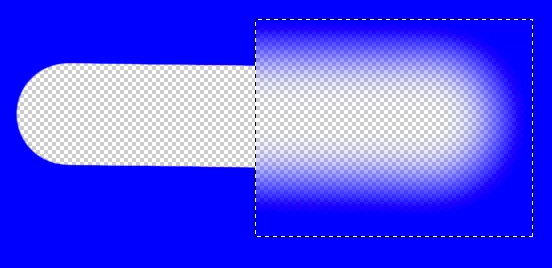
You can also use the marquee tool to highlight an area of the mask  and use a filter such as Gaussian blur on the mask as below:

Dave

返信数 2

davescm
Community Expert
davescmCommunity Expert解決!
Community Expert
August 9, 2017

Hi Bill

If you remember that a mask is really just a grayscale "image" showing the layer where it is white and making the layer transparent where black then what you are asking is easy.

Just click once on the mask to select it (twice will open select and mask) then paint with the brush tool using hard and soft brushes in black white or grey.

If you want to see an overlay whilst you do this, rather than just watching the image,  press \ .

You can also use the marquee tool to highlight an area of the mask  and use a filter such as Gaussian blur on the mask as below:

Dave

Bill Durgin作成者
Participant
August 9, 2017

Thanks Dave! This is really helpful!

davescm
Community Expert
Community Expert
August 9, 2017

You're welcome

Dave

WILDCAT54
Inspiring
August 9, 2017

Can you post what you are working on so we can get a better idea of where you are wanting this effect?    

Bill Durgin作成者
Participant
August 9, 2017