
Known Participant
November 21, 2010
Answered

Is there a trick for evenly spacing things out?

  • November 21, 2010
  • 6 replies
  • 30364 views

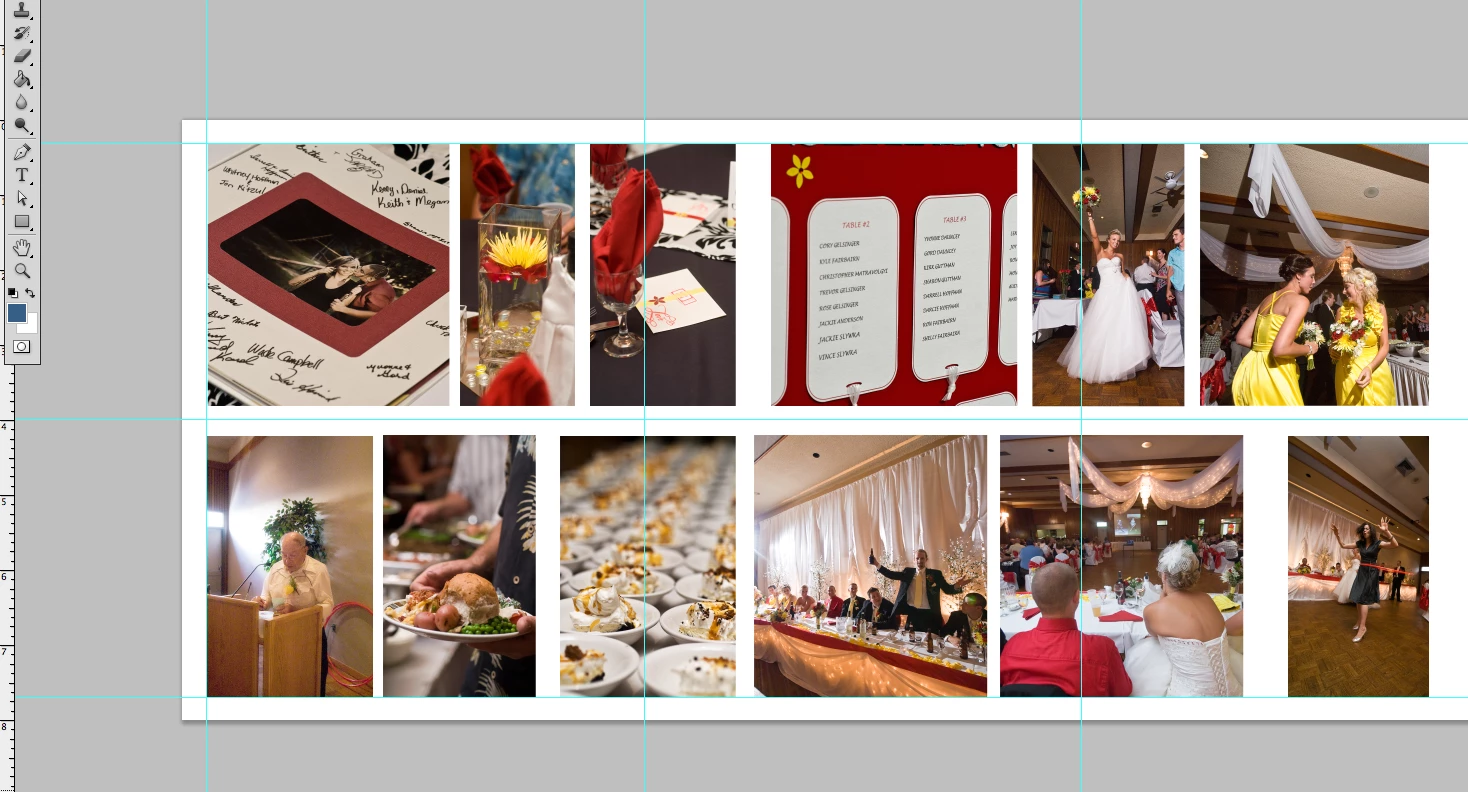
Hi, I'm designing a wedding book where I have to line things up nicely.  I use smart guides and snap to...  and those are great for lining things up in a row (for example the tops and bottoms of the shots here)  But the vertical lines are where I'm having trouble . I'm good at eyeballing how far I want things apart,  but there has to be a more exact way to space out the images quickly and evenly.  (in this shot I have not lined them up yet... My eye is better than this   )  It's just one of those things that I finally remembered to ask
Thanks in advance,

Cortney

    This topic has been closed for replies.
    Correct answer c.pfaffenbichler

    Paul Riggott offered a pretty nifty Script in this thread that may help:

    http://forums.adobe.com/message/2929207#2929207

    And lining layers up in rows or columns is pretty easy from the options bar or Layer > Align.

    6 replies

    Participating Frequently
    March 31, 2011

    hi paul your script doesnt work in CS5???

    do you haev a other solution

    i get an error in line 10, no such element

    Known Participant
    November 24, 2010

    Well I'm glad I'm not the only one with this beef   I'll give the script another try, and if all else fails I can just go back to eye balling.

    I didn't know what InDesign did, so I just bought Photoshop  instead of the suite :S

    7 out of 12 books to go !

    C

    Inspiring
    November 24, 2010

    Cortney,

    You might consider downloading the 30 day trial of InDesign to finish your project.

    November 28, 2010

    I'm glad I stumbled upon this thread! I tried the script, and it works for one row, but it doesn't seem to work for multiple rows.

    I am putting together a poster with children's artwork that I scanned and reduced, so some objects are horizontal and some are vertical.

    -Holly

    November 23, 2010

    Aside from the better alignment tools available in InDesign, this kind of project is much more efficiently done in InDesign. You're needlessly building up layers in a raster image file and duplicating bytes for images already saved elsewhere on your computer. A page layout program like InDesign makes references to the original image files without duplicating data.

    dianer_macperson
    Inspiring
    November 23, 2010

    When in the "move" tool, making sure all your images are on separate layers, and the layers are selected, use the align funtions in the menu bar.

    _scott__
    Legend
    November 24, 2010

    dianer_macperson wrote:

    When in the "move" tool, making sure all your images are on separate layers, and the layers are selected, use the align funtions in the menu bar.

    Important to note.. you are A) working with three layers of identical dimensions and B) you are aligning the layers via their dimensions, not the space between the layer artwork. There's a wold of difference.

    dianer_macperson
    Inspiring
    November 24, 2010

    It doesn't matter what size the images are, you can select all the layers and choose "distribute horizontal centers" and it makes the space between the images the same. Isn't that what "evenly spacing things out" means?

    c.pfaffenbichler
    Community Expert
    c.pfaffenbichlerCommunity ExpertCorrect answer
    Community Expert
    November 21, 2010

    Paul Riggott offered a pretty nifty Script in this thread that may help:

    http://forums.adobe.com/message/2929207#2929207

    And lining layers up in rows or columns is pretty easy from the options bar or Layer > Align.

    _scott__
    Legend
    November 21, 2010

    Thanks C

    Inspiring
    November 21, 2010

    Photoshop does not have "Distribute Spacing", which is what you are looking for.

    Illustrator or InDesign would have that type of distribution for your layout. It would be a handy feature for Photoshop to have too.

    _scott__
    Legend
    November 21, 2010

    It's damn annoying that Photoshop at version 12 doesn't have a feature to distribute spacing evenly.

    Paul Riggott
    Inspiring
    November 23, 2010

    Photoshop does have distribute, just select the layers and use Layer -> Distribute -> Horizontal Centers