Participating Frequently
January 23, 2016
Answered

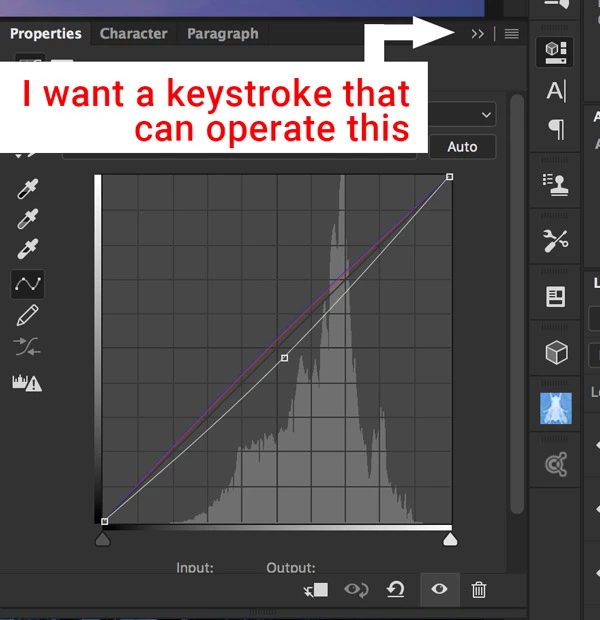
Is there a way to toggle the adjustment panel open a closed with a keystroke?

  • January 23, 2016
  • 2 replies
  • 763 views

Is there a way to toggle the adjustment panel open a closed with a keystroke, or is there a script that can do that?

This topic has been closed for replies.
Correct answer boo_radley_2013

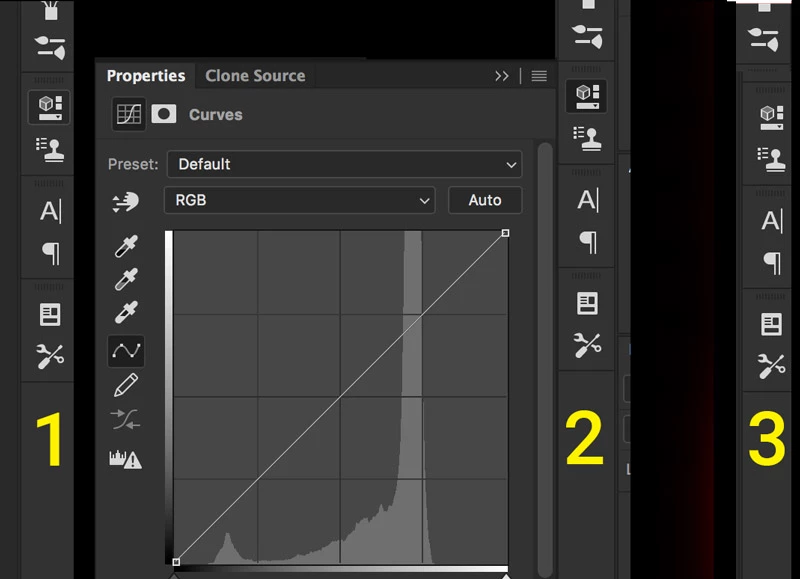
Here are states (1), (2), and (3)


try this instead:

Go to Edit/Keyboard Shortcuts...

Then where it says "Shortcuts For:", pull down the drop-menu and select "Application Menus"

Then expand the "Window" category and in there towards the bottom you'll find "Properties" - give that one a keyboard shortcut.

That might work

2 replies

Inspiring
January 24, 2016

you can assign a keyboard shortcut to it.

Go to Edit/Keyboard Shortcuts...

Then where it says "Shortcuts For:", pull down the drop-menu and select "Panel Menus"

Then expand the "Adjustments" category and in there you'll find all your adjustment layer panels (curves, exposure, vibrance, etc)

choose the panel you want to toggle on and off and give it a keyboard shortcut

Participating Frequently
January 24, 2016

Thanks, but I'm not finding exactly what I want. In Edit/Keyboard Shortcuts >> Shortcuts For Panel Menu what I actually need is the ability to toggle the properties panel itself, not any category under Properties.

Participating Frequently
January 24, 2016

Here are states (1), (2), and (3)

Benjamin Root
Legend
January 23, 2016

‌Yeah, you should be able to create a simple script for that, and call the script by an action with a short key (I think - don't quote me). You'd likely need to use the Script Listener to find what the name of the panel command is. I'm going to move this to Photoshop Scripting‌ where you'll find much more knowledgeable people in this regard than I.