ryanb83995487
Participant
November 25, 2022
Answered

Is there an easy way to make a dotted line change size as it progresses?

  • November 25, 2022
  • 2 replies
  • 1564 views

I am trying to show a change in distance using dotted lines. Currently, I am using the Pen tool to draw a path, then I remove the fill and change the stroke options to become a dashed line. I do this a few times and make it look as if it is the same path but it looks so-so to me. (Example below)


Is there a way to draw one path and have the dotted lines become smaller or larger as the line goes on? I'd rather not make each dot individually but it feels like that might be my only option.
This topic has been closed for replies.
Correct answer Jeff Arola

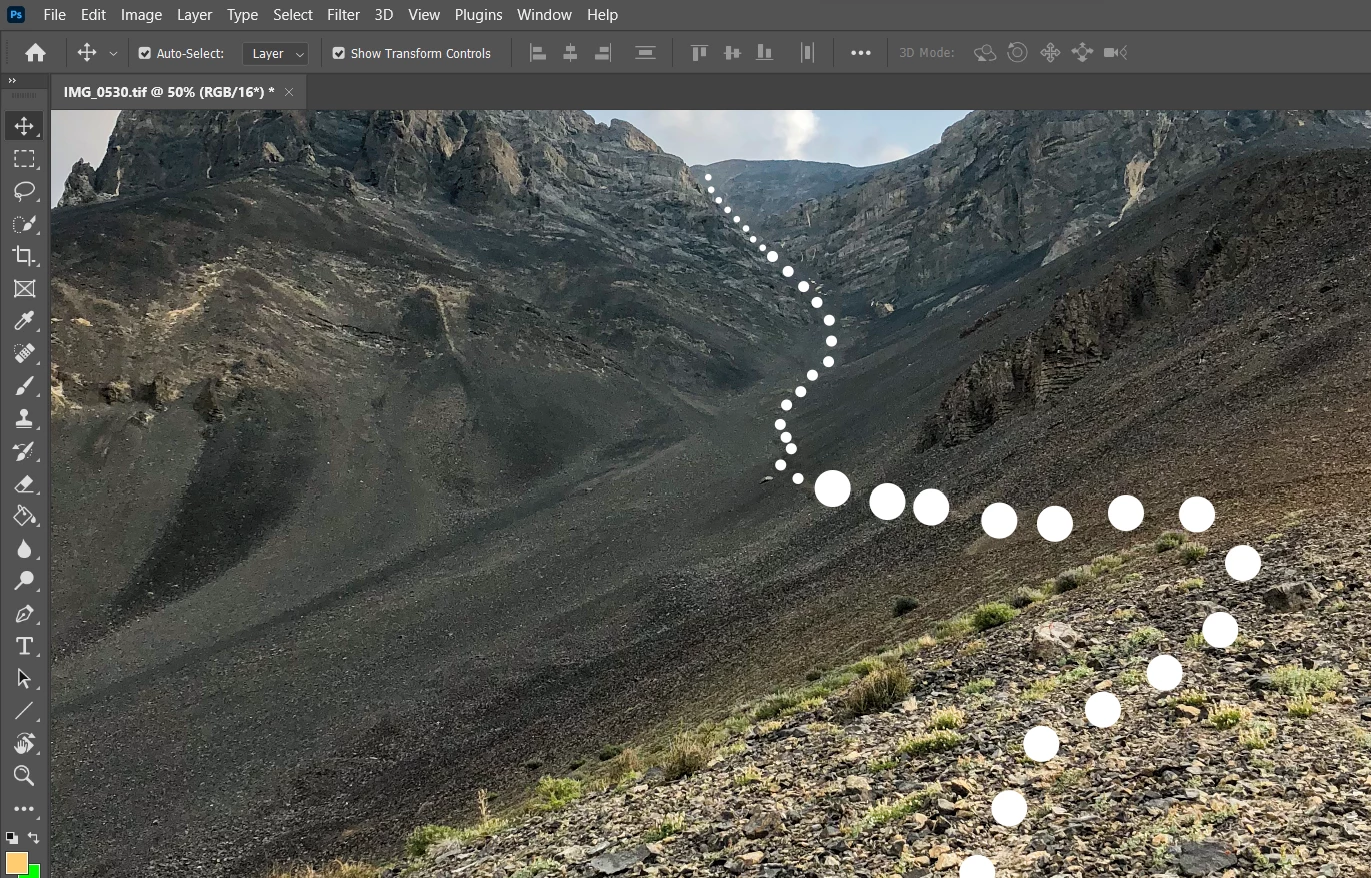
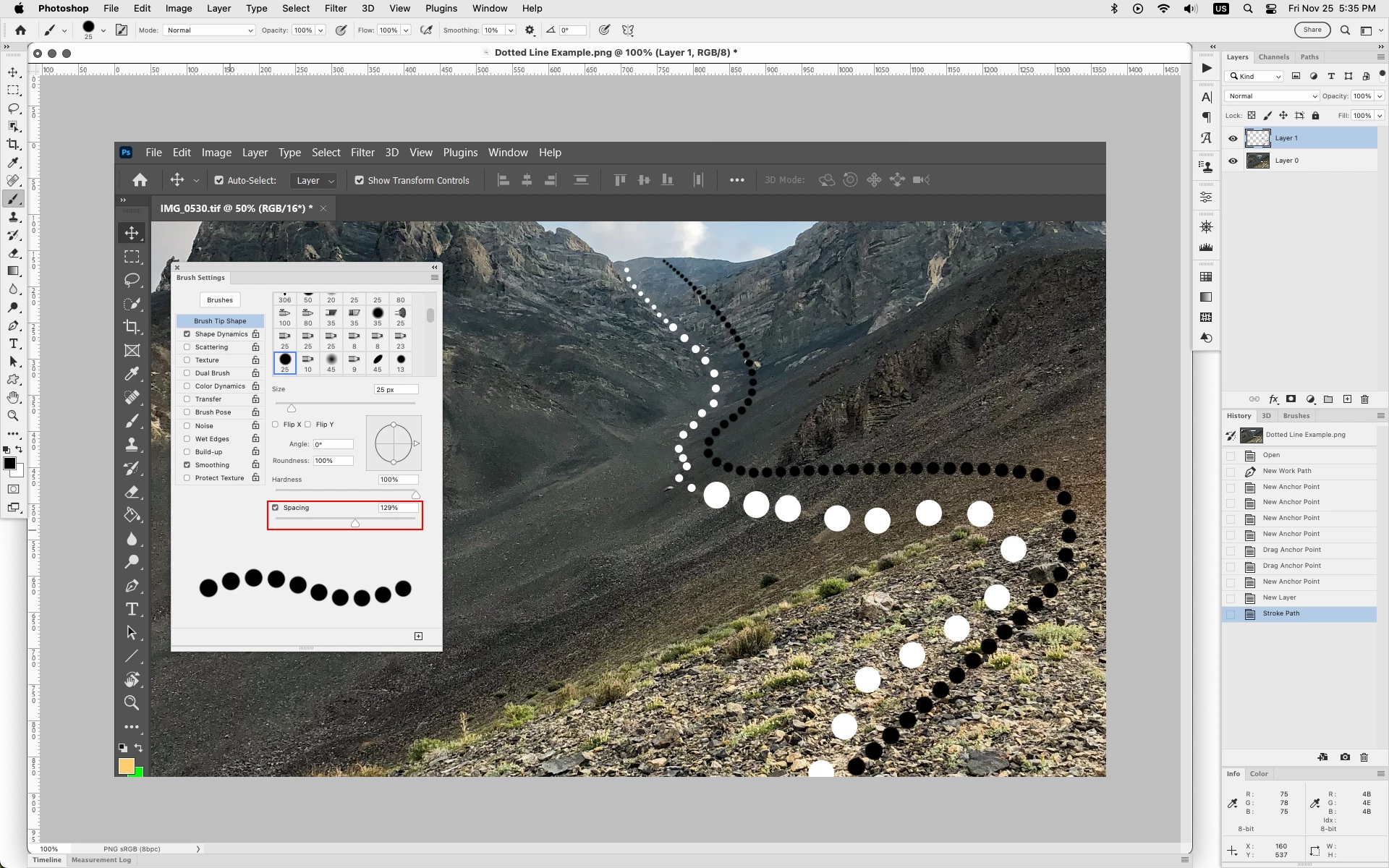
In photoshop you could do that using Stroke Path with the Brush Tool by setting the Spacing under Brush Tip Shape and Size Jitter Fade under Shape Dynamics. You'll have to experiment with different seetings to get it just right.


2 replies

Jeff Arola
Community Expert
Jeff ArolaCommunity ExpertCorrect answer
Community Expert
November 25, 2022

In photoshop you could do that using Stroke Path with the Brush Tool by setting the Spacing under Brush Tip Shape and Size Jitter Fade under Shape Dynamics. You'll have to experiment with different seetings to get it just right.


jane-e
Community Expert
Community Expert
November 25, 2022

@ryanb83995487 


Do you have Illustrator — Adobe's drawing application? If you do, you can create a Blend along an open Path. It is editable and does exactly what you are asking for.


I don't know of an easy way to do this in Photoshop.


Jane