
Answered
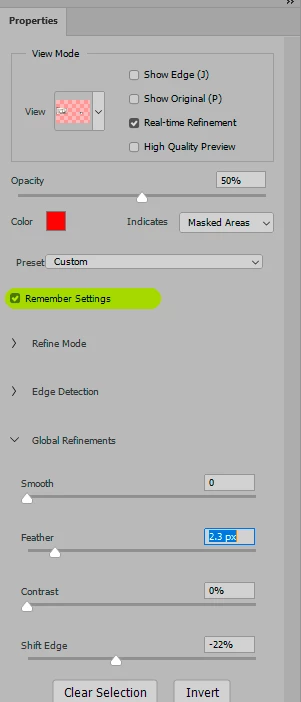
Is there anyway to save or remember my Global refinement settings in "Select and Mask"?
I'm working with hundreds of the same types of photos.
Each photo requires me to basically quick selection the object
and then apply a blur to the background except the object.
I always go into "Select and Mask" to refine the edges, smooth,
feather etc., but each time I have to drag the sliders back to the
same numbers that I want which is usually for example: Smooth: 50
Feather: 4, Shift edge +10%.
Every single photo is going to use the exact same setting or similar
but the fact is I always have to drag the sliders back to these numbers.
If there was a way to remember or save the settings so that each time
I go to select and mask, it will automatically apply it, then I can just
click on OK and move on.
 AdChoices