Answered
Issue Opening Images
Sometimes when I try to open an image it takes me to this screen and I can't get out unless I hit Esc which then also closes the image. How can I get out of this and edit on the normal interface?
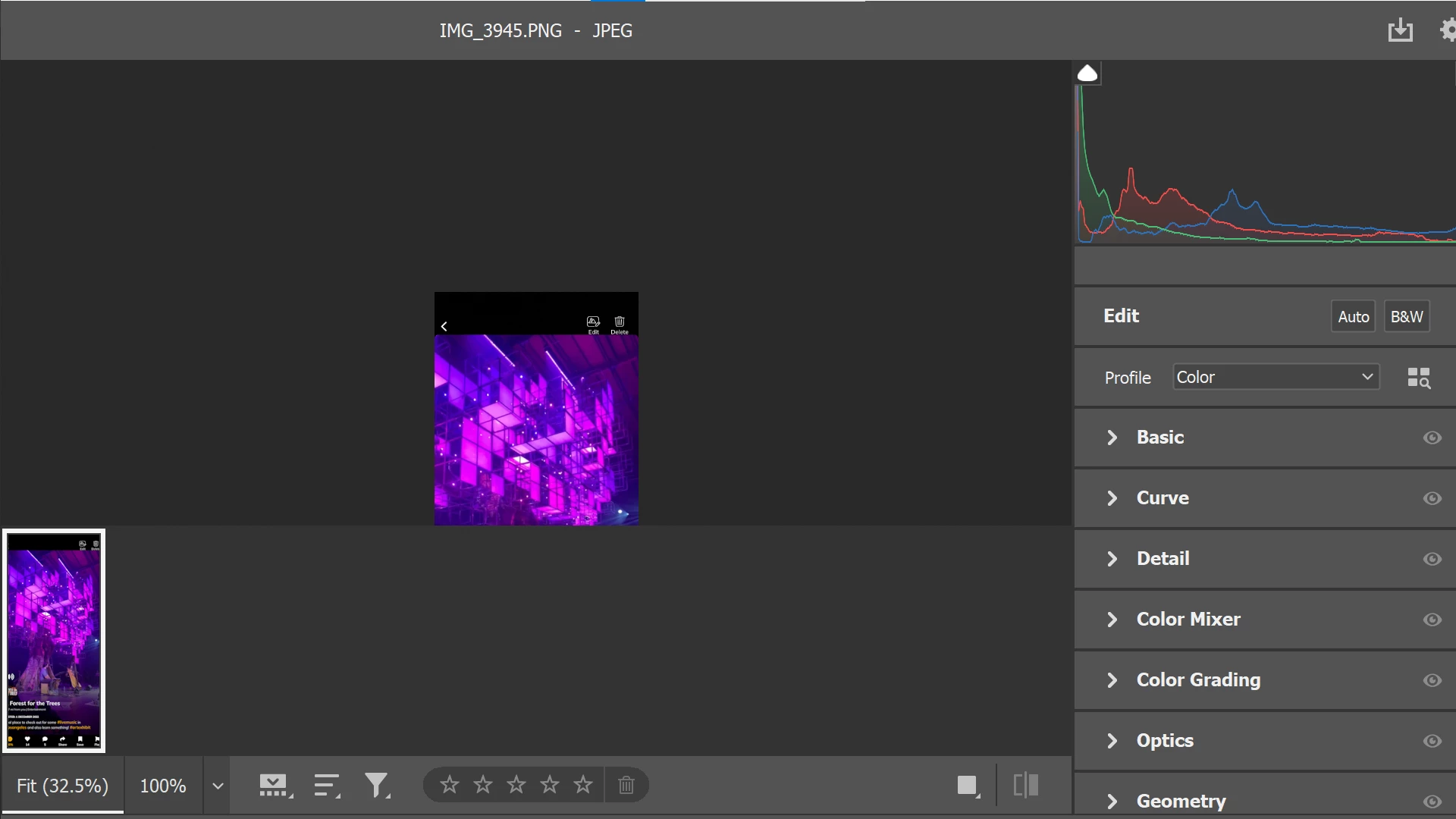

Sometimes when I try to open an image it takes me to this screen and I can't get out unless I hit Esc which then also closes the image. How can I get out of this and edit on the normal interface?
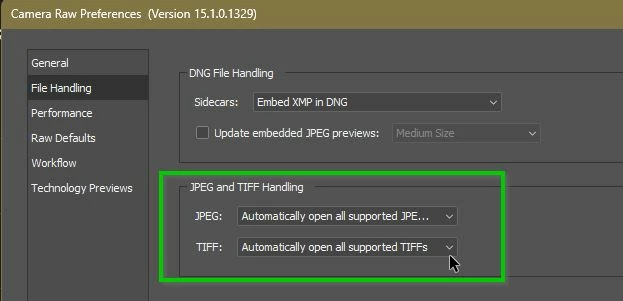
As stated by @TheDigitalDog your Photoshop Preferences for Camera Raw are set to load JPGs by passing them first through Adobe Camera Raw.
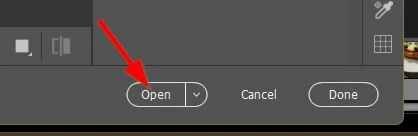
You can do some Camera Raw editing before you [OPEN] the image in the Photoshop document window-
Or, if you never want to see ACR for JPGs and TIFs- change the Camera Raw preferences-
(My preferences ARE set to open through ACR!)
Already have an account? Login
Enter your E-mail address. We'll send you an e-mail with instructions to reset your password.
 AdChoices