Question
Issue: Swatches Palette Automatically Resizing
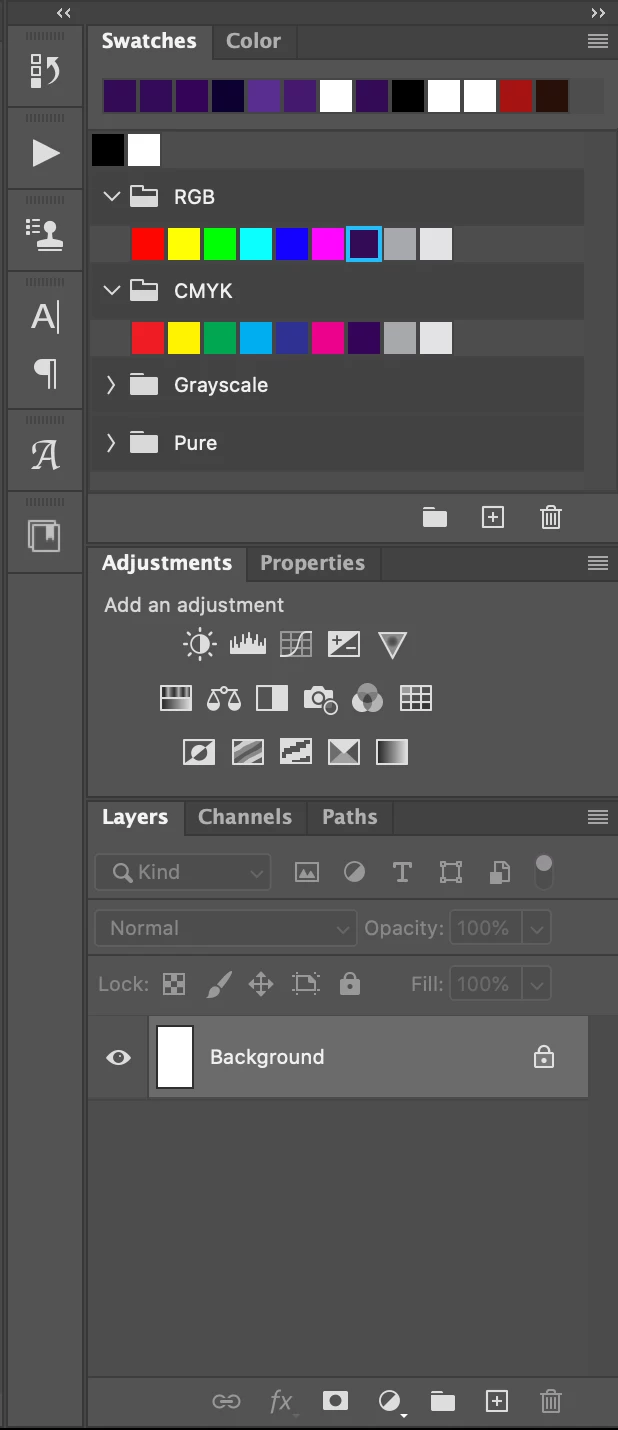
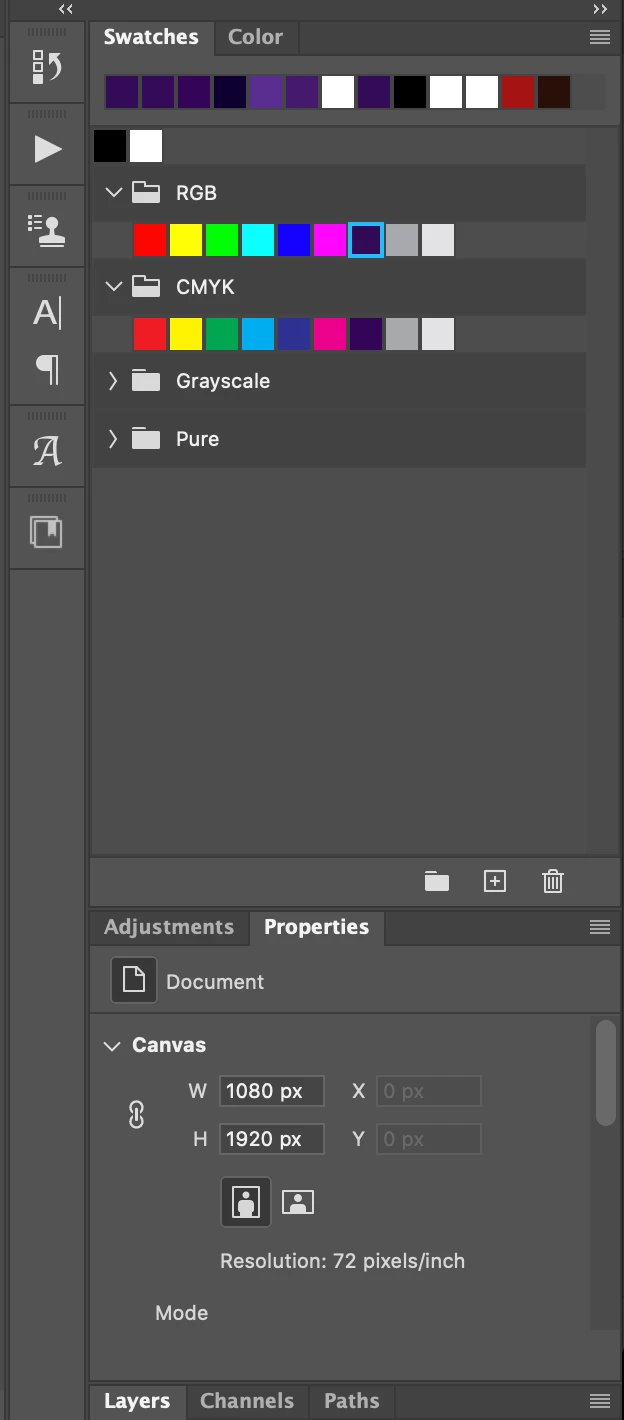
Having an issue where my window/palette is automatically resizing. The first image is my saved workspace. Second image is what happens in the midst of me desiging something. As you can see, the swatches palette has a bunch of wasted space and it completely collapses the Layers/Channels/Paths palette to the bottom. Super annoying as I have to go back in an manually adjust the swatches palette and reopen Layers etc. Using Photoshop 21.0.2 on a 13" Macbook Pro running Catalina 10.15.2. Anyone else seeing this issue and have tips to fix it?
 AdChoices