Participant
November 10, 2023
Question

Issue when opening more than 2-3 files

  • November 10, 2023
  • 6 replies
  • 316 views

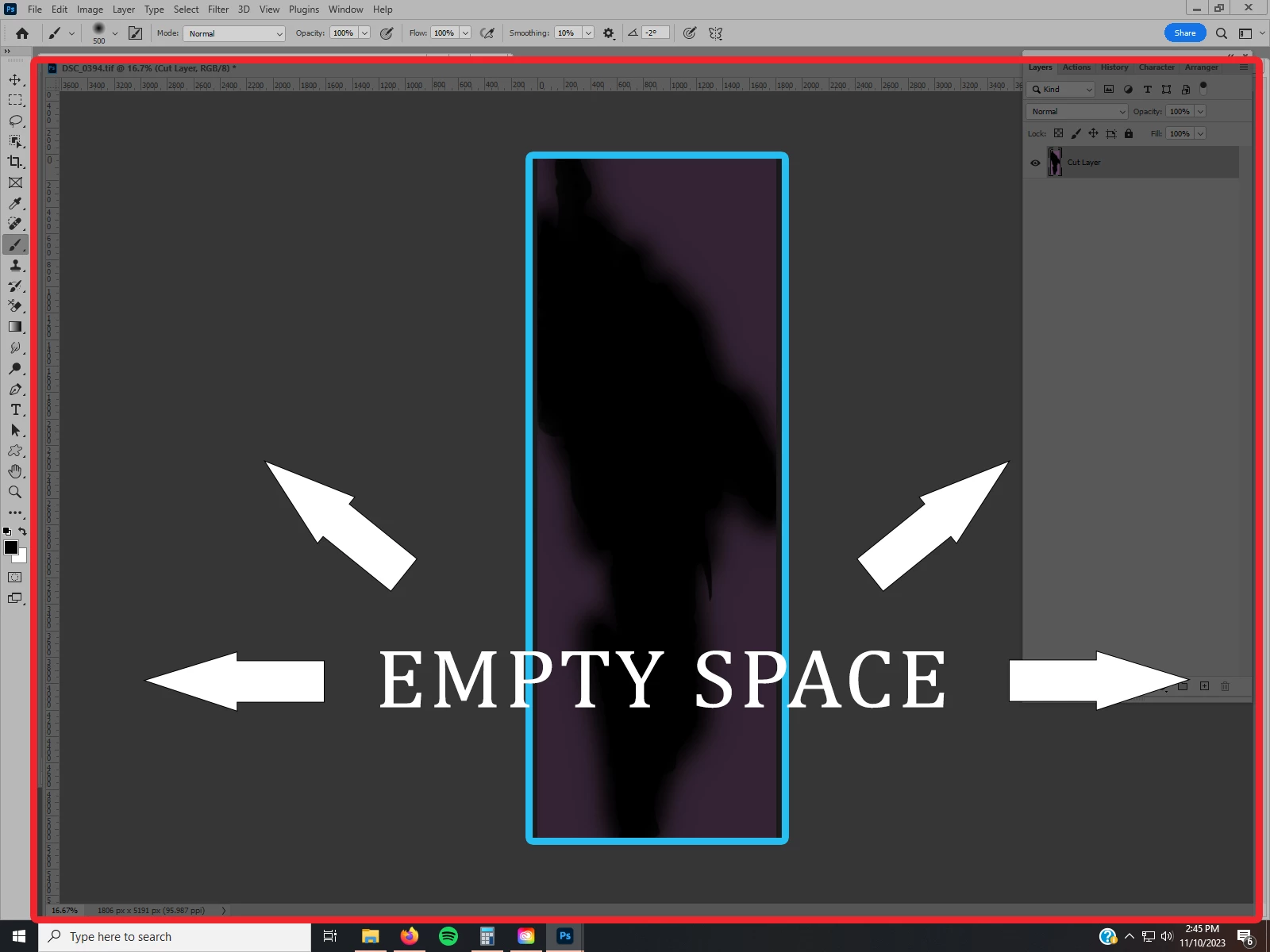
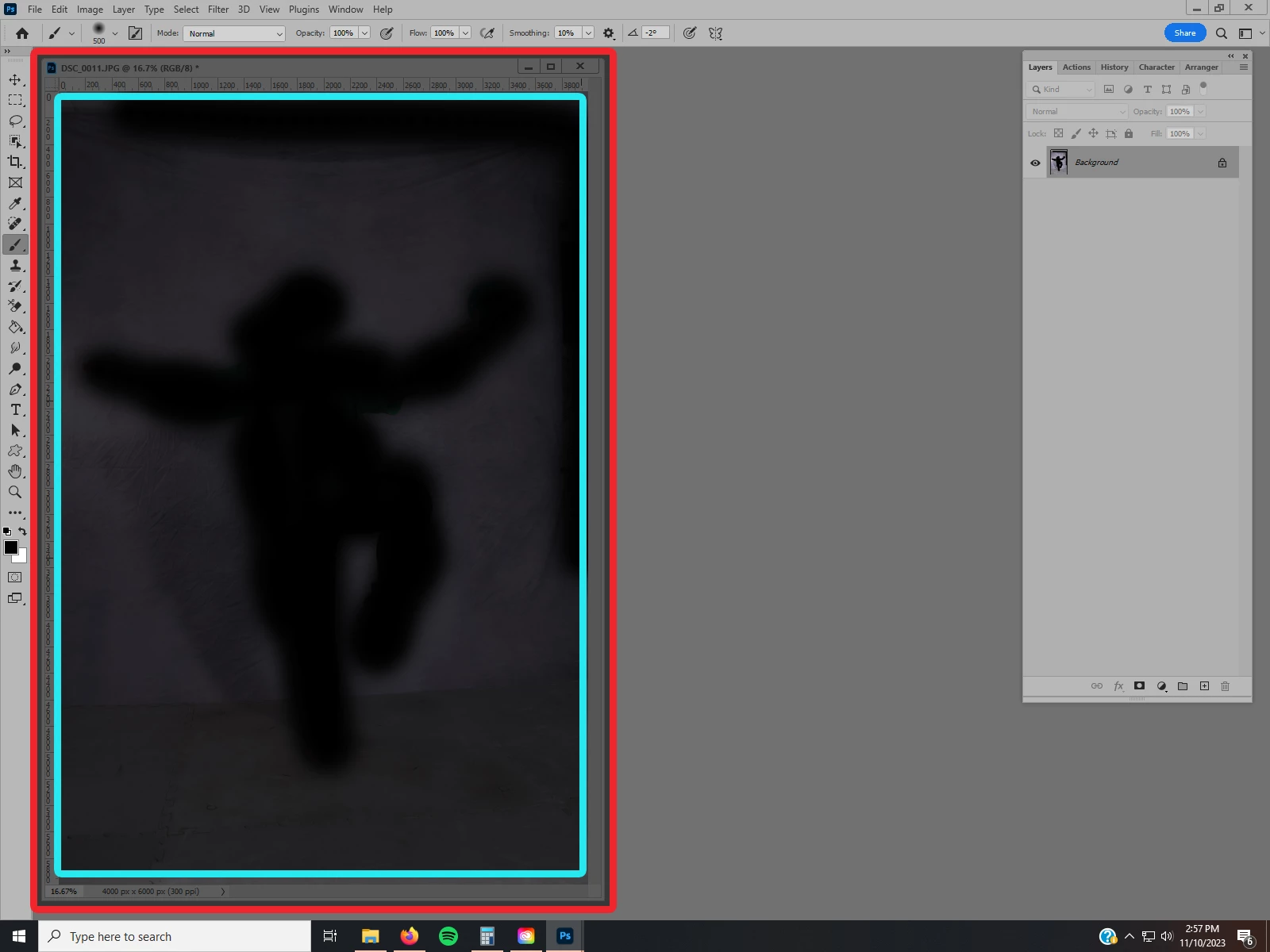
Version 24.7.1 on Win10.  I'm not sure if I've messed up a setting or what.  When I open more than two jpegs/tiffs, the window for all subsequent opened documents goes full-screen automatically and Zoom Resizes Window stops working as intended.  I have to either grab the border of the document and move it slightly or cycle through screen modes to get it back to a non-full-screen window.  Here's an example -- blue is the actual document dimensions and red is the window:


I need all files to open like this, though:


Thanks in advance! 

This topic has been closed for replies.

6 replies

Jeff Arola
Community Expert
Community Expert
November 15, 2023

Yes i see this as well with Photoshop 2022 (23.5.5),  2023 (24.7.2) and photoshop 2024 25.1) on Windows 11.


It appears to only happen if one has the panels undocked on the right side of the screen, but not undocked on the left side of the screen.

Participant
November 15, 2023

I forgot to tag @Kevin Stohlmeyer in my reply, so apologies for the duplicate post.  I'm afraid Open as Tabs essentially produces the same result as the issue I'm having. I've used Floating Windows for many years without any problems occurring. I'll include a video if that helps illustrate what's happening -- note how documents one and two open compared to documents three and four. 

Participant
November 15, 2023

I'm afraid Open as Tabs essentially produces the same result as the issue I'm having.  I've used Floating Windows for many years without any problems occurring.  I'll include a video if that helps illustrate what's happening -- note how documents one and two open compared to documents three and four. 


Kevin Stohlmeyer
Community Expert
Community Expert
November 14, 2023

@Walter22627467hpxz you are opening your files as floating windows, not docked tabs.

Try changing the preference setting to open as tabs.

Participant
November 14, 2023

Thanks for the reply!  I tried those steps, but it's still doing it.  Any other suggestions? 

Jeff Arola
Community Expert
Community Expert
November 11, 2023

Try a Photoshop preference reset and updating to 24.7.2.

https://helpx.adobe.com/photoshop/using/preferences.html