
issue with copying and pasting translated text on photoshop
I came across this exact issue on the community, but none of the solutions worked for me, So i am copying and pasting the problem that I am facing as well.
Our client provides me the content of the project for design in hindi (He used google translater to type / Google Inputs)
So suppose this is my word I want on photoshop->
कार्यक्रम
I open the text box and paste this word there, and PS automatically selects the hindi font and everything. but the word pasted is like this->
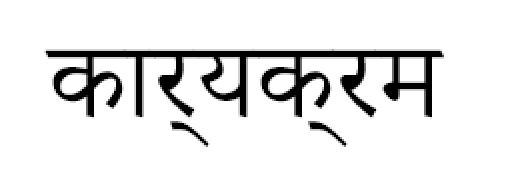
However if I right-click on the word: & see in layers panel, It shows the word that I originally pasted but for some reason it can't show that!
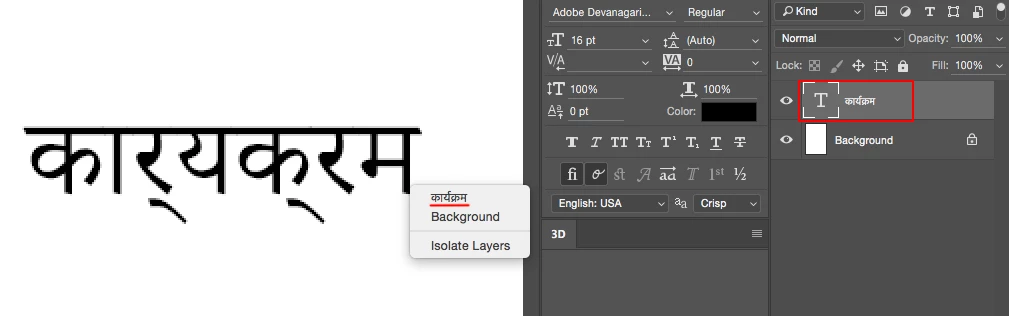
But If now I select that word from Photoshop & copied it and paste it on internet(e.g. Facebook ), It gives me the way I want! (Means proper text).
That means that photoshop is understanding the word but can't show it the way i want.
Thank You
 AdChoices